






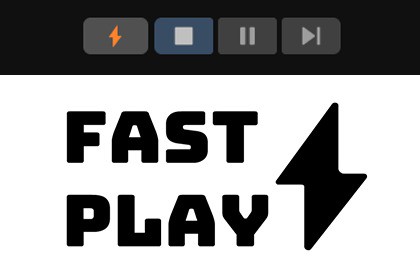
Instantly enter Play Mode and boost your iteration speed! Fast Play adds a ⚡ toolbar button to skip Domain & Scene reloading without permanently changing project settings.Stop waiting. Start playing.Waiting for Domain and Scene reloading every time you press Play can kill your flow and waste hours of development time. Fast Play solves this by integrating a ⚡ button directly into your main Unity Toolbar (next to the Play button).When enabled, Fast Play temporarily activates Unity's Enter Play Mode Options to skip reloading, allowing you to jump into your game logic almost instantly.Why use Fast Play?⚡ Instant Iteration: Drastically reduces the time between pressing Play and the game starting. Perfect for tweaking gameplay mechanics, UI, or level design.🛡️ Safety First: Unlike manually changing Project Settings, Fast Play is non-destructive. It automatically restores your original, safe Play Mode options as soon as you stop playing.⌨️ Workflow Friendly: Toggle it with a click or use the keyboard shortcut (Shift+Alt+P).👀 Visual Feedback: The icon changes color (Orange) so you always know when you are in "Fast Mode".🧠 Smart Integration: Automatically detects if the button is hidden and helps you enable the overlay.Important Note on Static Variables: Because Fast Play disables Domain Reloading, static variables are not reset between play sessions. This package is ideal for rapid testing, but ensure your code properly initializes static variables (see the included ReadMe for a code example). Also, always use the regular Play mode for final validation!Key Features:Toolbar Integration: Adds a native-looking ⚡ button to the Unity 6 main toolbar using the UnityEditor.Overlays and UnityEditor.Toolbars API.Unity Version Support: Built specifically for Unity 6000.3 and newer.Shortcut: Includes a default hotkey (Shift+Alt+P) to toggle the mode quickly.Auto-Restore: Safely caches your previous Enter Play Mode Options and restores them on exit.Lightweight: A single, clean Editor script with no runtime overhead or build footprint.Source Code: Full C# source code included (MIT License).Also available on GitHub: https://github.com/JonathanTremblay/UnityFastPlayGenerative AI was used as an assistant during the development process. It helped in coding, debugging, and writing the documentation. All AI-generated content was manually reviewed, tested, modified, and validated by the developer to ensure correctness and security.

