






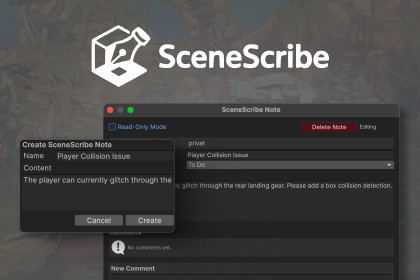
SceneScribe adds visual scene notes that never modify your scenes and work flawlessly with Unity Version Control (Plastic SCM) and other VCS systems.✨ OverviewSceneScribe is a lightweight editor extension that lets you place visual notes directly inside the Scene View — perfect for team communication, level design feedback, to-do tracking, or environment reviews.Unlike other annotation tools, SceneScribe never modifies your scene file. All notes are stored as small .asset files alongside the scene, so your actual scene stays clean, load times stay fast, and version control diffs remain minimal and conflict-free.💡 Key FeaturesCreate Scene Notes Anywhere – Drop contextual notes directly in the Scene View with titles, descriptions, and categories (To-Do, In-Progress, In-Review, Done).Comment Threads – Add threaded comments to any note for lightweight team discussions.Automatic Author Tracking – Notes automatically record the current system username for accountability and clarity.Smart Visuals – Notes appear as small floating cards that automatically adjust for size, hover effects, and categories.Visibility Optimization – Only nearby (e.g. within 100m by default) and onscreen notes are rendered, keeping the view clutter-free.Non-Destructive by Design – SceneScribe never writes to your scene or modifies scene objects. All metadata is stored externally in a .SceneScribe folder.Version-Control Friendly – Works flawlessly with Unity Version Control (Plastic SCM), Git, and Perforce — no merge conflicts or hidden scene edits.Customizable Editor Preferences – All visual and behavioral parameters (card size, padding, visibility range, scan interval, etc.) can be tuned via Edit ▸ Preferences ▸ SceneScribe.Fully Editor-Only – Automatically stripped from builds; zero runtime overhead.🧰 Use CasesTeam coordination in large scenesEnvironment art and lighting feedbackLevel design iteration trackingQA notes or bug markersChecklists or review boards embedded directly in the scene❤️ Why SceneScribeWe built SceneScribe to solve real production problems — and we at 314 Arts use it daily in the development of Projekt Z: Beyond Order and all our other projects.It keeps our team synchronized without cluttering scenes or causing version-control conflicts.SceneScribe: clean, collaborative, and completely scene-safe.🧩 IntegrationBecause SceneScribe uses standard Unity ScriptableObject assets, it fits cleanly into existing pipelines:No custom file formats or serialization layersWorks with multi-scene editingRespects per-user editor settingsPerfect diffs under Unity VCS (Plastic SCM)AI was used to assist in the coding debugging and optimization process to deliver the best asset possible.

