






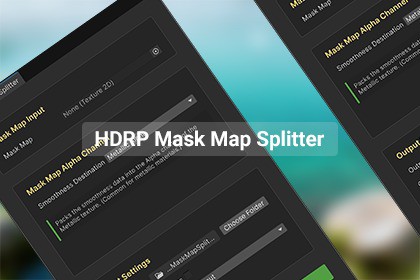
A one-click Unity Editor tool to split HDRP Mask Maps into separate PBR channels (Metallic, AO, Detail Mask, Smoothness), saving hours of manual work with perfect accuracy.This tool is specifically designed to split the HDRP-packed Mask Map texture into its individual channels (Metallic, AO, Detail Mask, Smoothness). The resulting texture files are standard images and can be used as material inputs in any render pipeline — HDRP, URP, or Built-in.The HDRP Mask Map Splitter is a powerful Unity Editor extension that intelligently deconstructs HDRP-standardized Mask Maps, extracting the Metallic, AO, Detail Mask, and Smoothness channels into separate, ready-to-use textures. Reclaim hours of tedious Photoshop work and achieve perfect channel separation through precision automation.Core Features:Visual, No-Code Splitting: Drag and drop your packed HDRP Mask Map. Watch it split back into clean, separate Metallic, AO, Detail Mask, and Smoothness (or Roughness) maps in real-time — no manual channel picking or external software needed.Flexible Smoothness Output: Retain total artistic control. Choose to output your data as either Smoothness (for HDRP/Standard) or Roughness (for other pipelines and texture libraries) with a single click.High-Fidelity Output: Support for textures up to 16K resolution on both Windows and macOS ensures no detail is lost during the separation process.Smart Export System: Automatically generates organized file names and saves in your preferred format (PNG), keeping your project tidy.Ideal For:Technical Artists, Environment Artists, and solo developers who need to build materials for HDRP, URP, or Built-in Render Pipeline faster and with fewer errors, entirely within the Unity Editor.Supported Unity Versions: 2019.4 LTS and newer (including Unity 6).Render Pipeline: Designed for HDRP, outputs compatible with all.Texture Resolution Support: Up to 16K on Windows and macOS.Input Formats: Recommended – PNG, TGA, and EXR; not recommended: JPG (lossy compression degrades PBR texture accuracy).Output Format: PNG.Note: This tool has been developed and tested on Windows and macOS. Linux compatibility has not been verified and is not currently supported.This asset was developed with the assistance of AI tools.AI Tools Used:DeepSeek (for code assistance and draft documentation generation) and Doubao (for generating source material used in creating blurred background elements of promotional images).AI-Generated Content:Initial code frameworks for basic C# utility methods (e.g., tool interface UXML/USS, texture reading/saving logic).Initial code structures for ComputeShader property declaration functionality.Draft text for the initial user manual.Core Modifications and Value-Added Work by the Developer:Complete Refactoring & Optimization: All AI-generated code underwent deep refactoring to ensure compliance with Unity HDRP best practices, high-performance standards, and C# coding conventions.Core Algorithm Implementation: Manually authored and optimized the core algorithms and blending logic for generating Detail Maps (Detail Albedo, Detail Normal, Detail Smoothness).Deep Unity Engine Integration: Developed a fully-featured custom editor (EditorWindow) to implement a user-friendly workflow.Robustness Enhancements: Added comprehensive input validation, error handling, and progress feedback.Full Cross-Version & Cross-Platform Compatibility Assurance: The plugin has been systematically tested and adapted during development across Unity 2019.4 LTS, 2020 LTS, 2021 LTS, 2022 LTS, 2023 LTS, and newer versions including 6000 LTS, ensuring core functionality remains stable across HDRP iterations. Full functional verification has also been completed on both Windows and macOS systems, guaranteeing reliability across operating systems.Final Documentation & Examples: Rewrote and refined all documentation, and created step-by-step tutorial examples.

