






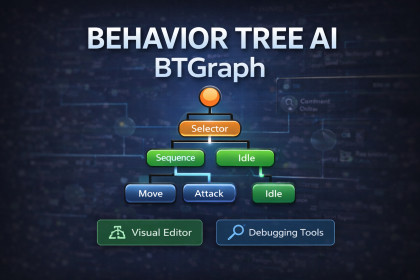
BTGraph is a visual behavior tree (behaviour tree) editor and runtime framework for Unity AI.BTGraph is a modern, production-ready Behavior Tree system for Unity that combines a powerful visual graph editor with a high-performance runtime engine. It is designed for developers who want clean architecture, scalable AI systems, and full control over execution flow—without relying on heavyweight frameworks or tightly coupled scripts.Built from the ground up for modularity and long-term maintainability, BTGraph allows you to design, debug, and reuse AI logic as data-driven ScriptableObject assets, keeping gameplay code structured and easy to extend.🚀 Modern Execution ArchitectureUnlike traditional tick-only behavior tree implementations, BTGraph supports:Tick Execution ModeEvent-Driven Execution ModeHybrid Execution ModeEvent-Driven mode allows behavior trees to evaluate only when necessary, eliminating redundant per-frame reevaluations and improving performance in large multi-agent systems. Hybrid mode combines responsiveness with safety ticks for complex use cases.This makes BTGraph suitable for:Stealth AICombat systemsSimulation systemsLarge NPC populationsStrategy gamesRTS unitsModular decision-making systems🌳 Modular Subtree SystemBTGraph includes a fully implemented Subtree architecture, enabling you to build reusable behavior modules that can be composed into larger AI systems.Features include:Type-safe blackboard parameter bindingsCircular reference detectionCollapsible subtree visualizationClean status propagationZero runtime reflection in hot pathsNo per-frame string parsing or unnecessary allocationsSubtrees make it easy to create reusable logic for patrol systems, investigation behavior, combat routines, dialogue trees, or ability execution.🧬 Archetype-Based AI TemplatesDefine reusable AI templates using Archetypes, then safely instantiate them across your project.Archetypes allow you to:Duplicate behavior trees without shared node IDsCreate standardized AI patterns (e.g., Guard, Ranged, Melee, Civilian)Build structured AI librariesMaintain consistency across large projectsThis makes BTGraph ideal for scalable game development and team workflows.🗂 Data-Driven Blackboard SystemBTGraph includes a robust Blackboard system for structured data sharing between nodes.Type-safe key bindingsRuntime value change detectionClean separation between logic and stateEfficient event-driven wake behaviorNo redundant notificationsThis keeps AI state management predictable and easy to debug.🖥 Professional Visual Graph EditorThe BTGraph editor is built for clarity and speed:Clean visual Behavior Tree graph workflowCollapsible nodes and subtreesComment boxes and groupingUndo/Redo safe editingMinimap navigationFast node searchAssembly-safe runtime/editor separationThe editor avoids clutter and focuses on usability, making it suitable for both rapid prototyping and production pipelines.⚙ Performance & Build SafetyBTGraph is designed with runtime correctness and performance safety in mind:Allocation-free idle Event-Driven modeNo reflection in runtime evaluation loopsClean runtime/editor assembly separationSafe for standalone buildsNo hidden UnityEditor dependencies in runtimeSuitable for mobile, PC, and console projectsThis ensures stable performance in real production environments.🎮 Ideal ForIndie developers building structured AI systemsStudios needing scalable decision architecturesProjects requiring modular AI designDevelopers who want a lightweight alternative to legacy AI frameworksTeams that prioritize maintainability and clean architecture🧩 What Makes BTGraph Different?BTGraph is not just a Behavior Tree editor—it is an architectural AI framework.It emphasizes:Event-driven executionModular subtree compositionReusable archetype workflowsClean runtime isolationPredictable performanceLong-term maintainabilityAll without unnecessary boilerplate or heavy runtime overhead.Alternative to NodeCanvas, Behavior Designer, and Panda BT.🔧 What BTGraph IncludesBTGraph provides a complete, data-driven Behavior Tree solution for Unity, including:🖥 Visual EditorClean node-based Behavior Tree graph editorCollapsible subtrees for modular organizationComment boxes and grouping supportMinimap navigationUndo/Redo safe graph editingFast node search windowInspector-based parameter editingRoot node validation and execution safety checks🌳 Behavior Tree ArchitectureTrees stored as ScriptableObject assetsSafe to reuse, version, and share across agentsNo shared-state bugs — each agent receives its own runtime instanceFully modular Subtree systemArchetype-based AI templatesCircular subtree detectionClean status propagation (Success / Failure / Running)⚙ Execution ModesSupports multiple execution strategies:Tick-based executionEvent-Driven executionHybrid execution (event + safety interval)Tick scheduling options:UpdateFixedUpdateCustom intervalEvent-driven mode eliminates unnecessary reevaluations and improves performance in large multi-agent systems.🧩 Built-In Node TypesIncludes core Behavior Tree building blocks:CompositesSequenceSelector / FallbackDecoratorsInverterRepeatersConditional flow controlLeaf NodesAction nodesCondition nodesFully extensible C# leaf systemCreate custom Action and Condition scripts easily using a clean, extensible API.🗂 Blackboard SystemRobust data-driven Blackboard with:Strongly-typed keys:boolintfloatVector2 / Vector3GameObjectTransformand moreDefault values stored in tree assetsRuntime value change detection (event-driven compatible)Type-safe subtree parameter bindings🏃 Runtime SystemPer-agent runtime instancing via BTRunnerClean separation between:Editor data (tree structure)Runtime execution logicNo reflection in hot runtime pathsAllocation-safe idle executionAssembly-safe separation between Editor and Runtime🧬 Archetypes & ReusabilityCreate reusable AI templates with ArchetypesSafe duplication (no shared node IDs)Ideal for large projects and team workflowsSupports scalable AI libraries🎮 Compatibility & Platform SupportDesigned for both 2D and 3D projectsNo third-party dependencies requiredCompatible with:Unity 2021 LTS+Tested with Unity 2022 LTSCompatible with Unity 6

