






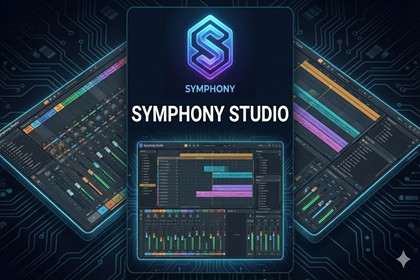
Adaptive music toolkit for Unity: step sequencer, arrangement timeline, mixer/FX, procedural generators, and offline audio/MIDI exportSymphony is a complete, modular music system for Unity that lets you design, perform, and export adaptive scores without leaving the Editor. Build rhythms and melodies in a step sequencer or piano roll, arrange clips across lanes on a global timeline, route tracks through a mixer with FX chains, and export stems or full mixes to WAV/MIDI (OGG/MP3 via plugins).Designed for games and interactive experiences, Symphony balances creative workflow and runtime stability. It features a global tempo clock with sample-accurate scheduling, per-track swing/humanize, speed multipliers, and an arrangement player that respects clip boundaries and loops cleanly at the content end. Powerful editor windows (Studio, Song Builder, Mixer Console, Sound Engines, Audio Settings, Exporter) give you FL-style productivity inside Unity.Suitable for many genres:Electronic, trap/hip-hop (euclidean rhythms, hat rolls, slice-based percussion)Orchestral/synth hybrid (procedural harmony/chords, layered synth voices)Ambient and adaptive scores (layers toggle at runtime, timeline cueing)Casual/mobile titles (lightweight synth and efficient scheduling)Fully customizable:Create your own synth plugins and FX processorsAuthor slice packs for percussionBuild mixer channels and FX chainsExtend arrangement clips with per-clip audio overridesContact us via https://vectorstudios.com.ng for more enquiries in the contact sectionCoreGlobal tempo clock and DSP-aligned beat/bar scheduling (SymphonyManager)StepSequencerPattern with tracks (Percussion/Synth), stepsPerBeat, swing, free movePer-track controls: volume, pan, mute/solo, mixer channel, probability, humanize, speedMultiplierPlaybackManualSequencerPlayer with voice pooling and prewarming to minimize allocationsArrangementPlayer spawns per-clip sequencers; region trimming; dynamic loop window; bar-sync start optionPer-clip audio overrides: slicePackOverride, synthOverride, mixerOverrideCurrent playhead reporting for Editor transport and UIProcedural generationMelodyGenerator and ChordProgressionEngine with scale/seed settingsProceduralMusicPlayer scheduling harmony/bass/perc layers to the DSP clockMixer & FXSymphonyMixer with channels (name/volume/pan) and FX slot chainsAudioFXDefinition + IAudioEffect pipeline for per-voice processingEditor Mixer Console to add/remove/reorder FX slotsEditor toolingSymphony Studio: step sequencer, rhythm tools (Euclidean fill, trap hats), slice palettePiano Roll: synth note editing, scales/presets, marquee, copy/paste, snappingSong Builder: FL-style playlist lanes, clip paint/drag/split/resize, drag-and-drop from library, transportArrangement Editor: lightweight timeline view with add-clip panelSound Engines: browse & preview Synth plugins and Slice packs, assign defaultsBrowser: search and group assets (patterns/slices/synths/mixers/arrangements/automation)Audio Settings: DSP buffer presets and performance asset integrationExporter: offline export to WAV/MIDI (OGG/MP3 via plugins), stems, mixer FX, normalization, peak ceilingExportPattern and Arrangement export pipelinesStems per track, optional mixer FX application, equal-power pan law, final normalizationPeak ceiling control (e.g., -0.3 dBFS) for validator complianceNote: OGG/MP3 require external encoders (Vorbis/LAME) and defined symbolsPerformance & stabilitySchedule-ahead time and DSP buffer tuningPooled players and voices (reduced GC)Safe scheduling lookahead; trimming at step/pattern endsMax concurrent clip cap to prevent overloadExtensibilityCreate SynthPluginBase derivativesImplement custom AudioFXDefinition processorsAdd editor windows and workflows using SerializedObject/PropertyCompatibilityUnity 2020.3+ (LTS recommended)Works in Editor and runtime; export features require readable AudioClips (Decompress On Load)Limitations & notesOGG/MP3 export not included by default; integrate encodersAdvanced mixer sends/aux and automation lanes are not included (can be extended)Documentation & supportComprehensive README and in-editor help textsOptional markdown-to-PDF documentation scripts includedClear troubleshooting for stutter, export clipping, and setup issuesFor more info contact us via website https://vectorstudios.kesug.com and also check out other assets created by us in the asset store

