






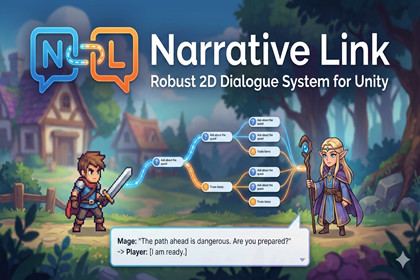
Node-based dialogue engine for Unity with a Graph Editor, runtime manager, portraits/audio bridges, sample scene, and tools.NarrativeLink is a robust, production-ready, node-based narrative engine for Unity. It cleanly separates creation, storage, and runtime so designers and programmers can collaborate efficiently. Build conversations with a visual Graph Editor (Dialogue, Branch, Event, Symphony nodes), export to lightweight ScriptableObjects, and play them through a flexible Dialogue Manager that drives UI, portrait animation, and audio.The package includes a complete sample scene (player/NPC, prompt to talk, bottom dialogue panel), generic portrait/audio bridges for out-of-the-box demos, and editor tooling for Localization (CSV export), content-wide Search, and a first-time Welcome/Tutorial window. It’s suitable for visual novels, RPGs, action-adventures, and any 2D project that needs branching, dynamic dialogue with minimal boilerplate.Key parts are interface-driven (IPortraitController, IAudioService) so you can plug in your own animation/audio stacks (e.g., pixie2dstudio, symphony) or keep the included generic implementations.Visit Vector Studios to contact us for more information ..thank you- Architecture - Three-tier system: Creation (GraphView), Storage (ScriptableObjects with SerializeReference), Runtime (DialogueManager)- Graph Editor - Dialogue/Branch/Event/Symphony nodes, Start Node, move/copy/paste/undo - “Generate Example Graph” and “Build Runtime (DialogueData)” buttons- Runtime Dialogue - Typewriter effect with Voice-Over sync (CPS = chars / audio duration) - Text tag parsing for portraits: [happy], [neutral], [sad], etc. - Optional input to advance lines (Space by default) - Branch evaluation via Blackboard (int/bool/string with operators) - Event node UnityEvents; Symphony node BGM mood transitions- Integrations - Portrait bridge (IPortraitController) + GenericPortraitController sample - Audio bridge (IAudioService) + GenericAudioService sample- Tools - Localization CSV export - Search All across DialogueData and Graphs - First-time Welcome/Tutorial editor window- Samples - One-click Sample Scene generator (player movement, NPC trigger, UI panel) - Interaction prompt (“Press E to Talk”), bottom dialogue UI panel- Compatibility - Unity 2020.3+ recommended; UIElements fallbacks included - Works with Legacy Unity UI; easy to swap to TextMeshPro

