






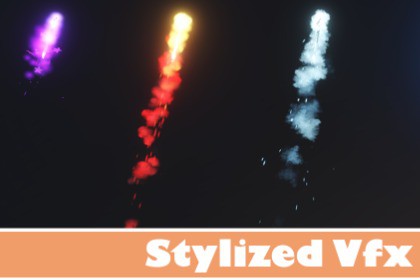
Stylized VFX created with Visual Effect Graph, designed to easily enhance combat visuals in any Unity game.Stylized Projectile VFX Pack :This package provides a collection of stylized visual effects created using Unity’s Visual Effect Graph, designed to enhance combat visuals and feedback in a wide range of game genres.The pack focuses on clarity, customization, and performance, making it suitable for RPGs, action games, top-down shooters, MOBA-style games, and fantasy or sci-fi projects.Each projectile is delivered as a ready-to-use prefab, allowing quick drag-and-drop integration into your scene.Use CasesMagic spellsRanged weaponsSkills and abilitiesSci-fi weaponsEnemy and player projectilesVisual feedback for combat systemsDocumentation & Demo :A demo scene is included to showcase all effects in action and help you quickly understand how to integrate and customize them.List of VFXs Included :Stylized fire projectilesStylized ice projectilesStylized lightning projectilesStylized poison projectilesStylized arcane projectilesStylized nature projectilesStylized fire ImpactStylized ice ImpactStylized lightning ImpactStylized poison ImpactStylized arcane ImpactStylized nature ImpactStylized fire meteorStylized ice meteorStylized lightning meteorStylized poison meteorStylized arcane spell meteorStylized nature meteorStylized light meteor Number of VFXs6 projectile VFX6 impact VFX7 elemental meteor/rain VFX 🔥 Meteor VFX – Exposed PropertiesThe following parameters are exposed in the Inspector to allow full control over the meteor behavior and visuals:Rate – Controls the emission rate of the meteorsRadius – Defines the spawn radius areaInitial Position – Offset position where meteors are spawnedDirection – Direction vector of the meteor movementMeteor Lifetime – Lifetime of the meteor projectileTrail Lifetime – Duration of the meteor trailTrail Size – Width and intensity of the trailMeteor Color – Main color of the meteor core (HDR)Impact Color – Color used for the impact effect (HDR) 🎯 Projectile VFX – Exposed PropertiesThe following parameters are exposed to allow quick and intuitive customization of the projectile visuals:Arrow Color – Main color of the projectileParticles Color – Color applied to all projectile particlesArrow Size – Controls the overall size of the projectileArrow Lifetime – Defines how long the projectile remains activeRibbon Size – Controls the size of the ribbon trail effect 💥 Impact VFX – Exposed PropertiesImpact effects expose minimal but essential controls:Flash Color – Color of the impact flash (HDR)Particles Color – Color of the impact particles (HDR) TechnologyCreated using Unity Visual Effect GraphPrefab-based workflowExposed parameters for easy customization Render PipelineUniversal Render Pipeline (URP) Materials & ShadersUses standard URP-compatible shadersNo custom shaders required Texture Sizes1024×1024 (Customizable)(Used for flipbooks ,noise textures and sprites)Demo ContentIncludes a demo scene showcasing all projectile and impact VFXReady-to-use prefabs for quick integration

