






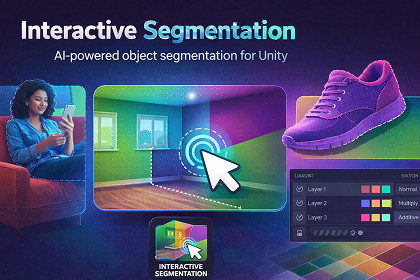
Interactive Segmentation lets users segment any object from images using click or drag. It supports layers, color overlays, object export, and light or high-accuracy models for mobile and desktop.Interactive Segmentation is an AI-powered Unity plugin that allows you to segment any object from an image using simple click or drag interactions. It enables fast object isolation, refinement, visualization, and export—without manual masking or complex setup.The plugin supports point and area-based segmentation and includes a flexible layer-based system to manage multiple segmented objects. You can refine masks using include or exclude points, apply color overlays with multiple blending modes, toggle layer visibility, and export clean object cutouts with transparency.Designed for performance across platforms, Interactive Segmentation provides lightweight models for mobile devices and high-accuracy models for desktop. With ready-made demo scenes and an easy setup process, it can be integrated into Unity projects in minutes.Key FeaturesInteractive object segmentation using click or dragPoint and area-based selectionLayer-based segmentation workflowInclude and exclude refinement pointsColor overlays with multiple blending modesForeground and background separationExport segmented objects as transparent texturesDynamic layer color and visibility controlLight and heavy model options for different devicesMultiple demo scenes includedUse CasesObject extraction and background removalForeground and subject isolationVisual overlays and image effectsVirtual wall, floor, and surface coloringVirtual tile and product try-onInterior design and visualization toolsE-commerce product previewsAR/VR image-based interactionsEngine: Unity 2021 or laterSupported Platforms: Windows, macOS, Android, iOSRender Pipelines: Built-in, URP, HDRPAI Backend: Unity AI Inference (com.unity.ai.inference)Segmentation Type: Interactive point-based and area-based image segmentationHeavy Model: Higher accuracy for desktop platformsModel Options:Lite Model: Optimized for mobile and edge devicesInput Types: Static images (Texture / RawImage)Exported textures with transparencyOutput:Segmentation masksLayer-based masksLayer System: Multi-layer mask management with color, visibility, and blending modesBlending Modes: Normal, Multiply, Additive, Screen, Pass ThroughInteraction: Click or drag input for segmentation and refinementDemo Content: 3 included demo scenesThis plugin depends on Inference Engine Unity registry packageGo to Window → Package ManagerClick + → Add package by nameEnter: com.unity.ai.inferenceThis package includes documentation and promotional materials generated with AI assistance (ChatGPT, DALL·E). All scripts, logic, and core functionality were manually developed by the author.

