






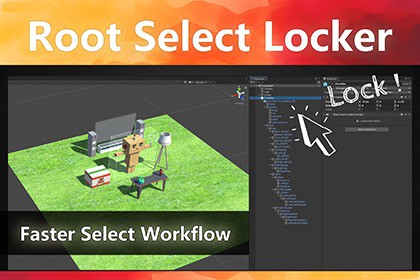
Stop selecting child objects by mistake! Automatically redirects clicks to the root Prefab in both Scene and Hierarchy views. A lightweight, smart tool to speed up level design. Unity 6 Ready.Support:Discord | Discussions | Documentation | Email🔥 STOP FIGHTING THE HIERARCHY. FOCUS ON THE LEVEL.Are you tired of accidentally selecting a door handle when you meant to move the whole house? Or dragging a child mesh instead of the character root?Root Select Locker is a lightweight, editor-only workflow tool designed to solve the most frustrating part of level design: Accidental Child Selection.🎯 KEY FEATURESSmart Selection Redirect:Clicking on any child object in the Scene View or Hierarchy automatically selects the Prefab Root. No more breaking prefabs by moving children accidentally.Simple Setup:Simply add the RootSelectLocker component to your root object. It works on your existing project immediately.Easy Toggle:Easily enable or disable the tool. Just click the single button on the component inspector to quickly toggle the child object selection lock.Fully Customizable UI:Customize the look to fit your preference. You have full control over the button text, colors, sizes, and styling directly in the inspector.Unity 6 Ready (New!):Fully compatible with Unity 6. Works perfectly out of the box with the latest Unity lts version.TECHNICAL DETAILSUnity 2019, 2021, 2022, 2023, Unity 6.Compatible with Built-in, URP, and HDRP.Zero runtime overhead. Only in Editor.Full C# source code included.Accelerate Your Game Design Workflow Again!❤️ Dynamic Particle Preview | VFX Browser - Real-time Dynamic ThumbnailsPossibly the only VFX Browser on the Asset Store that supports real-time thumbnail playback for Particle Systems and VFX Graphs.💜 Quick Drag & Drop | Level Placer - 10x your level design speedAre you tired of wasting 50% of your time clicking through deep folder hierarchies just to find one rock or tree? Level Placer is designed for one purpose: To make Level Design 10x Faster.Compatibility: Unity 2019, 2021, 2022, 2023, Unity 6.Render Pipeline: Compatible with Built-in, URP, and HDRP.Performance: Zero runtime overhead. The script only runs in the Editor.Source Code: Full C# source code included.I used AI as a coding assistant to help generate utility methods and assist with debugging. All final scripts have been manually reviewed, tested, and optimized by me to ensure they function correctly within Unity. No AI was used in the creation of any visual or media assets.

