






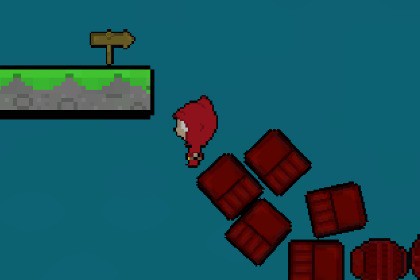
A free 2D rewind toolkit with snapshot recording, separate player/world speeds, optional player input freezing, custom recorder support, and a dedicated editor.This package is entirely script-based and does not include custom shaders or materials.It works the same in Built-in, URP, HDRP, and Custom Render Pipelines.All visuals use standard SpriteRenderer components.Add configurable rewind mechanics to your 2D Unity game.Timbeaux's 2D Time Rewind Toolkit records recent object poses and plays them backward on demand. Use it for rewind puzzles, platformer prototypes, moving props, and other time-manipulation experiments.Control player and world playback separately. Rewind the player with the environment, freeze player input during world rewind, or let the supplied sample player move while other objects rewind.Configure the system through:Tools > Timbeaux > 2D Time Rewind > Rewind Editor.The editor provides manager setup, settings, runtime participant counts, and Play Mode start/stop controls. An optional runtime debug panel exposes player rewind, input freezing, session duration, and separate playback speeds.Included:- Rewind manager with configurable session duration.- Rigidbody2D recorder for position, Z rotation, and optional linear velocity.- ITimeReversable interface for custom rewindable components.- Sample platformer controller with jumping, sprite flipping, and camera follow.- Rewindable clock-hand example.- Demonstration scene.- Inspector/editor tooltips, README, and detailed Quickstart Guide.Important behavior:This toolkit uses recorded snapshots rather than reverse physics simulation. Participating Rigidbody2D bodies temporarily stop normal simulation and collision participation during playback. Their previous simulated state is restored when rewind ends, linear velocity is cleared, and recording history resets.Inventory, health, Animator state, object creation/destruction, and other gameplay data require custom recorders. Session duration and available recorded history are configured separately.Compatibility:This update was developed and tested in Unity 6.6 with a URP sample project. The core rewind scripts do not contain render-pipeline-specific rendering code. Sample materials and effects must match your project's pipeline.Works With Timbeaux's Toolkits:Use this pack independently or connect your own systems through the public manager API and ITimeReversable interface. No companion Asset Store package is required. Automatic companion-toolkit adapters are not included.Features- Snapshot-based rewind for Rigidbody2D objects.- Records world position, world Z rotation, and optional linear velocity.- Separate world and player playback speed multipliers.- Configurable player inclusion through an assigned Player Root.- Optional Freeze Player Input During Rewind setting for the sample controller.- Configurable session duration using unscaled time.- Per-object Rigidbody recording history limits.- Safe participant cleanup on exclusion, unregister, and manager disable.- Dedicated Rewind Editor under Tools > Timbeaux > 2D Time Rewind.- Runtime debug panel with controls, tooltips, and participant counts.- Optional AudioSource pitch adjustment and visual-effect callback.- Extensible ITimeReversable interface.- Sample player controller, clock-hand example, demo scene, and documentation.Tested Configuration- Unity 6.6 / 6000.6.6f1.- URP sample project.Input- Sample keyboard controls support legacy input or the enabled Input System.- Public start/stop methods support integration with custom input.- Mobile, gamepad, and other input layouts require your own bindings.Limitations- Snapshot playback; not deterministic reverse physics or complete world rollback.- Rigidbody simulation/collision participation is disabled during rewind.- Linear velocity is cleared and history resets when participation ends.- No automatic recording of angular velocity, scale, Animator state, inventory, health, or object spawning/destruction.- Unlimited recording can increase memory usage without a bound.- No required companion Asset Store packages or automatic companion adapters.- Other Unity versions, pipelines, and target platforms require separate validation.AI used for code optimization purposes.

