






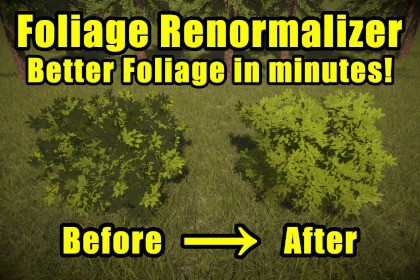
Ultimate Foliage Renormalizer automatically generates bent normals for your foliage, and bakes high quality AO data into vertex colors. Get softer, more natural lighting in under a minute!URP and HDRP: Compatible with and supported for all unity versions 2020.3+.BIRP: Compatible with and supported for all unity versions, but requires 2021.3+ for debug displays and demo scene, due to the shaders requiring ShaderGraph.Read the Quick-Start GuideJoin the Discord for quick supportWhat is Ultimate Foliage Renormalizer?Ultimate Foliage Renormalizer is inspired by a technique used in AAA games. It works by building a proxy mesh around your foliage, then transferring clean normals back to the original geometry, while also generating high quality Ambient Occlusion into vertex colors. It is a superpowered version of using Spherical normals on foliage.Typically, artists have to create proxy meshes and project their normals manually. Ultimate Foliage Renormalizer automates the proxy generation, transfer process, and vertex color AO generation, all in the Unity editor with just a few buttons!Built for any foliage systemUltimate Foliage Renormalizer is not a shader system - but rather a tool that is compatible and can be used with any foliage system, shader, or workflow. We have had overwhelmingly positive reports of successful usage with many third party assets/systems, including but not limited to:SpeedTreeNature ManufacturerSeedMeshToby Foliage EngineBoxophobics The Visual EngineBRG Instanced Renderer | Next Gen GPU InstancingFoliage Renderer 2Nature RendererFlora RenderermTreeUnity Tree CreatorAnd more!Built for all types of foliageUltimate Foliage Renormalizer comes packed with several generation modes for all types of foliage meshes. Trees, grasses, bushes, you name it, we can improve it. Even industry standard SpeedTree models greatly benefit from this technique!Built for any styleGood foliage normals are a requirement for both realistic and stylized graphics. It was originally built to improve the SpeedTree models in our realistic game, but is just as effective for cartoon/anime stylized rendering.Standard ModeStandard mode voxelizes your mesh at a chosen resolution to create two proxies: a tight SDF shell that uses marching cubes to hug surface details, and a loose convex hull SDF that smooths over details. It then uses a 0-1 tightness slider to blend between the two, and finally create the output proxy mesh.Normal Transfer and AO BakeAfter creating your proxy mesh, transfer the normals back to the source and generate vertex color AO data using an accelerated BVH structure.Grass ModeGrass mode doesnt require a proxy mesh, it sets the vertex normals to match the ground below it, which greatly improves blending, specular spikes, and grass-to-ground continuity.How heavy is it on performance?Using this tool will have absolutely zero impact on performance. The output mesh of the tool has the same number of vertices and triangles, all it does is pre-bake better vertex normals, and bake AO into vertex colors. It also doesnt have any runtime code or require special shaders.Link to Usage Guide

