






ScriptableObject-based reactive architecture for Unity.
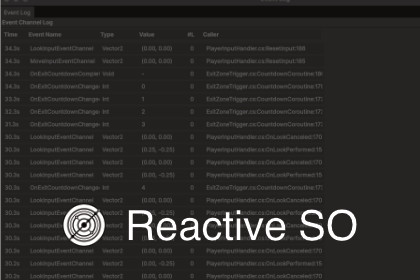
Unified patterns for events, state, collections, and entity management with GPU integration and comprehensive editor tools.A ScriptableObject-based reactive architecture for Unity.Systems communicate through shared ScriptableObject assets instead of direct references. This decoupled design keeps your code loosely coupled, configuration contained in the Inspector, and every state change observable.📖 DocumentationBuilt ForTeams wanting clear boundaries between systemsProjects needing observable, debuggable stateDevelopers preferring GameObjects over full ECSAnyone who values runtime visibility into their codeObservabilityObservability is central to Reactive SO.These tools are included to support it:Unified Monitor Window - Real-time logs for events, variables, sets, and entitiesAsset Browser - Browse and search all Reactive SO assets project-wideDependency Analyzer - Detect unused assets and unassigned referencesRES Table View - Spreadsheet-style entity data editingSee changes as they happen, visualize dependencies, and spot unused ScriptableObjects or missing references at a glance.RES (Reactive Entity Sets) uses NativeArray internally, but you can inspect its contents directly in the Inspector to verify current state.Event ChannelsPublish and subscribe to events through ScriptableObject assets.12 built-in types: Void, Int, Float, Long, Double, Bool, String, Vector2, Vector3, Quaternion, Color, GameObjectCaller tracking shows which method raised each event with zero runtime overheadRaise test events directly from the InspectorVariablesShared values that notify listeners on change.11 built-in types with automatic change notificationGPU Sync pushes values to shader global properties (Int, Float, Vector2, Vector3, Color, Bool)Edit values at runtime in the InspectorRuntime SetsDynamically track GameObjects and components during gameplay.Built-in support for GameObject and TransformEvents fire on add and removeClick-to-ping from Inspector to HierarchyReactive Entity Sets (Experimental)A data store for centralized state management of up to tens of thousands of entities.O(1) access, insert, and deleteJob System integration with double bufferingSnapshot API for state capture and restorationKeep your GameObject workflow or integrate as neededActionSOCommand pattern as ScriptableObject assets.Define reusable actions as assetsWire them in the InspectorManual execution button in Play ModeR3 IntegrationConvert Event Channels and Reactive Entity Sets to Observable streams.Auto-detected when R3 is installed.Event Channels12 built-in types (Void, Int, Float, Long, Double, Bool, String, Vector2, Vector3, Quaternion, Color, GameObject)Generic base class (EventChannelSO) for custom typesZero-overhead caller tracking using compile-time attributesCustom Inspector with subscriber list and manual event triggersVariables System11 built-in types (Int, Float, Long, Double, Bool, String, Vector2, Vector3, Quaternion, Color, GameObject)Generic base class (VariableSO) for custom typesAutomatic event firing on value change using EqualityComparerGPU Sync - Automatic sync to shader global properties via Shader.SetGlobal~() (6 types: Int, Float, Vector2, Vector3, Color, Bool)Runtime value editing and Reset to Initial button in InspectorRuntime Sets SystemGeneric base class (RuntimeSetSO) for any typeBuilt-in GameObject and Transform types with custom editorsAutomatic event firing when items added/removedClick-to-ping functionality in Hierarchy from InspectorReactive Entity Sets (Experimental)Generic base class (ReactiveEntitySetSO) for unmanaged struct dataJob System integration via ReactiveEntitySetOrchestrator with double bufferingNativeArray/NativeSlice access for Burst-compiled JobsSnapshot API for state capture and restorationEvents: onItemAdded, onItemRemoved, onDataChanged, onSetChangedReactiveEntity base MonoBehaviour for automatic lifecycle managementActionSOBase class (ActionSO) for parameterless actionsGeneric base class (ActionSO) for actions with parametersMonitor Window integration with CallerInfo trackingCustom Inspector with Manual Execute button (Play Mode)R3 Integration (Optional)AsObservable() for Event ChannelsObserveAdd/Remove/DataChanged/SetChanged for Reactive Entity SetsAutomatic detection via asmdef versionDefinesEditor ToolsUnified Monitor Window - Tabbed real-time logging for Events, Variables, Runtime Sets, and RESAsset Browser Window - Browse, search, filter all Reactive SO assets with drag-and-drop supportDependency Analyzer - Scan Scenes/Prefabs for unused assets and unassigned fieldsRES Table View - Spreadsheet-style entity data inspection with inline editingTechnical SpecsUnity 6000.0 (Unity 6.0) or newerNo external dependencies (R3 integration is optional)Complete C# source code includedAssembly Definition files for clean project separationFull XML documentation and Inspector tooltips4 sample scenes (BasicDemo, RuntimeSetsDemo, MoteDemo, TinyHistoryDemo)AI was used as a coding assistant throughout the package development.Code completion and suggestion (similar to GitHub Copilot)Documentation writing (XML comments, README, Asset Store listing)Architecture and design pattern suggestionsAll code was reviewed, tested, and validated by the package author.AI acted as a development assistant rather than autonomous code generator.Final implementation decisions, architecture design, and quality assurance were performed by humans.

