






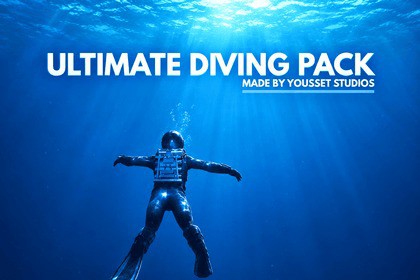
Swimming & Diving Controller – Third Person & First Person
YOUSSET Studios
$7.99
$17.99
56%OFF
(no ratings)
Jump AssetStore
A plug-and-play swimming and diving system for Unity with First-Person & Third-Person support, smooth underwater movement, responsive controls, and powerful editor tools.Swimming & Diving Controller – Third Person & First Person is a production-ready swimming and diving system for Unity, designed for both Third-Person and First-Person games. Built for easy integration, it provides smooth underwater movement, responsive controls, and optional Photon PUN 2 multiplayer support without requiring any combat or shooter systems.Perfect for underwater exploration, survival games, adventure projects, simulations, and any experience focused on water-based movement.─────────────────────────────────────────────🏊 Advanced Swimming & Diving System• Smooth physics-based swimming and diving• Underwater movement and navigation• Diving and surfacing mechanics• Responsive acceleration and turning• Adjustable swimming speed• Customizable movement settings• Oxygen system with configurable depletion and recovery• Smooth transitions between swimming, diving, and surfacing─────────────────────────────────────────────🎮 First-Person & Third-Person Support• Designed for both First-Person and Third-Person gameplay• Smooth camera movement• Cinemachine camera support• Responsive player controls• Swimming animation transitions• Easy integration with custom characters─────────────────────────────────────────────🧍 Character Support• Ready-to-use swimming character• Replace the included character with your own• Supports humanoid characters• Compatible with custom swimming animations• Animator Cloner Tool for easier character setup─────────────────────────────────────────────🛠️ Powerful Editor Setup ToolsAccess the tools through:Tools → Yousset Tools → Open Setup MenuConfigure important system settings directly inside Unity:• Player Controller Settings• Swimming Settings• Oxygen Settings• Camera Settings• Environment Settings• Game Mode Settings─────────────────────────────────────────────🌊 Demo Scenes IncludedExplore the included Demo Scenes to quickly understand how the system works.• Swimming mechanics• Diving and surfacing• Underwater movement• Camera behavior• Oxygen system• Character animations• Ready-to-play examples─────────────────────────────────────────────DEFAULT CONTROLS Move — W / A / S / D Look Around — Mouse Swim Up — E Swim Down — Q Sprint Swim — Left Shift Settings Menu — Escape─────────────────────────────────────────────GETTING STARTEDInstall the required Unity packages.Import Swimming & Diving Controller – TPP/FPP into your project.Open one of the included demo scenes.Press Play and start swimming.No external networking solution is required.─────────────────────────────────────────────REQUIRED PACKAGES• Unity Input System• Cinemachine (if required by your camera setup)• Universal Render Pipeline (URP) (if the package requires URP)Project SetupIf your project uses the New Input System, configure:Edit → Project Settings → Player → Other SettingsActive Input Handling → Both (Old + New)─────────────────────────────────────────────WHY CHOOSE SWIMMING & DIVING CONTROLLER?• 🏊 Complete swimming and diving system• 🎮 First-Person & Third-Person support• 🌊 Smooth underwater movement• 💨 Diving, surfacing & swimming mechanics• 🫁 Customizable oxygen system• 🎬 Smooth camera controls• 🛠️ Powerful editor setup tools• 🧍 Easy character replacement• 📦 Ready-to-use demo scenes• 🧩 Clean and modular architecture• ⚡ Easy to customize and extend• 🚀 Fast integration into new or existing projectsSpend less time building swimming mechanics from scratch and more time creating immersive underwater gameplay.─────────────────────────────────────────────SUPPORTFor questions, bug reports, or support:📩 yousseftq77@gmail.comRender Pipeline: Universal Render Pipeline (URP) – Tested and optimizedUnity Version: Unity 2022.3.1f1 or newerProgramming Language: C#Input System: Supports Legacy Input Manager and Unity New Input SystemEditor Tools: Built-in Setup Menu for Player Controller, Game Mode, and Environment settingsEditor Tool Access: Tools → Yousset Tools → Open Setup MenuSupported Platforms: Windows and macOSPerformance: Lightweight and optimized for real-time swimming gameplaySome textures, marketing images, and script organization assistance were created with the help of AI tools. All assets were reviewed, edited, and finalized by Yousset Studios to ensure originality and full compliance with Unity’s guidelines.

