






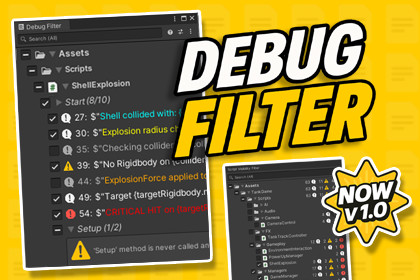
A powerful Unity Editor tool that collects, filters, and manages all Debug.Log, Warning, Error, and Assert calls in one centralized panel for fast cleanup and better workflow control.Debug Filter is a powerful, productivity-focused Unity Editor tool that gives you full control over every Debug.Log, Debug.LogWarning, Debug.LogError, and Debug.Assert call in your C# project - from one clean interface.As projects scale, debug calls spread across many scripts and cleanup becomes slow and risky. Debug Filter eliminates that chaos by collecting all debug entries into a structured view where you can inspect, filter, and manage logs safely without manual searching.✨ Keep your workspace clean✨ Manage debug logs with confidence✨ Ship builds without leftover logs🛠️ How It WorksScans C# scripts and detects Log, Warning, Error, and Assert callsDisplays all entries in a centralized editor UI (popup + dockable window)Lets you search, filter, and group logs instantlySupports one-click cleanup or restore operationsEditor-only workflow designed for speed and Undo safety✨ Key FeaturesFilter by Log / Warning / Error / AssertGroup by Script / Method / FolderHierarchical project view with optional Packages supportOne-click cleanup for line, method, script, folder, or entire projectUndo-safe operations and persistent settings (EditorPrefs + JSON)Preset support for fast profile switchingHigh-performance scanning for large projectsUnity Console toolbar integrationConsole Pro toolbar integration (silent fallback when unavailable)Mode-aware search, match highlight, and smart auto-expand behavior⭐ Why Use Debug Filter?Centralized control of all debug callsFaster and safer pre-release cleanupBetter scalability for large/long-lived projectsLess time searching, more time shipping🎮 Common Use CasesAuditing debug calls in large codebasesCleaning logs before release buildsFocusing logs by system/folder/methodSwitching debugging profiles via presetsReviewing third-party or legacy scripts for leftover logs🌍 Support & CommunityJoin our Discord for support, tips, and update announcements.Full documentation included with a quick-start guide.If Debug Filter improves your workflow, please consider leaving a review.📦 Package ContentsDebugFilter Editor Window (popup + dockable/maximized workflow)DF Manager and log handling backendScript cache and stableId mapping for resilient state trackingPreset and preferences support (Unity Presets + saved profiles)Undo-safe remove/restore operationsTroubleshooting utilities (Refresh and Clear Cache)Optional Packages scanning with ghost enable flowPDF quick-start + full documentation✨ Technical Feature SetCentralized debug management in one panelDetects Debug.Log, LogWarning, LogError, Assert, and custom wrappers via [DebugFilter]Filter by log type and group by script/method/folderOne-click cleanup and restore from single line to full project scopePersistent settings with EditorPrefs + JSONOptimized scanning for large projectsUnity Console and Console Pro integrationsMode-aware search + highlight + smart foldout behaviorPreset/profile workflow support📋 RequirementsUnity 2022.3 LTS or newer (Unity 6 supported)Editor tool only (not included in runtime builds)Supported Editors: Windows, macOS, Linux💻 Supported PlatformsWindowsmacOSLinux(Editor environment only; not included in player builds.)✅ Yes – AI AssistedDuring the creation of this package, AI tools were used for code skeleton generation, documentation drafting, and content editing stages.All code, logic, and features have been manually reviewed, tested, and optimized to comply with Unity standards.

