






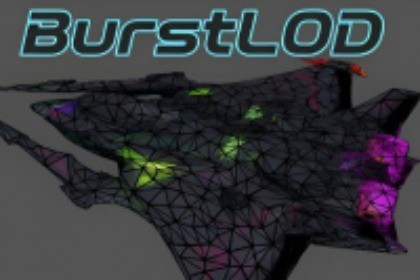
A professional LOD system powered by Unity Burst. Batch process assets, then use brushes to art-direct the reduction for precise, localized detail. Includes full Runtime API.Core asset scripts (Burst LOD, Scene Object Replacer, Mesh Quality Analyzer, Starship Controller) are C# logic and compatible with Built-in, URP, and HDRP.The included demo scene is configured for URP. To use the demo in Built-in or HDRP, you must convert the materials (e.g., from URP/Simple Lit to Standard or HDRP/Lit). You can also import without the "Demo" folder.BurstLOD: Burst-Powered Optimization SuiteBurstLOD is a production-grade optimization suite engineered for high-performance Unity development. Built entirely on the Unity Job System and Burst Compiler, it provides a complete pipeline for generating, refining, and deploying high-quality mesh LODs without slowing down your workflow.High-Performance, Feature-Rich DecimationThe core of the asset is a decimation engine that leverages the Job System for asynchronous batch processing. This allows you to generate LOD chains for entire folders of assets without freezing the editor.More than a simple triangle reducer, the engine is a production-ready solution designed to handle complex mesh data. It provides full, topology-aware support for:Skinned Meshes: Preserves bones, skinning weights, and bone hierarchy.Blendshapes: Correctly decimates meshes containing morph targets.UVs & Attributes: Preserves all UV channels (up to 8), vertex colors, and tangents.The system is not a "black box." It offers granular control over the final result using features such as:Per-Submesh Quality: Protect critical geometry by assigning specific quality targets to different materials (e.g., keep a face at 85% while optimizing the body to 50%).Curvature Preservation: Maintains the model's silhouette and defining curves.Edge & Seam Protection: Preserves sharp, hard-surface edges and protects UV seams to prevent texture distortion.Topology-Aware Algorithms: Includes options to promote uniform triangles, resulting in cleaner topology for lighting and shading.BurstLOD emphasizes a Profile-First Workflow. You can save complex configurations as reusable DecimatorProfile assets, ensuring consistent results across your project.Instant Visual FeedbackThe Interactive Preview Window allows you to visualize changes immediately. As you adjust settings—from quality percentages to preservation strength—the 3D preview of the mesh updates in near real-time. This feedback loop eliminates guesswork, enabling you to iterate quickly to achieve the desired result.Interactive SculptingWhen automatic decimation requires manual adjustment, BurstLOD offers an Interactive Sculpting Mode. This moves optimization from a global operation to a localized tool. If an automatic LOD has a specific flaw—like a collapsed shoulder or a lumpy surface—you can enter sculpt mode for that LOD and fix it manually.Using a standard brush-based workflow, you can:Locally Decimate: Paint to reduce triangle density only in specific areas.Smooth: Use the Relax brush to clean up noisy or uneven surfaces.Inflate / Deflate: Restore lost volume or fix collapsed geometry.Erase / Cleanup: Manually delete unwanted triangles or fragment artifacts.Intelligent Mesh FusionTo optimize complex, multi-part assets, the suite includes Intelligent Mesh Fusion. This feature is essential for objects like vehicles, characters with armor, or modular environment pieces that are built from many separate meshes.BurstLOD can automatically combine these separate hierarchies into a single, contiguous mesh. This not only dramatically reduces draw calls but also solves the most common problem with decimation: gaps and seams appearing between the separate parts at lower LODs. The fused mesh is then decimated as a single, solid object, ensuring a high-quality, gap-free result.Powerful Runtime Decimation APIBeyond the editor, the entire BurstLOD engine is exposed via a robust Runtime API, allowing you to bring dynamic mesh processing into your live game. The system uses high-performance, multi-threaded execution to run alongside gameplay without blocking the main thread.The runtime system offers two primary applications:Dynamic LOD Generation: Call the decimation engine from scripts to generate LODs for any mesh created at runtime. This is essential for procedural environments, user-generated content (UGC), or dynamically loaded assets without pre-built LODs.Optimize: Locally reduce polycount with the runtime LODReducerRuntime Sculpting & Destruction: A component-based framework (DynamicMeshInstance) that turns sculpting features into in-game interactions. Attach brushes to projectiles, lasers, or physics collisions to allow players to:Carve: Create holes using the Vertex Eraser.Deform: Dent or expand surfaces with Inflate/Deflate.Smooth: Clean up geometry in real-time.This is the exact system used in the included demo scene, where the starship's weapons can visibly dent, carve, and destroy mesh geometry in real-time.Workflow Suite: Companion ToolsBurstLOD includes two powerful companion tools to manage your entire optimization workflow, from diagnosis to deployment.1. Tool: Mesh Quality AnalyzerA diagnostic tool to inspect your assets before and after optimization. It generates easy-to-read histograms to help you visualize your mesh's health.Find Problems Instantly: Detects hidden issues like holes in the mesh, floating geometry, and invalid geometry that can break lighting or physics.Assess Quality: Provides clear charts on triangle shape and quality, so you can objectively measure the results of your decimation.Optimize Memory: Includes a one-click utility to find and strip unused mesh data (like empty vertex color channels), reducing your asset's memory footprint.2. Tool: Scene Object ReplacerAfter creating your optimized LOD prefabs, this tool lets you deploy them instantly. It's a high-performance, scene-wide "find and replace" utility powered by the Burst Compiler and Job System, capable of handling massive scenes.Replace Anything: Intelligently swap GameObjects, Prefabs, or Materials.Add Variation: Replace one placeholder with a weighted, random pool of new assets (e.g., "replace placeholder_rock with 70% Rock_A and 30% Rock_B").Full Terrain Support: Works on Terrain Trees and Details across multiple terrains at once.Work Spatially: Only replace objects within a specific area (like a box or cylinder) or within a certain altitude range.Smart Placement: Automatically snaps new objects to the ground and can preserve or randomize their rotation and scale.Bonus: Playable Starship ControllerIncluded is a complete, physics-based Atmospheric Starship Controller. This is a robust flight system featuring combat-ready AI with tunable Utility-based AI and lead-targeting calculations.While it stands on its own as a flight asset, its primary purpose is to showcase the Runtime Decimation API. It demonstrates how the sculpting and destruction tools interact with gameplay physics, allowing weapons to visibly dent, carve, and deform mesh geometry in real-time.Included Demo Scene (Optional)The package includes a playable sandbox environment (tested for PC) designed to test these runtime features immediately.Live Combat: Fly and fight against AI to see the runtime decimator and mesh sculptor modify targets dynamically.Pipeline Flexibility: The demo is built for URP. However, the logic and assets are standard, so it can be converted to the Built-in Pipeline or HDRP by simply swapping the materials.Core Compatibility: The core BurstLOD tools themselves are fully render-pipeline agnostic.Zero Footprint: The demo folder is isolated and can be safely deleted after import to reduce project size.Note: Demo assets are optimized for performance. Contact support to request high-detail source models.BurstLOD: Core Engine & Batch DecimatorThe foundation of the suite is a highly optimized decimation engine designed for performance and production workflows.Parallel ArchitectureBuilt entirely on the Unity Job System and Burst Compiler, the engine performs complex calculations across multiple CPU cores. This allows for non-blocking batch processing, enabling you to optimize hundreds or thousands of assets without locking up the Unity Editor.Profile-First WorkflowThe Batch Decimator window centers around DecimatorProfile assets. These ScriptableObjects store your complete configuration (global settings, LOD chain parameters, quality targets). Load a profile to instantly apply a complex setup, save tweaks as new profiles, and share configurations across your team. This shifts the focus from repetitive setup to fine-tuning.Intelligent Mesh Fusion & Hierarchy HandlingBefore decimation, the engine analyzes the object hierarchy and fuses child MeshRenderers and SkinnedMeshRenderers into a single, temporary mesh. It also includes options to intelligently extract only the highest-detail mesh (LOD0) from prefabs that already contain LODGroups, ensuring you always start with the best source data.Per-Submesh Quality ControlThis feature offers deep control over polygon distribution, allowing you to precise allocate your triangle budget. You can preserve detail on critical areas (like faces or logos) while aggressively optimizing less important parts. Within each LOD level, you can set the processing mode per material slot:Grouped: Uses the main quality slider.Isolated: Uses a specific quality slider just for that submesh.Excluded: Removes the submesh entirely at that LOD level.Preserve Manifold TopologyAn optional constraint that prevents any edge collapse that would alter fundamental topology (e.g., merging separate shells), ensuring valid, watertight meshes remain watertight.Advanced Preservation HeuristicsThe engine employs sophisticated algorithms to protect visual fidelity:Curvature Preservation: Prioritizes vertices contributing to the silhouette and curved surfaces, preventing shapes from becoming blocky. Available in Fast and HighQuality modes.Preserve Sharp Edges: Identifies and penalizes the collapse of edges that form sharp angles (based on a configurable Min Angle), crucial for hard-surface models.Preserve Geometric Edges: Protects open border edges to prevent holes from closing or changing shape.Preserve UV Seams: Penalizes or prohibits edge collapses across UV discontinuities to minimize texture stretching.Vertex Color Protection: Designate a vertex color channel (R, G, B, or A) as a weight map. Paint white for full protection and black for no protection directly in your DCC tool.Preservation Volumes: Define simple Colliders (tagged "PreserveVolume") within your prefab hierarchy. Any vertices inside these volumes are strongly protected from decimation.Dynamic Optimization & OutputFragment CullingAfter decimation, this optional step identifies disconnected islands of polygons. Fragments smaller than a configurable threshold are automatically removed, cleaning up floating debris.The AnnihilatorA dynamic cleanup system that scans the mesh during decimation, identifying and removing "geometric dust" (triangles significantly smaller than the average size). This frees up the polygon budget for more impactful geometry.Output ModesCreateNewPrefab: Non-destructive. Creates a new prefab asset containing the LODGroup.ModifyInPlace: Destructive. Overwrites the source prefab (preserving its GUID) and automatically creates a backup.Interactive Preview WindowProvides near real-time visualization of the selected LOD level as settings are changed, enabling rapid iteration. Supports Shaded, Wireframe, and Shaded+Wireframe views.Interactive Sculpting & Authoring ToolsFor situations where automatic results need artistic refinement, BurstLOD includes a powerful Interactive Sculpting Mode. This provides direct, vertex-level control within an isolated Scene View environment, operating non-destructively on a temporary copy of your mesh.Localized Optimization: Move beyond global quality settings. Use the LOD Decimator brush to paint reduction strength directly onto the mesh. This is useful for selectively optimizing dense areas (like the back or underside of an asset) without sacrificing detail elsewhere.Fragment Cleanup: Quickly remove small, floating geometry artifacts left by decimation or modeling errors.Submesh Manager: Inspect and delete geometry based on material assignments (e.g., removing hidden interior faces).Kitbash Manager: Fuse external prefab assets directly into the mesh being sculpted. This automatically integrates geometry and materials—perfect for adding details or combining kits before generating LODs.Comprehensive Brush SuiteIncludes a full set of UV-safe brushes for manual refinement:Relax: Smooths noisy or uneven surfaces while preserving volume.Inflate/Deflate: Restores volume to areas collapsed by decimation or carves new details.Pinch/Push: Sharpens creases or spreads vertices apart across the surface.Vertex Eraser: Manually deletes specific vertices and their connected triangles.Runtime API & Dynamic Mesh SystemThe entire BurstLOD engine is accessible at runtime via a robust API, designed for high-performance, real-time mesh processing during gameplay. The system uses a multi-threaded, batch-processing approach to handle modifications without blocking the main game loop.This runtime capability unlocks two primary applications:1. Dynamic LOD GenerationGenerate LODs on-the-fly for meshes created or loaded during gameplay. This is essential for procedural content generation, user-generated content (UGC), or dynamically streamed assets where pre-computed LODs aren't feasible. The architecture batches modification requests to minimize update overhead.2. Runtime Sculpting & DestructionA component-based framework (DynamicMeshInstance, DynamicMeshManager) allows you to apply sculpting operations based on game events. You can attach brushes to projectiles, laser beams, or physics collisions (DynamicMeshCollisionTrigger) to enable interactive effects:Carve: Create holes using the Vertex Eraser.Deform: Create dents or bulges using Inflate/Deflate.Smooth: Clean up geometry on impacts.Optimize: Locally reduce polycounts in real-time using the LODReducer.The system also includes tools for automatic mesh reversion ("healing") over time and a destruction threshold system to trigger events when an object loses a certain percentage of its geometry.Workflow Suite: Companion ToolsBurstLOD includes two standalone companion utilities to manage your optimization pipeline. These tools reside in their own assemblies with no dependencies on the core system, but integrate seamlessly.1. Mesh Quality AnalyzerA technical inspection tool to diagnose assets before and after optimization, providing insights beyond the standard Inspector.Topological Health: Detects critical structural issues like Border Edges (holes), Non-Manifold Edges (invalid geometry), and disconnected Mesh Fragments.Data Visualization: Generates clear histograms for key metrics like Shape Quality, Relative Area, Vertex Valence, and UV Distortion, visualizing the distribution of quality at a glance.Cleanup Utility: Finds and strips redundant mesh data (like uniform vertex colors or unused UVs) with a single click to reduce memory footprint.2. Scene Object ReplacerA high-performance, Burst-powered utility for rapid "find and replace" operations across massive scenes—ideal for deploying your newly generated LOD prefabs.Multi-Mode Replacement: Intelligently swaps GameObjects, Prefabs, or Materials. Fully supports Terrain Trees and Details across multiple terrains.Probabilistic Replacement: Instead of a 1-to-1 swap, you can replace a source with a weighted random pool of new assets to add natural variation.Advanced Filtering: Target objects by Tag, Layer, or Component. You can also confine operations to a specific Spatial Filter (Box, Cylinder) with height constraints.Smart Placement: Automatically snaps new objects to the ground, aligns them to the ground normal, and can preserve or randomize rotation and scale.Comprehensive Online DocumentationThis asset is fully supported by extensive online documentation, providing in-depth details on every feature, component, API, and workflow.BurstLOD (Core System & Runtime API): https://docs.google.com/document/d/1Sk9thBSGfofy9_fclAIcv66rbWjJ4WfckWfhqC3beGU/edit?usp=sharingMesh Quality Analyzer (Companion Tool): https://docs.google.com/document/d/1NdOlMbaglXAGenU6iqrGbhmmPSX5w2mi-AiSKup6lGY/edit?usp=sharingScene Object Replacer (Companion Tool): https://docs.google.com/document/d/17nEy12v5nKBteGeaMf7HBRJQbVZTg1iOVrQPSPJiQb8/edit?usp=sharingAtmospheric Starship Controller (Demo Controller): https://docs.google.com/document/d/1bK8_wqpfBkHQ05B-Yrv6QLEylCNeUeeQzIWG-dmVrLk/edit?usp=sharingGenerative AI was used to create several 3D models (meshes) provided exclusively within the optional demo scene. This content is not integral to the core asset's functionality.We included these models intentionally as a stress test to showcase BurstLOD's powerful and robust processing pipeline. The system is designed to successfully optimize challenging assets, including those with the unconventional UV layouts and complex topologies common to AI-generated meshes.

