






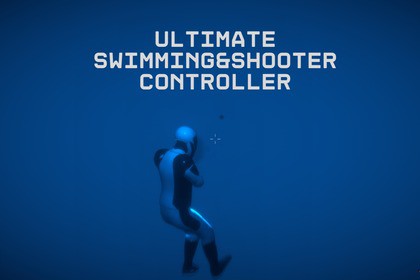
Ultimate TPS/FPS Multiplayer Framework – Advanced Controller, Weapons, Swimming System & Editor ToolsUltimate AquaWar Multiplayer – Complete TPS/FPS Framework─────────────────────────────────────────────AquaWar Multiplayer is a complete production-ready Unity framework combining Third-Person, First-Person, Multiplayer, Weapon, and Advanced Swimming Systems with full Photon PUN 2 support.Designed for developers who need a powerful multiplayer foundation, AquaWar provides smooth player controls, synchronized gameplay systems, customizable characters, and easy-to-use editor tools — allowing you to focus on creating your game instead of building systems from scratch.─────────────────────────────────────────────KEY FEATURES🌊 Advanced Swimming System• Realistic swimming, diving, and surfacing mechanics• Adjustable oxygen (lungs) system• Smooth underwater movement and controls🔫 Complete Weapon System• Fully functional firearms and melee weaponsIncluded weapons:• AK-47• Bazooka• Shotgun• AWM Sniper• Combat Knife• SCFI Police Stick🎒 Dynamic Weapon Bag System• Switch and manage weapons during gameplay• Flexible weapon customization🌐 Multiplayer Ready (Photon PUN 2)• Network-synchronized player movement• Shooting synchronization• Swimming synchronization• Animation synchronization• Player state synchronization👤 Character Customization• Easily replace character models• Built-in Animator Cloner Tool• Supports custom humanoid characters🛠 Advanced Editor ToolsConfigure your project quickly using:Tools → Yousset Tools → Open Setup MenuManage:• Player Settings• Weapon Settings• Match Settings• Game Configuration🏠 Lobby System Included• Multiplayer lobby interface• Room creation and joining• Player UI system• Camera and graphics settings🎮 Demo Levels IncludedReady-to-play scenes featuring:• Multiplayer gameplay• Swimming mechanics• Weapon systems• Complete framework setup─────────────────────────────────────────────THIRD-PARTY ASSETS USED• Photon PUN 2 – Unity Asset Store (Multiplayer System)─────────────────────────────────────────────DEFAULT CONTROLSMove: W / A / S / DLook Around: MouseSwim Up / Down: E / QShoot: Left Mouse ButtonAim: Right Mouse ButtonShark Ability: Left EnterWeapon Bag: Hold FOpen Map: MSettings Menu: Escape─────────────────────────────────────────────HOW TO GET STARTED?Install the required Unity packages.Import AquaWar Multiplayer into your Unity project.Enter your Photon App ID in PhotonServerSettings.Open a demo scene and press Play.─────────────────────────────────────────────Required Packages:• Cinemachine• New Input System• Universal Render Pipeline (URP)Input Setup:Go to:Edit → Project Settings → Player → Other SettingsSet:Active Input Handling → Both (Old + New)─────────────────────────────────────────────WHY CHOOSE AQUAWAR MULTIPLAYER?AquaWar Multiplayer provides a complete plug-and-play TPS/FPS multiplayer foundation with advanced swimming, combat, networking, and customization systems.Build your next multiplayer experience faster with a flexible framework designed for exploration, survival, and action games.─────────────────────────────────────────────SUPPORT📩 yousseftq77@gmail.com─────────────────────────────────────────────Render Pipeline Compatibility: URP – Tested and optimizedMultiplayer Framework: Photon PUN 2Programming Language: C#Supported Platforms: Windows, macOS, (tested on PC)Animation Type: Legacy Animation and Animator-basedInput System: Supports both Legacy and New Input SystemsNetwork Sync: RPCs, Player Instantiation, Weapon & Animation SyncCharacter Models: Replaceable via [Animator Cloner] or Manually.Customization: In-Editor Setup Menu (Player, Weapons, MatchSettings)Performance: Lightweight and optimized for mid-range devicesEditor Tool Access: Tools → Yousset Tools → Open Setup MenuParts of this asset were created or refined using AI tools such as ChatGPT (for code and documentation assistance) and generative image tools (for promotional icons).All content has been manually reviewed, edited, and tested by the author to ensure quality and originality.

