






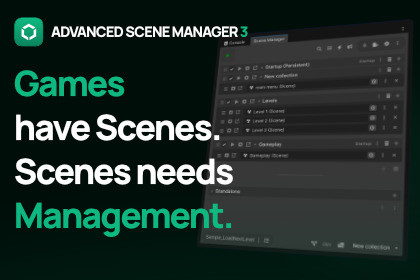
A Unity scene management system for growing projects. Organize scenes, manage additive workflows, and handle scene changes when simple scene loading is no longer enough.Advanced scene management for growing Unity projectsLoading a scene in Unity is simple.Managing how scenes work together is where projects usually becomes harder to maintain.Advanced Scene Manager is a Unity scene management system built on top of Unity’s scene functionality. It helps you define which scenes belong together, how your project starts, what stays loaded, and how scene changes should happen consistently across your project.Instead of spreading scene rules across loading helpers, bootstrap scripts, and one-off conventions, ASM gives those responsibilities a visible workflow.Organize your projectAs projects grow, scenes stop being isolated files.Menus, gameplay areas, UI, lighting, managers, test setups, and content variations often need to be loaded together or swapped depending on context.ASM lets you organize scenes into collections and use profiles to define different scene configurations for your project.This makes scene structure easier to inspect, adjust, and maintain without burying those decisions in custom code.Manage scene changesScene changes often involve more than calling LoadSceneAsync.You may need to keep certain scenes loaded, unload others, show a loading screen, run transitions, or make sure scene lifecycle logic happens in the right place.ASM provides workflows for persistent scenes, loading screens, transitions, and scene lifecycle handling so scene changes can follow the same rules throughout your project.The goal is not just to load scenes. The goal is to make scene changes predictable.Built around additive scene managementASM uses additive scenes as the default workflow.That makes it easier to split larger levels into manageable sections, work on different parts of a project independently, combine multiple scenes into larger setups, and keep shared systems loaded where they belong.For projects that rely on multiple scenes working together, ASM gives additive scene management a clearer structure than scattered scene-loading code.Why build it yourself?Many Unity projects eventually grow into their own scene management system.It usually starts small: a loading helper, a bootstrap scene, a few persistent objects, some additive loading rules, a custom transition flow, and project-specific conventions.Over time, that code becomes another system you have to design, document, debug, and maintain.Advanced Scene Manager is for the point where scene handling has become more than simple loading, but you do not want to keep building and maintaining your own scene management layer.Designed for Unity scene workflowsASM works with Unity scenes and builds on Unity’s scene functionality.It does not replace Unity’s SceneManager, and it is not a general game framework, save system, networking solution, or world-streaming package.ASM manages scenes through ASM’s own workflow, giving your project a higher-level structure for scene organization, additive scene setups, startup behavior, persistent scenes, and consistent scene changes.If your project has reached the point where you are asking how your scenes should work together, Advanced Scene Manager is designed for that problem.Documentation | Forum Thread | DiscordCheck out -> Projects Made With Advanced Scene ManagerWant to get a feel for our asset before you buy? -> Try Before You Buy!Advanced Scene Manager includes:Scene Collections for grouping related scenes into reusable configurations.Profiles for managing different scene setups during development.Additive scene management as the default workflow.Persistent Scenes for keeping managers, UI, audio, or systems loaded across scene changes.Startup scene handling for controlling how projects enter Play Mode and builds.Loading and Splash Scenes for creating scene transitions using full Unity scenes.Scene lifecycle callbacks and events for responding to scene changes.Scene References for robust, GUID-based scene references instead of build indices or strings.Addressables support for projects using Addressable scenes.Scene preloading for preparing scenes before activation.Customizable scene load operations for controlling how scenes are loaded and unloaded.Editor tools for inspecting, organizing, navigating, splitting, and merging scene setups.Cross Scene References for safely referencing objects across multiple loaded scenes.Any many more QOL functions.

