






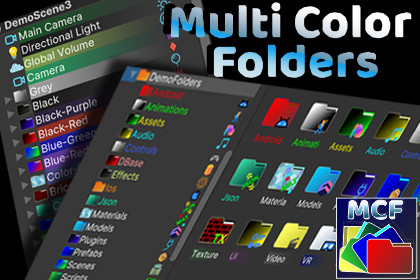
Organize your Unity workflow visually with customizable colored folders and icons in Hierarchy & Project views. Ideal for accessibility and enhanced productivity.Tested on unity 6.2, 6.3Organize your Hierarchy and Project windows the way your brain actually works.Multi Color Folders is a Unity Editor extension that turns cluttered hierarchies into a clear, colour-coded, instantly-readable workspace. Unlike simple folder-tinting tools, it brings real Hierarchy folders, rule-based automatic icons, and live folder statistics — built for large, messy, real-world projects.Stop scrolling. Start seeing. Assign colours and icons by hand, or let Auto Icon Rules tag every Camera, Light, AudioSource and custom component automatically as you work. Save your setup as a profile and reuse it across scenes, projects, and your whole team.Everything runs editor-only with zero runtime impact, and survives renames and moves without breaking.Designed with high-contrast, accessibility-friendly visuals — because clear organization helps everyone, including developers with vision challenges (the reason this tool exists).WHAT MAKES IT DIFFERENTReal Hierarchy folders, not just colour overlays — create true organizational folders in the Hierarchy, not just recoloured GameObjects.Auto Icon Rules engine — assign icons automatically based on attached components, with Exact / Contains / EndsWith matching and priority ordering. Scan any scene to discover untagged component types and turn them into rules in one click.Live folder statistics — see child counts, polygon counts and component breakdowns directly in the inspector, refreshed automatically as the hierarchy changes.Team-ready profile system — save setups as JSON, switch instantly between projects, and share via version control.Customization20+ folder colour themes for Hierarchy and Project windows200+ built-in pixel-perfect icons, plus support for your ownCustom background colours (with transparency), font colours, and multiline tooltips/notesUnlimited colour and icon combinationsSpeedQuick menu via Alt + Click — edit colour, icon and notes instantly10 quick colours + 20 quick icons, fully configurableBulk apply / reset across an entire scene or projectAutomationAuto Icon Rules with component matching and prioritiesOne-click scene scanning to find untagged componentsMultiple rule profiles (read-only default + your own)ReliabilityEditor-only — no runtime impact, no build-size costCustomizations persist through renames and movesLRU caching and batch processing for large scenesFull Undo / Redo integrationSharingJSON-based profiles — backup, version-control, team-friendlyIncludes demo profiles and example scenes (URP)

