






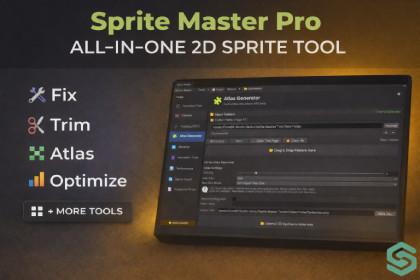
Sprite Master Pro: Ultimate 2D Optimization & Workflow Suite
CoreBit_Studio
$25.00
$29.99
17%OFF
Jump AssetStore
Sprite Master Pro is the ultimate 9-in-1 tool for 2D optimization. Automate animations, find duplicates, and pack atlases. Save hours, shrink build size, and boost performance!Sprite Master Pro: Ultimate 2D Optimization & Workflow SuiteFeatured in Code Monkey's "Top 10 Unity Assets" (2025 September Edition)!Sprite Master Pro is the definitive all-in-one toolkit designed to solve every tedious 2D workflow problem. From mass optimization to professional animation previews and duplicate detection, this tool saves you hours of manual labor and significantly boosts your game's performance.🛠 Resolution Fixer: Automatically snap sprites to 4-divisible or POT dimensions to ensure perfect GPU compression.✂️ Sprite Trimmer: One-click removal of empty transparent pixels. Reduce overdraw and tighten collision bounds.➕ POT Padding: Safely add padding to reach Power-of-Two sizes—essential for high-quality texture compression.🧩 Smart Atlas Generator: Pack sprites into optimized atlases to reduce Draw Calls. Now supports Dynamic Appending to existing atlases.🔤 Pattern Renamer: Batch rename assets using smart prefixes, suffixes, and auto-incrementing numbers.🎬 Pro Animation Tools: Create animation clips instantly with a Real-time Interactive Previewer. Scrub through frames with a manual slider or play back sequences before hitting "Create". Includes Natural Sorting (1, 2, 10) and Auto-Reverse generation.📊 Performance Analyzer: Detailed metrics on memory usage and rendering cost. Identify "heavy" sprites at a glance.🔄 Advanced Batch Importer: Apply complex import settings to hundreds of textures simultaneously.📑 Smart Duplicate Finder: Clean up your project by identifying byte-for-byte identical sprites using MD5 Hashing. Locate and replace redundant assets to shrink your build size.Workflow & Power FeaturesPresets Support: Save your favorite settings as ScriptableObject presets for lightning-fast, repeatable workflows across different projects.Dual Input Mode: Work with entire Folder structures (including subfolders) or manually Drag & Drop specific sprites.💡 Why Sprite Master Pro?Developer Approved: Recognized as a top-tier utility for 2D developers.Zero Bloat: Lightweight, fast, and integrates directly into the Unity Editor.Mobile Optimized: Specifically designed to help developers hit performance targets on low-end hardware.Clean UI: A modern, dockable interface that fits perfectly into your professional workspace.📚 Quick StartNavigate to Tools > Sprite Master Tools.Choose your module from the intuitive sidebar.Select your target (Folder or Manual).Preview your changes (especially for animations).Click Run and let the tool do the heavy lifting!Some parts of the marketing materials were created with the help of AI tools.The thumbnail image was initially generated using an AI tool and later customized.The store description draft was AI-assisted and then fully rewritten by the publisher.

