






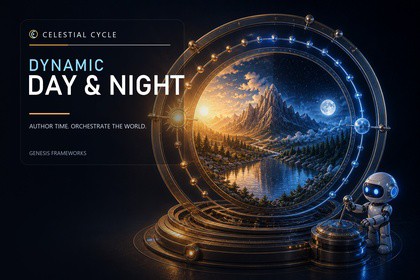
Create cinematic, dynamic Unity URP skies with an artist-friendly day/night workflow, procedural HLSL sky, Cloud Dome horizons, scalable clouds, lighting, astronomy, presets, and runtime tools.Universal Render Pipeline (URP) only. Requires Unity 6000.3+ and URP 17.3.x; Built-in and HDRP are unsupported. Celestial Hub Core 1.1.0 is included. Low/Medium need no camera Renderer Feature; High/Ultra require Celestial Cloud Renderer Feature on the URP Base Camera. Mobile/XR: use Low/Medium. Ultra is not for mobile; High/Ultra volumetric clouds do not support stereo XR. Native RenderGraph.CELESTIAL CYCLES: DYNAMIC DAY-NIGHT SYSTEMA complete dynamic sky and time-of-day system for Unity URP.Celestial Cycles brings time, atmosphere, lighting, clouds, the Sun, the Moon, stars, fog, ambient light, and reflections together under one consistent workflow.Version 4 is a major remaster focused on visual quality, predictable setup, scalable rendering, and an Inspector that artists can understand without editing raw shader values. Start with a polished scene setup, choose a visual preset and rendering quality, then shape the entire day from the Time Manager. The same evaluated environment state drives the sky, Directional Light, fog, clouds, Inspector previews, runtime APIs, and Time Tools.IMPORTANT — BREAKING UPGRADE / BACK UP FIRSTVersion 4.0.0 changes the scene structure, visual presets, sky and cloud shaders, setup ownership, and authoring workflow. Before importing, create a restorable backup of the complete project and duplicate every production scene that uses an earlier release. Do not overwrite the only working copy.After backing up, prefer a clean replacement of the publisher-supplied Dynamic Day folder instead of merging over old vendor files; first move customer-authored assets outside that folder. Read the included upgrade guide, run Tools > Celestial Cycle > Day & Night > Scene Converter on a duplicated scene, then run Setup / Repair Scene. Verify the preset, Skybox, Directional Light, Cloud Renderer, quality tier, and every Time Tool before committing the upgrade.HIGH-QUALITY PROCEDURAL SKY• Custom high-quality procedural HLSL sky for atmospheric Dawn, Day, Dusk, and Night• Independent phase Zenith and Horizon colors• Adjustable dawn and dusk duration• Animated Skybox environment lighting and reflection response• Fast tri-light fallback for constrained environments• Atmospheric horizon, ground, fog, and aerial-perspective blending• Large game-styled Sun and Moon disks with independent size controls• Improved Sun halo, aureole, glare, horizon response, and cloud occlusion• Detailed Moon rendering, phase, visual exposure, earthshine, and halo• Procedural stars and night-sky controlsSCALABLE CLOUD RENDERINGUse one artist-facing cloud setup across four quality tiers:• Low — one lightweight moving layered texture-cloud shell• Medium — two altitude-separated moving texture-cloud layers• High — ray-marched volumetric clouds• Ultra — the highest tested volumetric view, light, shadow, and shaft budgetLow and Medium use layered Macro, Shape, and Detail noise maps instead of a flat single texture. High and Ultra use the volumetric renderer, compute noise, directional lighting, self-shadowing, optional ground-shadow cookie, and screen-space Sun shafts.All tiers share Coverage, Thickness, Brightness, Softness, Motion, Detail, Storm, Tint, and Formation Size art direction. Changing quality changes rendering cost and depth treatment without intentionally changing the authored weather.Cloud Dome curves both texture and volumetric clouds toward the visible horizon. New Cloud Renderers start with Cloud Dome enabled at a 300 km radius. Upgraded scenes using the exact former 6,371 km flat-shell radius preserve that appearance with Cloud Dome disabled until the user enables it. New components and included content use Coverage 0.46 and Motion Speed 4 as the baseline.REUSABLE VISUAL PRESETSThe remastered workflow replaces the former five-asset profile chain. One CelestialDayNightPreset stores the complete visual day:• Dawn, Day, Dusk, and Night sky colors• Atmosphere, Sun, Moon, stars, ambient light, reflections, and fog• Managed Directional Light color, intensity, and shadows• Shared cloud art directionIncluded starting presets: Grassland, Desert, Arctic, and Tropical.Preset assets are safe snapshots. Editing the Manager does not silently change the source preset. Use Apply, Revert, Save Current As, or Update Preset when you intend to move values between the scene and preset.ARTIST-FRIENDLY INSPECTOR• Simple and Advanced views use the same serialized data• Always-visible Low, Medium, High, and Ultra quality selector• Resolved status for Clouds, Cloud FX, Sky, Lighting, Reflection, and refresh cost• Direct 24-hour time rail, Play/Pause, and speed presets• Visual phase-color controls• Compact Sun, Moon, light, cloud, fog, and atmosphere controls• Optional contextual Help• Scene Health, ownership, missing-reference, and setup diagnostics• Undo-safe compound controlsTIME AND ASTRONOMY• Artist-directed time mode• Real-world location mode• City presets or manual latitude, longitude, elevation, UTC offset, and date• Calculated sunrise, sunset, solar altitude, solar azimuth, and moon phase• Polar day and polar night handling• Smooth transitions across midnight• Shortest, Forward, and Backward transition direction• Runtime Play/Pause and time-speed controlUNIFIED TIME TOOLCelestialTimeTool consolidates the former Clock, Day, Night, Trigger, and celestial-direction helpers into four modes:• Clock — hour, minute, and second hands with optional bidirectional input• Scheduled Outputs — Dawn, Day, Dusk, Night, or a custom time window• Time Zone — filtered 2D or 3D trigger-based time transitions• Celestial Direction — orient a Transform toward the Sun, Moon, or active bodyScheduled Outputs can control GameObjects, Light intensity, Renderer emission through MaterialPropertyBlock, ParticleSystems, and UnityEvents. Clock input remains package-neutral for future XR, mobile drag, and UI adapters.RUNTIME API AND INTEGRATION• Set, evaluate, pause, resume, and transition time at runtime• Apply visual presets with an optional blend duration• Read normalized time and the evaluated environment• Subscribe to TimeEvaluated, PhaseChanged, and PresetChanged• Shared Dynamic Nature cloud-ownership handoff• No per-frame scene searches for Manager discovery• No required Cinemachine, XR, Dynamic Player, or online-service dependencyGUIDED SETUP AND REPAIRThe Setup dashboard creates or repairs a consistent hierarchy containing Systems, Player, and UI groups. The Time Manager is prefab-backed. Setup can create a scene-local preset and Skybox, assign the active Directional Light, install the Cloud Renderer, check the URP Renderer Feature when required, and report the actual owner and resolved rendering path.PLAYABLE DEMOThe included Demo supports an automatic cinematic tour and direct WASD/free-camera control. It demonstrates morning, noon, sunset, night, next dawn, Low / Medium / High / Ultra clouds, Time Zone triggers, night lights, emission, particles, Scheduled Outputs, runtime time buttons, and tour controls without requiring Cinemachine, Dynamic Player, or XR packages.Demo WASD/free-camera controls use Legacy Input. Set Active Input Handling to Old or Both.DOCUMENTATION• Updated PDF manual• Breaking-upgrade guide• Preset workflow and runtime API reference• Time Tool setup and interaction examples• Cloud quality and Renderer Feature guidance• Playable Demo controlsPACKAGE CONTENTS• Celestial Time Manager runtime and custom Inspector• Prefab-backed Time Manager scene setup• Celestial Cloud Renderer and cloud setup tools• Procedural HLSL Skybox and volumetric cloud shaders• HLSL includes and compute shaders• Layered texture-cloud maps• Sun, Moon, star, atmosphere, fog, and cloud resources• Grassland, Desert, Arctic, and Tropical presets• Unified CelestialTimeTool and custom Inspector• Real-time astronomy evaluator• Runtime state, evaluated environment, events, and public API• Scene converter, Setup / Repair workflow, and diagnostics• Playable Demo and response examples• Sun, Moon, response prefabs, and an original lightweight three-LOD demo terrain• PDF manual and breaking-upgrade guide• Celestial Hub Core 1.1.0PERFORMANCE GUIDANCE• Mobile: use Low or Medium. Ultra is not a mobile target.• Standalone XR: use Low or Medium and profile on the target headset.• High and Ultra are intended for desktop and high-end non-stereo targets. High and Ultra volumetric clouds are not supported for stereo XR in Version 4.0.0.MARKETING MEDIA DISCLOSURESome screenshots and videos show third-party environment scenery used only to demonstrate integration. Those scenery assets are sold separately and are not included. The sky, time-of-day, lighting, clouds, celestial rendering, presets, setup, and runtime-tool behavior shown are provided by this package. Cinemachine and Unity Recorder were used only for promotional production and are not package dependencies.SUPPORTFor support, questions, and feedback:https://discord.gg/BWuQYgv8H9RENDER PIPELINE AND UNITY• Universal Render Pipeline (URP) only• Requires Unity 6000.3 or newer• Tested with Unity 6000.3.21f1 and URP 17.3.x• Unity UI (com.unity.ugui) 2.0.x• Built-in Render Pipeline: not supported• HDRP: not supported• Unity 2022.3 and earlier: not supported by Version 4RENDERING• Custom high-quality procedural HLSL Skybox• Low: one layered texture-cloud shell; no camera Renderer Feature required• Medium: two altitude-separated texture-cloud layers; no camera Renderer Feature required• High: volumetric clouds; Celestial Cloud Renderer Feature required on the URP Base Camera• Ultra: highest tested volumetric ray, light, shadow, and shaft budget; Renderer Feature required• Native URP 17 RenderGraph execution; setup does not force Compatibility Mode or add a project-wide scripting define• Cloud Dome enabled by default on new Cloud Renderers with a 300 km starting radius• Accurate animated-Skybox environment lighting or fast tri-light mode• One managed Unity Directional Light with virtual Sun and Moon pathsPERFORMANCE• Mobile: Low or Medium recommended; Ultra is not a mobile target• Standalone XR: Low or Medium recommended; profile on-device• High / Ultra: desktop and high-end non-stereo targets• High / Ultra volumetric clouds are not supported for stereo XR in Version 4.0.0INCLUDED CONTENT• Celestial Time Manager runtime and custom Inspector• Prefab-backed Time Manager and scene setup tools• Celestial Cloud Renderer and setup tools• HLSL sky, volumetric cloud shader, includes, and compute shaders• Layered texture-cloud maps• Four visual presets• Unified CelestialTimeTool and custom Inspector• Real-time astronomy evaluator• Runtime time state, environment evaluation, events, and public API• Scene converter, Setup / Repair workflow, and diagnostics• Playable Demo, response examples, and original three-LOD terrain• PDF manual and breaking-upgrade guide• Celestial Hub Core 1.1.0 is includedDEPENDENCIES• Unity package dependencies: URP 17.3.x and UGUI 2.0.x• No Asset Store package dependency• No required Cinemachine, XR, Dynamic Player, or online-service dependency• Optional integration: Celestial Cycles: Dynamic NatureDEMO INPUT• WASD/free-camera controls use Legacy Input• Set Active Input Handling to Old or BothIMPORTANT UPGRADE NOTICEVersion 4.0.0 is a breaking remaster. Create a restorable project backup and duplicate production scenes before upgrading. Prefer a clean replacement of the publisher Dynamic Day folder. Read the included upgrade guide, run Tools > Celestial Cycle > Day & Night > Scene Converter, then Setup / Repair Scene, and verify the preset, Skybox, Directional Light, Cloud Renderer, quality tier, and Time Tools before committing the upgraded project.OpenAI image-generation tools were used to create eight supporting Inspector illustrations: Dawn, Noon, Dusk, Night, Clock, Schedule, Time Zone, and Direction, plus limited supporting marketing concept artwork. Concept artwork used in marketing is identified as concept art and is not presented as actual game footage. The publisher selected, named, configured, edited, and integrated these visuals into the custom Unity Editor and promotional workflow.OpenAI Codex also assisted with portions of C# code, HLSL and compute shaders, documentation, and test automation. The publisher directed the requirements, reviewed and revised the outputs, integrated them with the original system, and validated the package through clean import, rendering, demo, and Android build tests.No generative-AI model or online AI service is included or used at runtime.

