




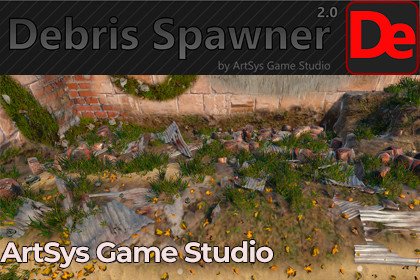
Debris Spawner 2.0 — Prefab & Material Painting
ArtSys Game Studio
$14.99
(no ratings)
Jump AssetStore
Paint randomized prefab debris and layered materials directly in the Scene view. Build richer URP environments faster with reusable brushes, filters, presets, erasing, Undo, and baking.URP-native package for Unity 6.4 with Universal Render Pipeline 17.4. Built-in Render Pipeline, HDRP, and custom SRPs are not included in this package version. Material painting requires meshes with suitable non-overlapping UV0. HDRP support is planned for a future update.Turn repetitive scene dressing into a fast, visual painting workflow.Debris Spawner 2.0 is a Unity Editor extension for painting reusable prefab details and two-layer materials directly in the Scene view. Scatter stones, bricks, leaves, wood chips, grass, rubble, and your own prefabs while controlling density, spacing, scale, rotation, slope, surface alignment, and overlap prevention.Need dirt, moss, snow, sand, or another surface variation? Material Paint blends a second material through an editable mask. Paint material and prefab debris together in one stroke, then bake the result and continue with another layer.KEY FEATURES• Paint or erase prefab instances directly in the Scene view• Drag prefabs or complete prefab folders into a reusable library• Weighted prefab selection with per-prefab spacing, offsets, scale, and rotation randomization• Custom textured brushes and reusable brush presets• Surface layer, target, projection distance, camera/down/normal projection, and slope filters• Surface alignment, surface offset, overlap prevention, tags, layers, static flags, and output groups• Deterministic placement with a configurable random seed• Paint and erase a second material through a UV-space mask• Paint materials and spawn debris in the same stroke• Undo support for debris and material painting• Bake layered material results and continue painting additional layers• Save and restore tool presets• Included URP demo scene, sample content, illustrated PDF guide, and 3 AI Skills for Unity AI-assisted workflowsWORKFLOW1. Open Tools > Debris Spawner 2.0.2. Add your prefabs or choose the included samples.3. Configure the brush, surfaces, placement rules, and output group.4. Activate the brush and paint in the Scene view.5. Optionally select a UV-mapped mesh to paint a second material, spawn debris with the same stroke, and bake the finished result.COMPATIBILITY• Unity 6.4• Universal Render Pipeline 17.4• Editor-time workflow; this is not a runtime procedural spawning systemIMPORTANT REQUIREMENTS• This distribution is URP-native.• Built-in Render Pipeline, HDRP, and custom SRPs are not included in this package version.• Prefab placement requires target surfaces with Colliders.• Material painting requires a MeshRenderer, MeshFilter, matching MeshCollider, and suitable non-overlapping UV0.• Extension Asset license: one seat is required per user who directly uses the editor tool.Use Debris Spawner 2.0 to create believable environment detail with fewer repetitive clicks while keeping every placement editable in your Unity scene.• Unity version: 6000.4.2f1• Render pipeline: Universal Render Pipeline 17.4.0• Package format: .unitypackage• Editor extension; no runtime spawning dependency• Opens from Tools > Debris Spawner 2.0 or Window > Debris Spawner• Includes 24 reusable debris/grass prefabs plus demo-scene prefabs, 25 FBX files, 25 materials, 7 brush textures, shaders, a demo scene, illustrated PDF documentation, and 3 AI Skills• Generated content path: Assets/Debris Spawner Generated• Material mask resolution: 64–4096 (default 1024)• Dependency: Universal Render Pipeline 17.4.0• Supported pipeline in this release: URP only• Supported OS: Unity Editor platforms supported by Unity 6.4• Documentation: included PDF guide inside the packageAI-assisted tools were used during development to help refine portions of the editor code, improve and structure the English documentation, and create/test the three bundled AI Skills that describe Debris Spawner workflows for Unity AI-assisted use. All generated suggestions and shipped files were reviewed, edited, tested, and validated by the publisher. No AI-generated visual assets are included.

