



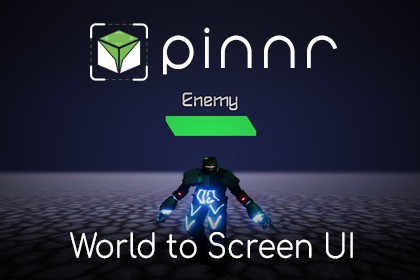
Pinnr sets your UI element position based on a specific target world object's position while maintaining to be displayed on top.Pinnr is a tool that will help you to create UI elements that follow world space object's position. It uses Unity's built-in canvas and/or UI Toolkit document, mainly in screen space render mode. This enables the UI elements to follow the position of the target world space object without affecting the rotation and size that usually caused by the world space camera angle and perspective.Features:• Compatible with all UGUI Canvas or UI Toolkit panel settings' scale modes, including Constant Pixel Size, Scale With Screen Size, and Constant Physical Size• Run in edit mode• Update position automatically / manually• Proximity-based scaling• Supports multiple canvas• Supports both Screen Space and World Space Render Mode (World Space Render Mode is only supported for UGUI Canvas, not UI Toolkit Panel Settings)Usage Examples:• Health bar on top of player• Object interaction menu• Target crosshair• and more!World to Screen Space UI Templates:• Progress Bars (Compatible with both Point & Stretch Anchor):- 9-Sliced- Filled- Radial• Radar:- Fixed Point Distance/Radius (Detect Target's Angle Only)- Detect Target's Radar Position• GameObject Collider Selection (2D and 3D)- Single Selection (Pointer Click)- Multi Selection (Box Selection)Support:Full documentation website availableDiscordTrack world space object's position and keep rendering the UI element on top of screenFixed rotation and scale regardless of the object's rotation and distance

