







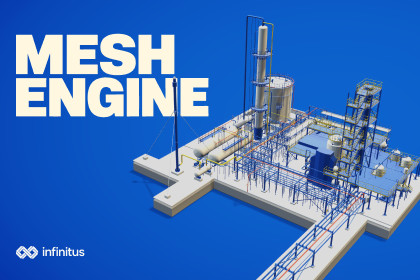
Mesh Engine helps you prepare large static models for digital twins, industrial visualisation, simulation and game environments. Start with an individual component or a complete model hierarchy, choose a partition grid and inspect how the geometry falls into each region.Preview the partitions before you generateColour the geometry by partition in the Scene view or switch back to the original materials. Focus on one region to see which parts belong to it, compare the grid cell with the actual bounds of its geometry, or inspect one layer of the grid at a time.Generate and compare levels of detailKeep the original detail at LOD0 and generate up to three reduced levels as Unity meshes and native LODGroups. Choose how much geometry you want each level to retain and when it should appear on screen. Mesh Engine protects shared boundaries during reduction and reports the triangle counts it achieved.Repeat the job when the model changesSave your settings as a profile and apply it to the next revision. For a batch, use shared settings across the queue and override individual models where needed. You can run partitioning and LOD generation together or separately. Keep each result as a separate output set for comparison, or explicitly select an earlier set to replace.Try it on a complete industrial plantThe included Plant demo starts with 13,302 mesh renderers. With the supplied settings, Mesh Engine organises the gemoetry into 131 segments across seven occupied grid cells. Compare LOD0 at 656,956 triangles with LOD2 at 517,520 triangles from the same saved viewpoint.Two smaller demo scenes cover your first result and a batch of models with different settings. All three include Scene view instructions and saved results you can inspect before running the tool yourself.External resourcesLive documentation: Mesh Engine DocsContact support: support@teaminfinitus.com

