







NanoGeo: Virtualized Geometry for Unity
Roam Moon
$98.99
$197.99
50%OFF
(no ratings)
Jump AssetStore
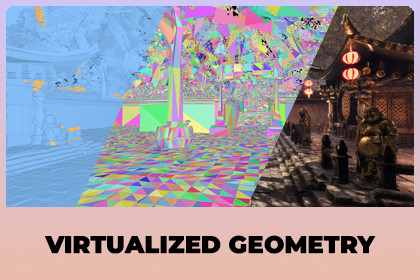
NanoGeo lets you put extremely detailed 3D models into Unity 6, with millions of triangles each, and keep a high frame rate. No LOD models to build, no LOD Groups to set up.Overview: https://roammoon.com/products/nanogeo/Documentation: https://roammoon.com/products/nanogeo/doc/HOW IT WORKSAdd the NanoGeo Mesh component to an object. That is all you do. NanoGeo prepares the model once in the Editor by cutting it into small pieces with many levels of detail.While your game runs, the graphics card decides how much detail each piece needs on your screen. Pieces that are off screen, or hidden behind other NanoGeo objects, are skipped. A model far away costs almost nothing, even with millions of triangles.SEE IT FOR YOURSELFOpen the HDRP or URP demo and press Play. The screen fills with ducks: 500 million vertices, almost a billion triangles. Press N to turn NanoGeo off, and watch the frame rate collapse. Press N again to bring it back.HOW MUCH FASTERWe built a scene with 381 rocks of 1.3 million triangles each, 499 million triangles in total. On an RTX 5070 at 1080p, with shadows on:* Normal MeshRenderers: about 6 FPS* Unity's GPU Resident Drawer with LOD Groups: about 270 FPS* NanoGeo: about 500 FPSNanoGeo drew only about 92,000 triangles per frame instead of 499 million. You see the same detail, the graphics card just does not waste time on triangles you cannot see.Then we went further: nearly 10 billion triangles of ducks, all in view. NanoGeo runs that scene at a steady 70 FPS. Without it, the scene barely runs at all.These tests used the Performance quality level.CHOOSE YOUR QUALITYQuality keeps more detail, so materials and shadows stay closer to the originals. Performance is faster. Switch between them in the Editor, or let players choose in your graphics menu. It is instant and nothing has to be baked again.PLATFORMSWork in the Unity Editor on Windows, macOS (Apple silicon and Intel) or Linux, and build for Windows, macOS, Linux, Android and iOS. Baked models work on all of them, so you never bake twice. VR is supported on PC headsets and on Meta Quest.On devices that cannot run NanoGeo, including the web and phones with OpenGL ES, your objects simply use their normal MeshRenderer.GOOD FOR* Open worlds and large environments full of detailed props* Photogrammetry and 3D scans, straight from the scanner* High poly sculpts from ZBrush or Blender, no retopology needed* Architecture, interiors and product visualization* Real time cinematics and trailers* Big asset packs: set up hundreds of prefabs in a few clicksWHAT YOU GET* One component. Your MeshRenderer and materials stay as they are.* HDRP and URP, with lighting, shadows, decals, SSAO, light probes, TAA and post processing.* HDRP Lit, URP Lit and HDRP Shader Graph materials, including alpha clipping (leaves, fences) and double sided materials.* Vertex colors and extra UV channels on HDRP.* Static and moving objects, mirrored objects and LOD Groups.* NanoGeo Mesh Prefab: set up whole prefabs or folders of prefabs, with warnings and one click fixes.* Streaming, to limit how much video memory your models use in very large worlds.* A window that shows what NanoGeo draws, how much memory it uses and how long it takes.* If NanoGeo cannot draw something, the object keeps its MeshRenderer and the Inspector tells you why. Nothing breaks.* HDRP and URP demo scenes and a full user guide (PDF).WHEN YOU DO NOT NEED ITNanoGeo is made for heavy scenes. The more geometry you have, the more you gain.In a light scene it can cost you a little. It needs about 0.3 ms of GPU time per frame and a few hundred megabytes of extra video memory, even when there is little to draw. At 60 FPS you will hardly notice. At 300 FPS you may drop to about 275. Use Tools > NanoGeo > Disable NanoGeo to compare in your own scene.REQUIREMENTSUnity 6000.0.84f1 or newer, with HDRP 17 or URP 17. The Built-in Render Pipeline is not supported.NOT SUPPORTEDThese objects keep their normal MeshRenderer: skinned meshes and blend shapes, transparent materials, terrain, tessellation, URP Shader Graphs, hand written shaders, and objects with baked lightmaps (use light probes instead).CREDITSAsian Dynasty Environment by Befour Studios. Used to show NanoGeo in a real scene. The environment is not included with NanoGeo.Third-party software: meshoptimizer by Arseny Kapoulkine, MIT license (Editor only, not included in builds). See Third-Party Notices.txt.

