







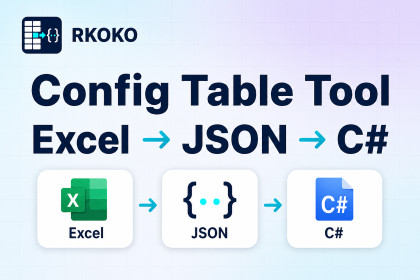
Stop writing custom config table parsing code for every Unity project.RKOKO Config Table Tool converts Excel .xlsx configuration tables into JSON and automatically generates strongly typed C# config classes and access code for Unity projects.Edit your tables in your preferred spreadsheet application, then select Tools > RKOKO Config > Export in Unity to generate JSON files and C# APIs for your project. The tool includes a lightweight built-in .xlsx reader, so no third-party Excel-reading library is required.Online Documentation:https://www.rkoko.com/docs/config-table-tool/Offline HTML documentation is also included. Open it from Tools > RKOKO Config > Documentation.Key Features• Export Excel .xlsx files to JSON• Automatically generate C# config classes• Automatically generate config access code• Fast table lookup by key• Supports common types such as int, float, bool, and string• Supports list / array data• Supports custom object structures, such as position, reward, cost, and other grouped data• Supports references between tables• One-click export inside the Unity Editor• Supports runtime config loading• Supports config loading in the Unity Editor outside Play Mode• Optional JSON encryption support• Includes multilingual sample tables and HTML documentation• Includes a multilingual editor interface• Includes export reports to help locate table errors• Supports optional backups of generated C# and JSON filesSuitable For• Item tables• Level tables• Monster tables• Skill tables• Reward tables• Drop tables• Shop tables• Quest tables• Tutorial tables• Other game configuration tablesIt helps reduce manually written data classes, JSON parsing code, ID lookup logic, and field name mistakes, making your configuration workflow cleaner and easier to maintain for small and mid-sized Unity projects.Suitable for independent developers, small teams, and any Unity developers who need to manage a large amount of game configuration data.Requirements• Unity 2018.4 LTS or newer. Tested across multiple Unity versions and on Windows and macOS.• Input format: standard .xlsx configuration tables following the format described in the included documentation.• Render pipeline independent. Compatible with Built-in, URP, HDRP, and custom render pipelines.• The generated runtime code requires Unity's Newtonsoft.Json package (com.unity.nuget.newtonsoft-json). Version 3.2.2 is declared in package.json and resolved by Unity Package Manager.Getting Started1. Import the package and wait for Unity Package Manager to resolve dependencies.2. Select Tools > RKOKO Config > Install to initialize project settings and sample tables.3. Select Tools > RKOKO Config > Open Tables Folder, then edit or replace the sample tables following the documented table format.4. Select Tools > RKOKO Config > Export to generate JSON files and C# access code.5. Use the generated C# APIs to load and access your configuration data.License and Third-Party NoticesRKOKO Config Table Tool does not include any third-party Excel reading library.The generated runtime code uses Unity's Newtonsoft.Json package, resolved through Unity Package Manager. Please refer to that package's own license and notices for its licensing information.For complete license and third-party information, please see the files included in the package:• LICENSE.txt• Third-Party Notices.txtSupportEmail: business@rkoko.comSupport is available in English and Chinese.

