







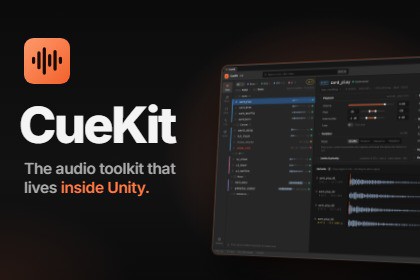
Website | Documentation | Getting Started | Scripting API | SupportThe audio toolkit that lives inside UnityCueKit organises your sounds into cues and gives you one editor window to build, audition, mix and debug them. Play any sound with one line of code, and when one doesn't play, find out why.Everything runs on Unity's own AudioSource and AudioMixer. No middleware, no separate authoring app, no native plugin and no sound-bank build step.Use it for a handful of UI clicks or a full adaptive score. CueKit keeps its data in ordinary Unity assets, so it grows with your project and stays easy to hand off.CueKit at a GlanceOne-Line Playback with Generated ConstantsLive Monitor: "Why Didn't It Play?"Adaptive Music Synced to Beat & BarLayered AmbienceBuses, Ducking & SnapshotsGame-Driven ParametersCaptions for AccessibilityNo-Code Components & Timeline TracksHealth Checks with One-Click FixesFull C# Source Code IncludedFirst Sound in a MinuteDrop your audio. Files or whole folders, from the Project window or straight from Explorer or Finder.Get cues. ui_click_01.wav and ui_click_02.wav become one cue with two variants. Folders pick the bus, and you see the result before anything is written.Play it from code. Audio.Play(Cues.UiClick); CueKit writes a Cues class, so you get autocomplete and compile errors instead of typos.Each play picks a variant without repeating the last one, adds pitch and volume variation, respects cooldowns and voice limits, and routes the sound to the right mixer bus. Get startedKnow Why a Sound Didn't PlayLive MonitorIn Play Mode, the Live page records every play, skip and steal with the line of code that asked. Select one and CueKit walks through each check it made (cue found, playable clips, cooldown, max instances, voice available, bus audible, listener in range) and stops at the one that failed. Every play also returns a PlayResult, so your code can react the same way. Learn moreHealthEvery problem in your audio setup, from missing clips and loop seams to loudness mismatches, import settings and unused cues, listed with a button to fix each one. A check also runs before every build. Loops and loudnessBuild Your SoundscapeOne-Shots, 3D & LoopsPooled voices that outlive the object that played them, click-free stops, voice stealing and priorities, and a handle for every play that you can await. Playing soundsAdaptive MusicCrossfades, playlists, sample-accurate loops, beat- and bar-synced sections, transition rules per track, stingers and parameter-driven stems. The Music page lays sections out on a bar grid, with a playhead that shows where the next switch will land. MusicLayered AmbienceBackground beds on layers that crossfade in and out, each with its own volume. AmbienceBuses, Ducking & SnapshotsFive built-in buses plus your own, saved player volumes, mute, mono output, duck rules with attack and release, and mixer snapshots. Ducking and snapshotsParametersGlobal values such as intensity or health that shape the volume, pitch and low-pass of any cue through curves.CaptionsCaption text per cue and events for subtitles and on-screen indicators of important sounds. Captions and accessibilitySound Without CodeEmitters, footsteps by surface, impacts by hit speed, UI button sounds and a ready-made audio options panel, for both uGUI and UI Toolkit. Cue, Music and Parameter tracks for Timeline. Sound without codeOne Window for EverythingThe CueKit window is built with UI Toolkit in Unity's dark and light skins, and is keyboard first: Space auditions, F2 renames, Ctrl+K opens the command palette.Cues: browse the library with waveforms, drag in files, trim and split clips into regions, and preview a loop exactly as the game will play it.Music: a bar-grid timeline with sections, transition rules and stems.Mixer: bus strips with faders, meters, mute and solo, duck rules and live parameter sliders.Live: every play, skip and steal in Play Mode, with the script line that called it.Health: problems in your audio setup, each with a fix button.Made for TeamsGenerated constants: Cues, Params, Buses, Banks and Snapshots classes with IDE docs.Rename as a refactor: scripts, prefabs, scenes and Timeline assets follow a renamed cue.Banks: split the library and choose when audio loads: preload, with scenes, on demand or streamed.Tags and CSV: tags, captions and notes go to and from a spreadsheet for your sound designer.Organising a big projectDocumentation & SupportThe manual, twelve guides, the full scripting reference and interactive tours are built into the CueKit window (open the Help page, or press F1 on any panel) and are also available online. A demo scene is included as a package sample.Questions or problems? Visit Support or email support@somnolentteam.com.Please Note: CueKit is a tool for organising and playing your own audio. It is not a sound effects or music library.

