







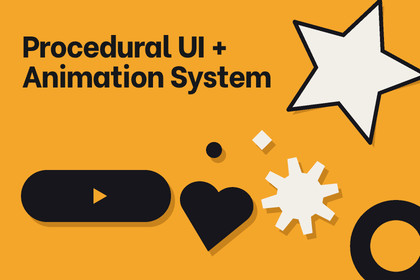
Build stunning UI without a single sprite.Procedural UI And Animation System generates pixel-perfect vector shapes at runtime using Unity's built-in UI system. Every shape is resolution-independent, infinitely customizable, and renders in a single draw call — no render textures, no extra cameras, no shader replacements.DOCUMENTATIONDrop a UIShape component on any GameObject, pick from 44 shape types, and start designing. Rounded buttons, health bars, tooltip bubbles, gear icons, lightning bolts — all procedural, all configurable from one clean inspector.Shape Library — 44 Types Across 4 CategoriesBasic Shapes (20): Rectangle, Rounded Rectangle (per-corner radius), Circle, Ellipse, Square, Triangle, Diamond, Pentagon, Hexagon, Octagon, Star (configurable points & inner radius), Heart, Cross, Plus, Line, Capsule, SemiCircle, Arc (start/end angle), Ring (adjustable inner radius), Pie Shape.Directional Shapes (7): Arrow Left/Right/Up/Down (adjustable head width, head height, body thickness, tail length), Chevron (configurable angle & thickness), Double Arrow, Curved Arrow.Game UI Shapes (9): Health Bar, Progress Bar (both support linear & radial fill with customizable background color and corner radius), Badge, Tag, Tooltip Bubble, Dialog Bubble (adjustable tail size & position), Button Shape, Panel Shape, Notification Bell.Advanced Shapes (8): Cloud, Lightning Bolt, Gear (configurable teeth & inner radius), Ribbon, Banner, Moon (adjustable phase from new to full), Explosion (configurable spike count), Custom Polygon (arbitrary vertex positions).Fill System — 6 ModesSolid — flat color with opacity control and HDR supportGradient — Linear, Radial, Angular, Diamond, and Reflected types with full Gradient editor, angle rotation, offset, and scaleTexture — apply any Texture2D with Stretch, Fit, Fill, Repeat, or Mirror mapping modes plus UV offset, scale, and rotationSprite — use existing sprite assets as fillPattern — procedural Dots, Diagonal Lines, Grid, Noise, Zigzag, and CrossHatch with foreground/background colors and density controlOutline & Stroke SystemDraw borders around any shape with full control:Stroke types: Solid, Dashed, Dotted, Dash-Dot, Long Dash, and Custom patternsAlignment: Inside, Center, or Outside the shape boundaryCap types: Flat or RoundStroke fills: Solid color, gradient, or texture — the outline system supports the same rich fills as the shape itselfVisual Effects — Layer & CombineStack multiple effects on a single shape:Glow — colored outer glow with adjustable spread, ring count, and opacityShadow — outer and inner shadows with 18 built-in presets (Diagonal, Bottom, Right, Center, Large, and Perspective variants) plus full manual control over angle, distance, size, blur, opacity, and softnessBlur — Gaussian edge softeningBevel — emboss/deboss with configurable light angle and depth3D Rotation — perspective transforms applied directly to the meshAnimation System — 25 Built-In PresetsAnimate any shape without writing code:Fade: FadeIn, FadeOut, BlinkScale: Pop, Heartbeat, Bounce, Pulse, PingPongMovement: Float, Shake, Slide, Hover, BobAttention: Wiggle, Elastic, Jelly, FlashLoading: Spinner, Rotate, CircularFill, BreathingEvery animation supports custom duration, delay, speed, looping, and easing curves.Style PresetsSave and reuse your favorite configurations as ScriptableObject presets. Apply consistent styling across your project with one click.PNG ExportExport any shape as a high-resolution PNG directly from the editor. Supports transparent backgrounds, configurable padding, and resolution multipliers (1x–4x) for asset generation workflows.Quality ControlFour mesh quality levels — Low, Medium, High, Ultra — with adaptive segment counts that scale based on shape size. A 50px circle uses fewer vertices than a 500px one. Target mobile with Low quality or use Ultra for hero UI elements.Genre AgnosticProcedural UI And Animation System is designed for every genre and platform:Mobile games — health bars, progress indicators, XP bars with radial fillRPGs & strategy — badges, tags, notification bells, tooltip/dialog bubblesCasual & hyper-casual — colorful buttons, capsule shapes, stars, heartsSci-fi & tech — gears, arcs, rings, lightning bolts, custom polygonsProductivity & apps — clean panels, rounded rectangles, outlined cardsEvery parameter is exposed in the inspector. No coding required to design. Full C# API available for runtime customization.

