







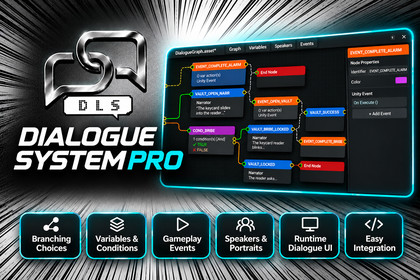
Create branching conversations with an intuitive visual editor. Build interactive stories, meaningful player choices, and dynamic character dialogues for your Unity games.Visual Dialogue System Max is a visual dialogue creation toolkit for Unity designed for narrative-driven games. Build interactive conversations, shape story progression, and create engaging character interactions through an intuitive visual workflow.✦ Visual Conversation DesignCreate and organize dialogue sequences through a dedicated visual workspace.Graph-Based Conversation EditingDrag-and-Drop WorkflowAutomatic Graph OrganizationConversation SearchBuilt-in Graph Validation✦ Interactive StorytellingCreate conversations that adapt to player decisions and story progression.Branching StorylinesMultiple Conversation OutcomesContextual Character ResponsesDynamic Dialogue ProgressionInteractive Player Decisions✦ Character PresentationGive your characters a consistent identity throughout your game's conversations.Reusable Character ProfilesCharacter ExpressionsSpeaker CustomizationVoice & Portrait Management✦ Customizable Dialogue ExperienceAdapt the dialogue presentation to match your game's visual style and interaction requirements.Configurable Dialogue PresentationCustom Choice LayoutsTypewriter Text PresentationCustom Interface Support✦ Developer WorkflowDesigned to fit into existing Unity projects and game development workflows.Modular ArchitectureCustomization & ExtensibilityGameplay System IntegrationRuntime Debugging ToolsSave-State Integration Support✦ IncludedSuperHorizon Dialogue System ProVisual Dialogue EditorComplete Runtime FrameworkDefault Dialogue InterfaceCharacter & Conversation AssetsInteraction ComponentsDeveloper ToolsDemo SceneExample ScriptsDocumentationBuilt for Narrative-Driven GamesCreate engaging conversations for RPG, horror, survival, adventure, exploration, visual novels, and story-driven games.Design Conversations. Shape Stories. Create Experiences.Publisher: SuperHorizon StudiosEngine & CompatibilityUnity 2021.3 LTS and aboveBuilt-in Render Pipeline, URP and HDRP compatibleTextMeshPro required for the provided runtime UINo additional dependencies required for the core frameworkAssembly Definitions (.asmdef) included for runtime isolationArchitectureThe system is built around a modular, node-based architecture:DialogueAsset — ScriptableObject that stores conversation graphs, nodes, speakers, variables and settings.DialogueNodeBase — Base architecture for conversation nodes, including Start, Dialogue, Choice, Condition, Event and End.DialogueManager — Controls dialogue execution, runtime state, UI communication and conversation lifecycle.DialogueRuntime — Processes nodes and manages conversation flow.SpeakerAsset — Reusable character definitions containing display names, portraits, alternate expressions and voice settings.VariableStore — Manages Boolean, Integer, Float and String dialogue variables.GlobalVariableStore — Provides persistent variable access across conversations and scenes.DialogueUIBase — Interface for implementing custom runtime dialogue interfaces.Dialogue Execution FlowDialogueManager receives a DialogueAsset through StartDialogue().DialogueRuntime retrieves the Start Node and begins processing the connected graph.Dialogue Nodes display speaker information, portraits, text and optional voice clips.Choice Nodes present available player responses and route execution to the selected branch.Condition Nodes evaluate variable-based conditions using AND/OR logic and execute the TRUE or FALSE path.Event Nodes execute variable actions and UnityEvents before continuing execution.End Nodes terminate the conversation, hide the dialogue UI and trigger OnDialogueEnded.Node SystemThe editor provides six node types, each with a specific execution purpose:Start Node — Defines the conversation entry point.Dialogue Node — Displays character dialogue and waits for player input.Choice Node — Presents player responses with independent branch connections.Condition Node — Evaluates variables and determines the next execution path.Event Node — Executes UnityEvents and variable modifications.End Node — Terminates dialogue execution.Variable & Condition SystemSupports Boolean, Integer, Float and String variables.Condition groups support AND / OR logic.Boolean, numeric and string comparison operators.Choice availability can be controlled through conditions.Event Nodes support Set, Add and Subtract operations.GlobalVariableStore provides cross-dialogue and cross-scene variable access.Runtime UI & InteractionDefaultDialogueUI handles dialogue presentation.TypewriterEffect controls text reveal, skip and typing completion.ChoicePresetRegistry selects UI panels based on the number of visible choices.DialogueTrigger supports OnEnter, OnEnterOnce and OnEnterRepeat modes.DialogueInteraction provides NPC interaction with configurable input.DialogueStarter supports automatic and manually triggered conversations.Custom interfaces can be implemented through DialogueUIBase.Events & IntegrationUnityEvent integration for calling scene-object methods.Dialogue lifecycle events: OnDialogueStarted, OnDialogueEnded, OnDialoguePaused and OnDialogueResumed.OnLineStarted, OnChoiceShown and OnChoiceSelected callbacks.Integration with external inventory, quest and gameplay systems.Timeline integration through custom PlayableBehaviour.Addressables support for loading DialogueAssets.Localization integration points.Optional FMOD integration module.Save & DebuggingDialogueSaveHelper captures dialogue state and variables.DialogueSaveState stores dialogue identifiers, current node ID and variable data.External serialization and save systems can restore captured variables.DialogueValidator identifies missing nodes, broken connections and invalid conditions.Dialogue Debugger provides live Play Mode state inspection.APINamespace: SuperHorizon.DialogueStatic API: SuperHorizon.Dialogue.APIDialogueManager.Instance.StartDialogue(asset)StopDialogue(), PauseDialogue() and ResumeDialogue()GetBool(), GetInt(), GetFloat() and GetString()SetBool(), SetInt(), SetFloat() and SetString()SelectChoice(choiceID)AccessThis package contains content created with the assistance of AI. AI-assisted content is incorporated into the package's development and functionality. There is no direct Use content generated by AI

