






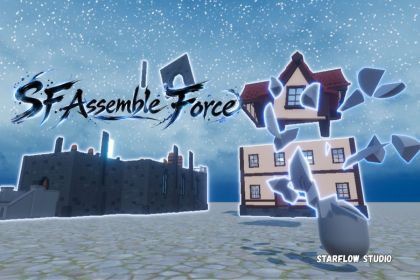
Bring objects together with animated assembly. Build from hidden parts, separate existing pieces, fracture meshes, and detach equipment—all with optional physics and visual effects.Take objects apart. Bring them back together.SF Assemble Force lets you turn buildings, props, and equipment into animated assembly and disassembly effects. Send pieces along curved paths, pull them together with a magnetic snap, or build an object from parts emerging from a chosen spawn point.Assembly with varietyChoose from 9 assembly animations, including Spiral, Magnetic Snap, Arc Drop, Fold In, Axis Slide, and Elastic Return.Control assembly order independently from the animation. Build from bottom to top, top to bottom, front to back, back to front, or either side. Adjust timing and spacing to create a quick reconstruction or a gradual reveal.Choose from 6 Build animations and optionally set a Spawn Point to make pieces emerge from a toolbox, character, or another location.Five ways to separate objectsRenderer Parts: Separate existing object parts, with an option to move their GameObjects and attached colliders.Mesh Parts: Separate a mesh into different parts.Submesh Parts: Turn a mesh’s submeshes into separate parts.Fracture Mesh: Break a source mesh into fragments, with configurable cut-surface materials and surface effects.Skinned Equipment: Prepare selected skinned equipment for detachment and reassembly, with optional floating follow behavior.Preview prepared parts and save reusable Prefabs for Fracture Mesh, Mesh Parts, and Submesh Parts.Disassembly and physicsChoose from 6 disassembly animations, with separate horizontal spread, vertical spread, lift, rotation, and timing controls.Enable Rigidbody motion for physical collisions, with or without gravity. Use floating motion for suspended pieces, or let fragments fall to the ground.Optional visual effects4 Surface effects and glowing outline:Combine Energy Film, Light Energy, Ember Magic, or Hologram surfaces with glowing outlines and independently adjustable sparks. Add flashes, shock waves, and your own VFX and audio to separation and assembly.For destruction, let separated pieces fade, sink, or dissolve after a configurable duration, then trigger an event when they disappear.Group control and damage box featureControl a group of objects to assemble together or in sequence.Attach break component to your damage box collider to break objects.Limitations:Mesh Parts separates disconnected sections of a mesh. It cannot automatically separate a fully connected mesh into individual parts.Fracture results depend on the source mesh; the resulting fragment count may differ from the requested count.• Unity 6 support• URP and HDRP support• Enable Bloom to display the glow effects.• URP requires Render Graph. HDRP requires Custom Pass support.• Reference environment: Unity 6000.4.2f1, URP / HDRP 17.4.Package and cover art are created and optimized with the assisit of AI tools.

