






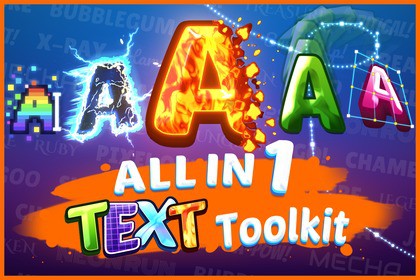
From the creators of All In 1 Sprite Shader, now for TextMeshPro: 30 stackable effects and text animation, with curves, warps and particles for every title, damage number and dialogue line.Compatible with all Unity versions from 2022.3 to the current Unity 6 LTS, in Built-in and URP (no HDRP). No setup required, it works out of the box.🌟 Make every text in your game look and move the way you want! 🌟Does your game's text still look like default TextMeshPro? All In 1 Text Toolkit styles and animates titles, damage numbers, dialogue and logos right in the editor, on the TextMeshPro texts you already use. No sprite sheets, no exported images: the text stays text, so when you change a word or set it from code, the look follows.💝 All In 1 Bundle ($189.95): this asset and 5 others. $290 if bought separately, so you save $100.🎮 Try the web demo. It runs on WebGPU, so open it in a recent Chrome or Edge.📖 Read the documentation.🎨 The look30 stackable effects: up to three outlines, inner and outer glows, two drop shadows, gradients, holograms, glitch, dissolves, wind and more. The effects you leave off cost nothing.Real bevel and 3D extrusion: lit bevels with normal maps and reflections, extruded letters, and one light for every text in the scene.Text layers: stack copies of a text, each with its own material, for fire, electricity and neon.🎬 The motionA typewriter made for games: reveal, loop and hide text letter by letter or word by word, with 12 motion effects, 10 eases, and events for typing sounds and dialogue.Inline tags: write Danger> and only that word shakes.Curves and warps: run text along a curve, or bend it with 18 warp styles, from Photoshop's arcs and flags to a cage you shape by hand.Particles from the letters: embers, sparks, lightning and hearts, timed to the typewriter, with 11 presets.🕹️ 40 demo showcases: game titles, combat text, dialogue boxes, signs and screens. Each look is a material you can open and copy.🤝 Already using Text Animator? Keep it. The toolkit works alongside Text Animator for Unity: Text Animator moves the letters, and the shader effects follow them.🏆 Created by Seaside Studios, the makers of All In 1 Sprite Shader, 3D Shader, VFX Toolkit, Shader Nodes and Springs Toolkit.✅ Expert support within 24 hours ✅Players read your text on every screen. Make it look like it belongs in your game.🎨 The look: 30 effects in five groupsLighting: Bevel, Drop Shadow, ExtrudeColor: Color Ramp, Hue Shift, Greyscale, Posterize, Contrast and Brightness, Shine, Hologram, Overlay Texture, Inner Glow, Outer Glow, Outline, LED, Color Gradient, Color GradingAlpha: Alpha Cutoff, Flicker, FadeMesh: Vertex Shake, WindUV: Glitch, Pixelate, Hand Drawn, Wave, Round Wave, Twist, Warp, DistortionOutline, glow and shadow sizes follow the font's distance field, so a look holds at any font sizeHDR colors and a Color Intensity control made for bloom🎬 The motionTypewriter: reveal, loop and hide presets you save and reuse, previewed in edit mode, with UnityEvents when a reveal or hide starts and ends, and on each letter for typing sounds12 motion effects: Fade, Scale, Initial Rotation, Offset, Pendulum, Shake, Rainbow, Swing, Rotation, Dangle, Slide and Vertical Movement, stacked in any orderTags with settings: Danger>Text on a Spline: edit the curve's points and handles in the Scene view, then scroll the text along it or move it in and outWarp: 18 styles, keyable in the Animator and TimelineText Particles: drawn by the text's own Canvas, so they sort and mask like the rest of your UI, with no camera or sorting layer setupLED Panel, and a Bevel Light Controller that lights every bevel and extrusion in the scene🛠️ ToolsFont check and Create Font Atlas: the component tells you when a font asset is too small for the effects, and one button builds one that fitsText Shader Window: an image editor, and texture creators for normal maps, gradients, tileable noise, atlases and channel packing⚡ PerformanceEach effect is a shader keyword: effects you leave off cost nothing, and only the combinations your materials use get compiledA still text costs almost nothing per frame, and a stopped typewriter costs nothingExtrude stays in one draw call💻 CodeFull C# and shader source included, no DLLsIts own namespace (AllIn1Assets.AllIn1TextShader) and assembly definitionsA scripting API for material properties, the typewriter, splines, warps, particles and the light controller

