






Waterfront Cities Sunset to Night - 8K True HDR Skyboxes (URP, HDRP)
Matei Ioan Alexandru
$13.99
$19.99
30%OFF
(no ratings)
Jump AssetStore
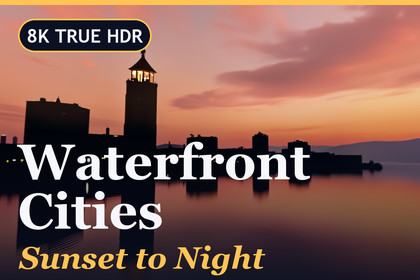
Start at a sunset lake, end under a neon tower at night: ten waterfront panoramas at 8192 × 4096 with the brightest lights stored up to 24. Materials, a demo scene and HDRP support included.All three render pipelines are covered. On HDRP, open the add-on archive in the HDRP folder first: ten volume assets feeding an HDRI Sky, plus a matching sample level. The classic pipeline and URP need nothing extra - drop a sky material into the Lighting window. For crisp results keep Max Size at 2048, the Global Mipmap Limit at Full Resolution and Linear color space. Unity 2022.3 and above.▶ Watch it in 4K: https://youtu.be/TeUHFwIiWHYOne evening, ten waterfronts: follow the light from a low sun to towers that glow on their own.The set opens with the sun sinking into a lake and ends in black river water full of reflected windows. Every sky is a complete 360° × 180° panorama at 8192 × 4096, saved with a true HDR light range - so the lamps, signs and lit windows in a scene are far brighter than the sky around them, which is exactly what reflections and ambient lighting need.✦ THE TEN SKIESGolden Lakefront Promenade - sodium lamps along a park lawn, warm stone façades, every lamp doubled in the waterStill Lake Sunset - a mirror-calm lake, a thin skyline on the far shore, peach fading into blueTwin Supertall Riverside - a black river between two walls of lit towers, long reflections down the middleMisty Harbour Marina - teal fog, glass towers with yellow-lit floors, cold white lights along the quayNeon Tower River - a magenta-lit tower above a river that turns red, blue and orangeLighthouse Bay Sunset - a lighthouse and a city in pure silhouette against a coral skyDowntown Overcast Dusk - a rooftop view under heavy teal clouds, windows glowing, city lights scattered belowViolet Bay Blue Hour - purple sky, a mountain behind a harbour town, violet waterGolden Sunrays Bay - the sun on the horizon and a fan of rays breaking through the cloudsRiverwalk Canyon Night - office blocks closing in from both sides, warm street lamps, a strip of deep blue sky✦ WHY TRUE HDR MATTERS HEREAn ordinary 8-bit image stops at 1.0, so a street lamp and a white wall look the same. These files keep the difference:Lights up to 24 - lamps, signs and windows are stored far above the sky's own brightness (brightest value per sky: 9.7 to 24)Exposure you can trust - pull it down and the sky sinks into night while the lamps keep burningLighting that reacts - ambient light and reflections on glass, water and metal pick up the bright spots instead of a flat grey wash✦ UP AND RUNNING IN A MINUTEBuilt-in and URP - open Window > Rendering > Lighting, drop one of the 10 materials into Skybox Material, set Environment Lighting and Reflections to SkyboxHDRP - import the bundled HDRP package, add a Global Volume and assign one of the 10 profiles (HDRI Sky, fixed exposure that matches the previews)Rotate - turn any sky with the material's Rotation slider✦ IN THE BOX10 HDR cubemaps - 2048 px faces cut from the 8192 × 4096 .hdr files, BC6H compressedEXR and PNG copies - 16-bit half-float EXR and 8-bit sRGB PNG, 8K on disk, for your own tools, mobile or WebGL10 skybox materials - Skybox/Cubemap with exposure and rotation on the materialDemo scene - look around with mouse or WASD, scroll to zoom, keys 1-9 and 0 or the arrows swap the sky, H shows mirror / glossy / matte spheres, Tab toggles the text; works with both input systemsHDRP package - 10 Volume Profiles and an HDRP demo sceneDocs - a README and an illustrated PDF guide✦ BUILT FORRacing and driving games, open-world cities, harbour and rooftop scenes, menu backdrops, architectural views with water, product shots that need real reflections, cinematics, virtual production and 360° VR.Honest notes: the extra HDR range is rebuilt from the image's light sources rather than shot with bracketed exposures - great for highlights and reflections, not a measured light probe. Straight down, some skies are softer than at the horizon. A 60-90° field of view shows the 8K detail best.Requirements - Unity 2022.3 and above in any of the three pipelines; Linear color space is recommended; nothing else to installReady to drop in - ten Skybox/Cubemap materials, three sphere materials and a demo scene with three scripts and a small shader that behaves the same in Built-in and URPHDRP add-on - ten profiles; each combines an HDRI Sky with fixed exposure, bloom and no fog, a demo scene, one script, three HDRP/Lit materialsRadiance .hdr - linear and unclipped: the brightest pixel of a sky lies between 9.7 and 24. Imported as a latitude-longitude cubemap with BC6H compression, mipmaps and 2048 px faces - the entire 8K image16-bit .exr - half-float with the same range, handy in other software; imported at a maximum size of 2048 to keep the editor quick, while the file itself stays 8192 × 40968-bit .png - sRGB, for mobile, WebGL and UI backdrops; imported at 2048 the same way, original 8192 × 4096Sharpness - keep the HDR textures at Max Size 2048 (it is the face size of a cubemap) and the Global Mipmap Limit at Full Resolution; a field of view of 60 to 90 degrees looks bestSunsets - use a fixed or manual exposure on the sunset skies (02, 06 and 09): the sun is far brighter than the rest of the skyRotation - every sky material has a Rotation slider and an Exposure value (exposure 1 matches the previews)Reading matter - README plus an illustrated guide as PDFDownload - roughly 1.2 GBThe ten skies began as output of an image-generation workflow. Each one was then finished by hand: the horizon levelled, seams and the poles repaired, and the result converted to true HDR with a wide light range for lamps, signs and windows.

