






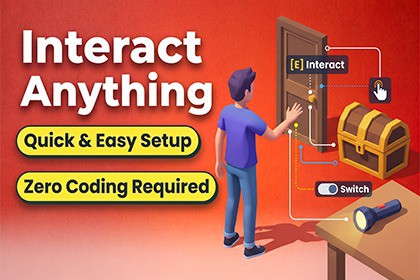
Interact Anything - Interaction, Grab & Examine
MyDreamGameStudio
$20.99
$29.99
30%OFF
(no ratings)
Jump AssetStore
Interact Anything — a complete, drag-and-drop interaction system. Instant, Hold, Toggle, Push/Pull & Drag interactions, plus Examine and Grab & Throw. Fully event-driven, zero code required.Documentation & Quick Start Guide:https://my-dream-game-studio.vercel.app/docs/interact-anything/Interact Anything is a complete, event-driven interaction, 3D object inspection, and physics grab/throw framework for Unity 6+. Whether you are developing a first-person horror game, a third-person adventure, a top-down RPG, or a physics-based puzzle title, this toolkit lets you bring doors, drawers, levers, clues, and physics props to life in minutes—without writing a single line of code.Every behavior follows one clean, unified pipeline:Interactor -> Interactable -> UnityEvents -> Utility Components (or your own scripts).CORE MODULES & STANDOUT FEATURES1. Six Built-In Interaction Types (One Unified Component)Instead of cluttering your project with dozens of disconnected scripts, a single Interactable hub component adapts its Inspector dynamically based on the mode you select:Instant: Fires immediately on press (buttons, pickups, NPC dialogue triggers).Hold: Requires holding the input for a set duration with cancel/reset options and normalized (0–1) progress events (reviving, hacking, heavy valves).Toggle: Flips between On/Off states with state-specific prompts like "Open" vs. "Close" (light switches, doors).Hold + Toggle: Combines hold duration with state toggling (forcing open heavy or locked doors).Push / Pull: Continuous 0–1 value driven by mouse movement while held, featuring optional spring-return on release (joysticks, brake pedals, self-closing valves).Drag: Continuous physical rotation or linear movement driven directly by mouse delta (swinging doors open by hand, sliding drawers).2. Physics Grab, Carry & Charged Throw SystemA complete, physics-accurate object manipulation system with zero manual event wiring required:Collision-Aware Carrying: Held items chase the hold point smoothly using physics velocity, ignore player colliders so they never push you around, and automatically drop if blocked by walls.Scroll-Wheel Distance & Custom Offsets: Adjust carry distance dynamically with the mouse wheel, lock world rotation, or configure per-item hold offsets.Charged Throw & Live Trajectory Preview: Tap to toss or hold to charge a throw. Includes an automatic Trajectory LineRenderer and surface-aligned Landing Marker simulated using the exact physics velocity and gravity of the real throw.Crosshair Aiming: Optional aim-at-crosshair calculation so thrown items hit exactly where the player is looking.Grabbable Physics Profiles: Give any prop instant physical personality (either always or only after being thrown) with one-click presets: BouncyBall, SlipperyIce, DeadWeight, or Custom friction/bounciness curves plus random throw spin.Smart "While Holding" Modes: Choose whether holding an object allows normal interactions (Keep Holding), locks out other targets until dropped (Block Other Interactions for "hands-full" puzzles), or swaps seamlessly (Drop On Other Interaction).3. 3D Object Examine & Hidden Clue SystemLet players pull world items into a dedicated, isolated 3D inspection view (Resident Evil / detective puzzle style):Automatic Display Scaling: Items automatically scale to a consistent target display size on the pedestal regardless of their real-world scale—no per-item tweaking needed.Hidden Secondary Interactions: Attach ExamineOnlyInteraction to child latches, buttons, or puzzle dials on an item. They remain disabled in the 3D world and automatically become clickable via a dedicated Cursor Interactor only while the player is inspecting the object!4. Multi-Perspective Interactors (FPS, Third-Person, Top-Down)Raycast Interactor: Casts forward from the camera—ideal for First-Person (FPS) games.Radius Interactor: Selects the closest valid target within a configurable sphere—ideal for Third-Person and Controller setups.Cursor Interactor: Interacts with whatever the mouse cursor points at—ideal for Top-Down, Point-and-Click, RTS, and Examine views.Nearby Interactables Scanner: Standalone proximity sensor with optional field-of-view angle limits and line-of-sight wall checks to drive "nearby items" HUD markers independently of your active interactor.Interaction Mode Switcher: Seamlessly switch between camera and interaction modes at runtime.5. Plug-and-Play Utility Components (No Coding Required)Wire these modular components directly to any Interactable's UnityEvents:Hinge Rotator: Rotates doors, levers, and valves around a locked axis. Supports min/max angles, detents (Locked Angles that snap into place), and Path Events that trigger UnityEvents when passing specific angles (e.g., triggering a sound or spark halfway through a turn).Transform Mover: The linear counterpart for sliding doors, drawers, and elevators, complete with 0–1 Path Events.Pickup On Complete: Cleanly disables or destroys world collectibles while firing OnPickedUp for easy inventory integration.Toggle Object Group: Switches two lists of GameObjects on and off together with a single toggle.Interaction Highlight: Toggles highlight meshes or tints material colors on focus using MaterialPropertyBlock (zero material instances or memory leaks).6. Screen-Space UI & Pooled Proximity MarkersInteraction Prompt UI: Automatically tracks whichever interactor is active, displaying context-sensitive prompts ("Open", "Close", "Opening...") and hold progress via either a Filled Image or UI Slider.Radius Finder UI: Automatically pools and positions world-to-screen UI markers at each nearby object's custom UI Anchor while hiding the marker on the currently focused target.7. Level-Designer Friendly Editor Tooling & GizmosLive Ghost Mesh Previews: Selecting a Hinge Rotator or Transform Mover renders ghost previews of your actual 3D mesh at its Open and Closed limits directly in the Scene view.Draggable Scene-View Scrubbing Handle: Drag the rotation/position handle directly in the Scene view to test door arcs, drawer distances, and Path Event triggers without entering Play mode.One-Click Auto-Setup: Adding GrabbableItem automatically adds and configures a Rigidbody and Toggle Interactable. GrabController includes one-click Inspector buttons to generate stylable Trajectory Lines and Landing Markers.Runtime Debug Inspector: View live interaction states, cooldown timers, and hold progress directly inside the Inspector during Play mode.5-MINUTE QUICK START WORKFLOW1. Add Input: Drop InteractionInput onto a persistent object (all keybindings live in this single script).2. Add an Interactor: Attach RaycastInteractor, RadiusInteractor, or CursorInteractor to your player or camera.3. Make Anything Interactive: Add Interactable (or GrabbableItem / ExaminableItem) to any object with a Collider, choose your Interaction Type, wire your UnityEvent, and press Play!TECHNICAL DETAILS & COMPATIBILITYUnity Version: Built natively for Unity 6+.Render Pipelines: Works out-of-the-box with Universal Render Pipeline (URP), High Definition Render Pipeline (HDRP), and Built-in Render Pipeline.Centralized & Custom Input Ready: All input routing goes through InteractionInput. Want to hook up Unity's New Input System, Mobile Touch UI buttons, or Gamepad remapping? Simply call TriggerInteractPressed(), TriggerInteractHeld(), and TriggerInteractReleased() from any script without modifying core files.Scripter-Friendly API: Includes static events (Interactable.InteractionStarted), exclusive interaction locking (Interactable.SetExclusive), and silent state syncing (SetOnSilently) for deep gameplay integration.Zero Dependencies: 100% clean native C# code with full source included. No third-party plugins required.Support & Documentation:• Full Online Manual: https://my-dream-game-studio.vercel.app/docs/interact-anything/• Included Offline Docs: Complete step-by-step documentation and troubleshooting guide included inside the package.Interactor types included: Raycast, Cursor, Radius (+ standalone Nearby Interactables Scanner)Interaction types included: Instant, Hold, Toggle, Hold+Toggle, Push/Pull, DragUtility components included: Hinge Rotator, Transform Mover, Toggle Object Group, Pickup On Complete, Interaction HighlightFeature systems included: Examine / Inspect View, Grab & Carry & Throw (physics-based)UI components included: Interaction Prompt UI, Radius Finder UIEditor tooling: Custom Inspectors, Scene-view Gizmos with mesh-based ghost previews, live Play-mode debug viewInput: Centralized single-source input binding; public API for custom input sources (mobile, gamepad, third-party input packages)Code: 100% C#, fully event-driven via UnityEvents — no required scripting to useUnity version: Unity 6+Render pipeline: Built-in, URP, HDRP compatibleDocumentation: Full included manual covering setup, every component, every event, and troubleshootingDemo scene: IncludedPlatform: All platforms supported by Unity's Input SystemDevelopment & AI DisclosureModern AI-assisted productivity tools (LLM pair-programming and text editing) were utilized during development to assist with initial code boilerplate drafting, syntax verification, and documentation formatting. All system architecture, runtime logic, custom UI Toolkit editors, visual gizmos, and performance profiling were designed, authored, refactored, and thoroughly tested in Unity 6 by human developers.

