






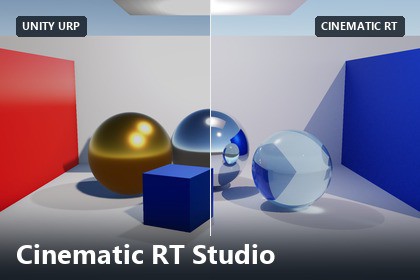
Record gameplay, capture reusable mesh animation takes, and render cinematic MP4s with GPU ray tracing directly in the Unity Editor.Verified with URP 17 on Unity 6.3. Mesh Take preview and Simple Take export reconstruct standard PBR materials; custom shaders and original post-processing are not reproduced. Offline RT uses its own shading. HDRP take preview/export is unsupported, and HDRP-specific features are not translated. Built-in paths are provided but not validated.Cinematic RT Studio records gameplay, saves reusable mesh animation takes, and exports cinematic MP4s with offline GPU ray tracing.Preview saved motion, then adjust resolution, quality, exposure, lighting, and depth of field without recording again. Suitable for cutscenes, trailers, animation previews, and product shots.Includes editable source, a studio demo, and an English PDF guide. Requires Unity 6.3+ and Timeline. Verified with URP 17. MP4 output is silent; HDRP take preview/export is unsupported.Live Game View recording, including physics, scripts, UI and effectsMesh Takes with transform, skinning, blend-shape and camera animationTake playback with scrubbing, looping and speed controlsOffline GPU path tracing with Compute or DXR hardware ray queriesAdaptive sampling and temporal/variance-guided noise filteringNormal maps, reflections and refractive glass in RT rendersConfigurable resolution, frame rate, exposure and depth of fieldSilent H.264 MP4 export, preview PNGs and reusable settings presetsAI assistance was used for C# scripts, shaders, and documentation. The code was revised and tested in Unity. No generative AI was used for visual or audio assets, and no runtime AI/ML models are included.

