






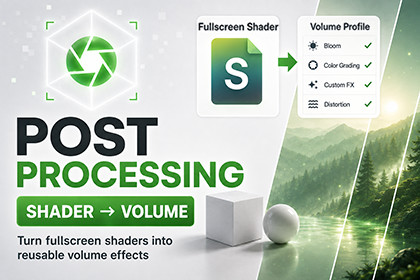
Create URP post-processing effects from compatible shaders and control them through Unity's Volume system.URP only. Supports Unity 2022.3 LTS and newer with URP 14.0 or newer. Built-in Render Pipeline and HDRP are not supported.Shader to Volume Post FX is a URP toolkit for turning compatible full-screen shaders into Volume-controlled post-processing effects.Create an Effect Definition, assign your shader, and use Auto Setup From Shader to expose its properties. The effect can then be added to a Volume Profile and blended using Unity's standard Volume workflow.Main features:- Create reusable Volume effects from full-screen shaders.- Automatic property setup from shader properties.- Support for float, integer, boolean, color, vector, texture, cubemap, and enum properties.- Per-property override controls.- Local and global Volume support.- Correct blending between different effects and between multiple Volumes using the same Effect Definition.- Optional depth and normal texture requirements.- Compatibility Mode support where available.- Render Graph support for URP 17 and newer.- Runtime API for reading and changing effect values.- Four demo effects: Grayscale, Posterize Bands, Anime Speed Lines, and Edge Color Overlay.- Demo scene, Volume Profiles, Effect Definitions, materials, prefabs, and documentation included.The package does not convert regular material shaders automatically. Effects must use a compatible full-screen shader that reads the scene color and applies the provided Volume weight.Render Pipeline:- Universal Render Pipeline (URP)- Built-in Render Pipeline: not supported- HDRP: not supportedRequirements:- Unity 2022.3 LTS or newer- URP 14.0 or newer- Shader Graph is required only for Shader Graph-based effectsCompatibility:- Supports Compatibility Mode where available- Supports the Render Graph path in URP 17 and newer- Tested with local and global Volumes- Supports Volume blend distance and priorityIncluded content:- Runtime and Editor scripts- 1 Scriptable Renderer Feature- 4 demo Effect Definitions- 3 demo Volume Profiles- 3 HLSL demo shaders- 1 Shader Graph demo shader- 1 demo scene- 2 demo prefabs- 11 demo materials- Runtime Volume visualization script- English and French documentationSetup:- Add ShaderToVolumeRendererFeature to the active URP Renderer Data- Enable Post Processing on the camera- Make sure the camera Volume Mask includes the Volume layer- Enable Require Depth or Require Normals in an Effect Definition when the shader samples those texturesDependencies:- Requires Universal Render Pipeline- No third-party Asset Store package requiredAI-assisted tools were used to help review parts of the code and documentation, and to assist with debugging and compatibility checks. All AI-assisted output was manually reviewed, edited, and tested in supported Unity and URP versions before inclusion.

