




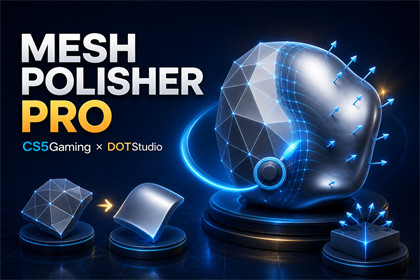
Analyze, repair, smooth, harden, brush-edit, and safely export mesh normals directly in the Unity Editor.Mesh Polisher Pro is an Editor-only tool. Its code is render-pipeline independent and works with Built-in RP, URP, and HDRP. The included demo scene and materials use URP. The package adds no runtime component or build dependency. Unity Collections is optional for variable bone-weight preservation during skinned mesh hardening.Mesh Polisher Pro is a Unity Editor tool for mesh analysis, normal repair, smoothing, edge control, and face direction correction.Imported meshes can contain unwanted shading seams, broken normals, incorrect face direction, inconsistent hard edges, or rough transitions. Fixing these problems in an external 3D application can interrupt the Unity workflow and require repeated re-export steps.Mesh Polisher Pro lets you inspect and refine supported meshes directly inside the Unity Editor.You can analyze a mesh, find possible shading and winding problems, select specific regions, edit normals with brushes, control smooth and hard edges, repair face direction, and compare the result before you apply it.The tool uses a temporary working copy of the selected mesh. This helps protect the original imported asset while you test changes. You can restore the original mesh, apply the result to the selected instance, duplicate the object, or save the result as a new mesh asset.Mesh Polisher Pro is useful for:Unity developersTechnical artistsEnvironment artistsAsset Store publishersTeams that receive models from different sourcesDevelopers who need quick mesh cleanup without leaving UnityThe package is not limited to one game genre. It can help with characters, props, environments, architecture, vehicles, stylized assets, realistic assets, simulations, and other 3D projects.Mesh Polisher Pro is developed as a collaboration between CS5Gaming × DOTStudio.Mesh targetsSupports MeshFilter with MeshRenderer.Supports SkinnedMeshRenderer.Checks mesh readability before processing.Uses a temporary HideAndDontSave working mesh.Keeps the imported source mesh unchanged.Restores the original mesh when required.Supports Unity Undo and Redo.Mesh analysisCalculates face normals and vertex-to-face relationships.Builds indexed and position-welded edge maps.Detects mesh islands.Detects boundary and non-manifold edges.Detects degenerate faces.Detects hard edges from an adjustable angle.Detects possible inverted faces.Detects missing, invalid, zero-length, and NaN normals.Reports mesh, triangle, submesh, and material information.Normal and edge processingAuto Smooth.Smooth by Angle.Smooth Full Mesh at 180 degrees.Harden Edges.Auto Fix Edges and Normals.Recalculate Normals.Recalculate Tangents.Fix Inverted Faces.Unify Face Direction.Flip Selected Faces.Fix Missing Normals.Recalculate Tangents after repair.Topology hardening preserves:Submeshes and material assignments.UV channels 0 through 8.Vertex colors.Tangents.Bind poses.Variable bone weights when the required Unity API is available.Blend-shape names, frames, weights, and vertex data.Selection toolsBrush Face Selection.Select Linked.Select by Material.Material selection window.Grow Selection.Shrink Selection.Invert Selection.Select Hard Edges.Select Inverted Faces.Select All.Clear Selection.Scene view brushesSmooth Brush.Harden Brush.Relax Brush.Erase Brush.Adjustable brush size and strength.Constant, Linear, and SmoothStep falloff.Adjustable smooth angle.Backface filtering.Vertex, Edge, and Face affect modes.Local X, Y, and Z symmetry.Mirror Edited Normals.The brush uses direct triangle tests. A MeshCollider is not required.Preview toolsLive working-mesh preview.Before and After previews.Selected-edge overlay.Hard-edge overlay.Inverted-face overlay.Vertex-normal lines.Adjustable normal-line length.Output optionsApply to the selected scene instance.Save as a new .asset mesh.Duplicate the selected object and apply the edited mesh.Restore the original mesh.Optional confirmation before Apply.Package contentsFull editable C# source code.Editor-only assembly definition.Edit Mode regression tests.Sample meshes and prefabs.Demonstration scene.README documentation.PDF user guide.Changelog.Requirements and limitationsThe imported mesh must have Read/Write Enabled.Mesh analysis and editing require triangle topology.Harden Edges can increase the vertex count.Very high-poly meshes can respond more slowly, especially in Face brush mode.Non-manifold edges are not changed during automatic face-direction correction.The tool does not automatically update MeshCollider, LOD, lightmap, or third-party mesh references after export.Skinned mesh topology hardening can use the official Unity Collections package to preserve variable bone weights. If the required API is not available, the tool stops the hardening operation without changing the mesh.The Editor code is render-pipeline independent.The included demonstration scene uses URP.This release was tested with Unity 6000.3.14f1.AI was used as a development assistance tool. All AI-assisted content was manually reviewed, edited, and tested in Unity before release. The final package does not require AI/ML services at runtime and does not depend on any external AI account or service for end users.

