







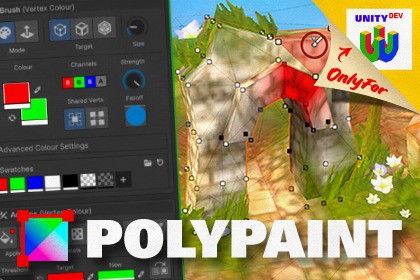
🎨 PolyPaint is a simple but powerful Unity editor tool that lets you paint vertex colours and vertex normals directly on meshes in the Scene viewport. Designed for developers and technical artists who want quick, intuitive, and comprehensive control over vertex data without needing to jump in and out of external 3D software. Paint on any mesh (except skinned mesh renderers) with no setup required outside of your materials utilising vertex colours. Tested and compatible with ProBuilder (and probably any other mesh generating asset you have). Multi-mesh editing is supported.↗️ Adjust vertex normals to smooth or hard, splitting or merging shared triangle verts in the process, allowing you to get crisp edges for vertex painting and realtime lighting.🖌️ Functional brush options to help speed up and streamline your painting process:Swappable foreground / background swatchesTarget individual verts or groups of edges / facesDiscrete selection of what RGBA channels you want to affectSample existing vertex colours from the scene with the Eyedropper toolSave colour swatches for quick re-use☑️ Paint only what you want with marquee / lasso Vertex Masks, saveable object sets, and options on whether to ignore child or transparent meshes.🛠️ Quick actions for global changes or performing cleanup:Fill (combine with a Vertex Mask to quickly paint specific chunks of a mesh)Swap all verts of colour A to colour BRound one (or all) vertex colour channels to 0 or 1Randomly assign a value between 0 and 1 to selected colour channelsRe-import updated meshes and retain painted vertex colours / normalsBake vertex data to .fbx assets (requires Unity's FBX Exporter package)📦 Example assets are included (shaders, demo scene etc.) to get you started and showcase how vertex colours can be utilised.🖼️ Snapshot system that allows you to save the vertex information of a selection of meshes to an asset. With an autosave feature included, you can use these for saving incremental history, version controlling asset backups, or transferring paint between scenes/projects.🔍 Helpful and clean HUD that shows vert colours as dots in the viewport, and a Scene overlay menu for quick access to useful actions.📖 Full colour Instruction Booklet is included with detailed information on all features and guides to help you get the most out of PolyPaint.

