







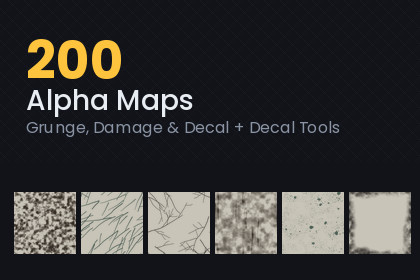
NEW IN 1.1 - FROM MASK TO A DIRTY SCENE IN ONE CLICKGameObject > Rasterloom > Grunge Decal places a decal where the Scene view is looking, snapped to the surface. Multiply mode darkens like real dirt and keeps the surface lighting; Alpha mode paints rust, paint or blood. Colour, opacity, threshold (eat the mask away), softness and edge fade are set per decal, without extra materials. Built-in and URP, no renderer feature needed.In HDRP, or for lit URP decals, the Grunge Decal Projector builds the pipeline's own projector material from any mask in your colour.The Mask Browser (Window > Rasterloom > Grunge Mask Browser) shows all 200 masks as thumbnails, filtered by family, tiling / decal and coverage. Double-click to place, drag onto any texture slot. Need relief? Assets > Rasterloom > Create Normal Map from Mask.Open the demo scene, press Play and switch the presets: before and after on real 3D geometry. Start with START HERE.txt and the PDF manual.200 alpha masks at 512 x 512: grunge, dirt, scratches, cracks, rust, stains, leaks, splatter, edge wear and impact damage.THESE ARE MASKS, NOT TEXTURESThe greyscale value is the alpha. White means affect this pixel fully, black means leave it alone. You bring the colour and the material; these decide where it lands. Feed them into a decal projector, a detail layer, a blend mask, a vertex-paint splat, a UI overlay, or the alpha input of any shader that takes one.THE IMPORT SETTINGS ARE THE POINTEvery mask ships as Texture Type Default with sRGB off, Alpha Source set to From Grayscale, Alpha Is Transparency on, Compression None - and with the wrap and mip settings that match what each map is for.Two of those go wrong constantly. sRGB on a mask applies a colour curve to something that is not a colour, so the midtones drift and the coverage you tuned is not the coverage you get. And a decal with Wrap set to Repeat smears its edge pixels around the projector volume, which looks like a stretched texture rather than a wrong setting, so it takes a while to find.TILING VERSUS DECAL156 of the maps are seamless: they repeat in both directions with no visible seam, and ship with Wrap Repeat and mip maps on, because they are meant to be seen at distance. The other 44 are one-shot decals - an impact, a leak, a scorch, a frame of edge wear - and ship clamped and unmipped so their edges stay exactly where you put them. The documentation says which is which, map by map, with its measured coverage.EIGHT FAMILIESGrunge and dirt (34), Scratches and abrasion (28), Cracks and fractures (24), Rust and corrosion (22), Stains, leaks and drips (24), Splatter and spray (24), Edge wear and frames (22), Impact and damage (22).WHAT YOU GET- 200 masks, 512 x 512, 8-bit greyscale- A contact sheet per family, so you can pick one by eye instead of opening two hundred files- A showcase scene that pans across those sheets- Documentation with every map, its family, its coverage and whether it tilesBUILT WITH CODE, NOT PHOTOGRAPHEDEvery mask is generated: noise fields, fracture systems, erosion and drip simulations, written for this pack. Nothing is photographed, traced or image-generated, which is also why the tiling maps tile exactly rather than nearly.LICENCERoyalty-free, unlimited commercial and personal projects, no attribution required. You may not resell or redistribute the mask files themselves as an asset pack.

