





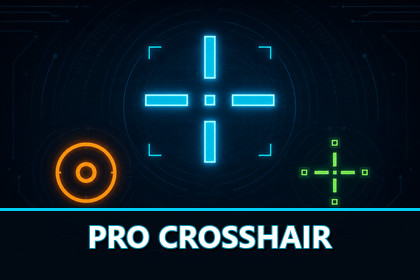
ProCrosshair is a configurable crosshair system for Unity, can be edited through the custom Inspector or changed during play with the included runtime customizer.ProCrosshair is a configurable crosshair system for Unity. It renders through a Unity UI Canvas and separates crosshair appearance from gameplay logic. Crosshair designs are stored as ScriptableObject profiles, while the controller receives movement, firing, weapon, and aiming information from gameplay code.The core system supports the Built In Render Pipeline, Universal Render Pipeline, and High Definition Render Pipeline without requiring a custom crosshair shader. A conversion wizard is included for adapting the demonstration materials after changing render pipelines.Crosshair ProfilesEach crosshair is stored as a CrosshairProfile ScriptableObject. Profiles can be created from the Unity Project window, edited through the custom Inspector, assigned to weapons, duplicated, switched during gameplay, and modified at runtime.Every profile contains separate settings for the center dot, inner shape, and outer shape. Each section can be enabled, disabled, colored, outlined, resized, rotated, and configured independently.The controller supports a primary profile and an optional aim down sights profile. It can create runtime copies so an in game customization menu can modify the active crosshair without changing the original ScriptableObject asset.Shapes and GeometryThe center dot supports Square, Circle, and Diamond shapes.The inner and outer sections support Cross, X, Triangle, Box, Diamond, Circle, and Custom Texture shapes. Inner and outer shapes are independent, allowing different shapes to be combined in one profile.Line based shapes provide controls for thickness, horizontal length, vertical length, linked lengths, center offset, rotation, opacity, and enabled directions. Top, bottom, left, and right elements can be enabled separately where supported.Circle shapes use the offset value as their radius and the thickness value as their ring width.Changing the selected shape does not erase the stored values used by the previous shape. This allows different shapes to be tested without losing their earlier configuration.Colors and OutlinesProfiles contain a shared fill color and default outline. The center dot, inner shape, and outer shape can inherit these shared settings or use separate values.Each part supports its own fill color, fill opacity, outline mode, outline thickness, outline opacity, and outline color.Outline modes include inheriting the profile outline, using independent custom settings, or disabling the outline for that part.Quick color selections are included for black, white, green, cyan, yellow, red, and magenta. These selections are available for fill and outline colors.Custom TexturesThe inner and outer sections can each use a separate custom texture.Custom texture settings include texture asset, displayed size, aspect preservation, tint color, opacity, rotation, and outline configuration.Texture references are stored independently for the inner and outer groups. This allows a profile to combine two texture based shapes or combine a texture with any procedural shape.Movement and Firing ErrorProCrosshair includes movement error and firing error systems.Gameplay code can provide a normalized movement value directly or calculate it from the current movement speed and a configured maximum speed.Firing error is added when the weapon fires. The amount added per shot, maximum accumulated error, and recovery speed are configurable.Inner and outer shapes respond independently. Each group contains separate movement and firing toggles with separate multipliers. One group can remain fixed while another expands, or both groups can react by different amounts.Maximum spread controls the number of pixels added at full error. Spread can snap to whole pixels for sharper movement or use intermediate positions for smoother animation.The complete crosshair can optionally fade as firing error increases.Automatic Outer SpacingAutomatic outer spacing keeps the outer shape beyond the current inner shape boundary.The calculation accounts for the inner shape size, current spread, outline thickness, and configured clearance. This prevents outer elements from overlapping the inner crosshair as it grows or reacts to movement and firing.Automatic spacing can be disabled when manual positioning is preferred.Global and Resolution ScalingGlobal Scale resizes every crosshair dimension through one multiplier.The center dot, line lengths, thickness, gaps, outlines, textures, circle radius, and spread remain proportional. Individual authored values are not overwritten and can still be edited normally after changing the global scale.Resolution scaling can adjust pixel dimensions using the current screen height and a configurable reference height.Resolution scaling can remain disabled for literal device pixel sizes or enabled to maintain a similar relative crosshair size across different resolutions.Custom InspectorCrosshairProfile includes a custom Inspector organized into separate sections for global settings, center dot, inner shape, outer shape, dynamic error, automatic spacing, and scaling.The Inspector contains a live preview that updates when profile values change. Play Mode is not required.Preview controls can simulate movement error, firing error, and zoom. A raw pixel view is also included for inspecting the rendered pixel structure.Share codes can be copied and pasted directly through the Inspector.Runtime CustomizationThe demonstration includes a runtime crosshair editor.The editor separates controls into Inner, Outer, Dot, Spread, and Global sections. Settings that cannot affect the current configuration are hidden until they become relevant.Runtime controls provide access to shapes, colors, geometry, textures, outlines, movement error, firing error, automatic spacing, opacity, global scale, and resolution scaling.Changes update the active crosshair during play. The included editor can be used as a reference for creating a game specific crosshair settings menu.Saving and SharingCrosshair settings can be saved and loaded through the included CrosshairSaveSystem.Separate save keys can be used for weapons, players, loadouts, or configuration slots. The API includes methods for saving, loading, checking, and deleting configurations.Crosshair profiles can also be converted into compact PCX1 share codes or JSON. Share codes contain portable settings and can be imported into another profile.Unity texture references are excluded from share codes because project assets cannot be transferred through text. Existing texture assignments on the receiving profile are preserved during import.Gameplay IntegrationCrosshairController is the gameplay facing component.Gameplay systems can switch profiles, assign an aiming profile, toggle aiming, provide movement error, notify the controller when a weapon fires, add custom firing error, or reset all transient error.The controller exposes the active profile, movement error, firing error, and aiming state. A ProfileChanged event is available for systems that need to respond when the active profile changes.Rendering and gameplay logic remain separate. Gameplay code supplies state through the controller and does not need to manage crosshair geometry.Rendering and PerformanceProCrosshair uses Unity UI geometry for procedural shapes.Runtime circles use adaptive antialiased geometry with precomputed direction data. Circle textures are not generated or uploaded while the crosshair animates.Geometry rebuilds when the profile, error values, resolution, or pixel mapping changes. Custom texture layers are reused.The renderer performs device pixel snapping. Screen Space Overlay and Screen Space Camera canvases are supported. World Space can also be used, although exact device pixel snapping cannot be guaranteed.Included ContentThe package includes runtime scripts, profile ScriptableObjects, controller and renderer components, procedural geometry, saving, share codes, custom Inspector tools, profile creation menus, source code, a demonstration scene, eight example profiles, and PDF documentation.The demonstration contains rifle, pistol, sniper, shotgun, and submachine gun configurations. It demonstrates weapon switching, firing response, movement response, aiming, profile switching, and runtime customization.The Runtime assembly does not depend on the demonstration. The Demo folder can be removed after reviewing the examples.10 core system and editor scripts.12 demo and integration scripts.

