




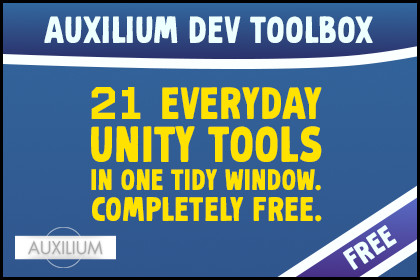
21 everyday Unity tools in one tidy window. Completely free.Auxilium Dev Toolbox is the little box of helpers you did not know you were missing until you needed all of them at once. Missing script cleanup, auto save, batch rename, fullscreen play, PlayerPrefs editing, screenshots and a dozen more, all in one friendly window. No setup, no dependencies, no fuss.🧰 21 tools 🧼 One tidy hub ⚡ No dependencies 💛 Free⭐ WHY YOU WANT IT🧼 ONE HOME FOR EVERYTHING. Every tool opens from a single window, sorted into colour coded groups that fold away when you are not using them. It never becomes clutter.⚡ NOTHING TO SET UP. Import it and go. No dependencies, no configuration, works in any 2D or 3D project on any pipeline.💛 FREE, FOREVER. Every tool, no cost, no catch. Built to be the easiest yes on the store.💻 FULL SOURCE. Every tool is plain, readable C#. Learn from it, tweak it, make it yours.🧹 HOUSEKEEPING🧹 MISSING SCRIPT REMOVER. Clears the broken Missing Script lines left when a script or package is deleted. Cleans open scenes, your selection, or every prefab at once.🧽 CLEAN EMPTY FOLDERS. Sweeps out the empty folders that pile up as you move assets around. Shows the list before it deletes anything.🎬 SCENE AND PLAY🕹️ SCENE QUICK SWITCH. Every scene in your project, one click to open. No more digging through the Project window.🖥️ FULLSCREEN GAME VIEW. Play edge to edge with the toolbar and taskbar hidden. Choose your own shortcut, Escape always brings you back.⏱️ TIME SCALE. Slow play mode to study a moment, or speed it up to skip ahead, with a slider and quick presets.🔖 CAMERA BOOKMARKS. Save six Scene view viewpoints and fly straight back to them.🧰 OBJECTS AND LEVEL✏️ BATCH RENAME. Rename a whole selection at once with numbering or find and replace. Scene objects and project assets alike.📐 ALIGN OBJECTS. Line a selection up on any axis, or spread it out evenly.🎲 RANDOMIZE TRANSFORM. Scatter props with random rotation, scale and jitter, so a copied bush stops looking copied.🔁 REPLACE WITH PREFAB. Block out with cubes, then swap them all for the real art in one go, transforms kept.📍 SNAP TO GROUND. Drop the selection onto the collider below it, optionally aligned to the surface.📦 GROUP SELECTED. Parent a selection under a fresh empty at its centre, with a shortcut.♻️ RESET TRANSFORM. Zero the position and rotation, scale back to one. The chore you do a hundred times a day.👁️ TOGGLE ACTIVE. Show or hide the selection with a shortcut.📋 COPY AND PASTE TRANSFORM. Copy one object's world transform and stamp it onto others.📸 MEDIA📸 AUXILIUM SCREENSHOT. Capture the game view at high resolution, with hotkeys, formats, a timer, burst and an optional watermark. Your press kit starts here.🖼️ IMAGE CONVERTER. Batch convert selected images between JPEG and PNG without leaving Unity.💾 DATA AND NOTES🔧 PLAYERPREFS EDITOR. See, edit, add and delete your PlayerPrefs in a window, instead of writing throwaway code to peek at a value.📝 PROJECT NOTES. A scratch pad that travels with the project. Todos, reminders, handover notes, saved alongside the repo.↩️ SELECTION HISTORY. Step back and forward through what you have selected, like a browser.💾 AUTO-SAVE. Saves your open scenes every few minutes, so a crash never costs more than a moment.🧰 BUILT TO BE LIVED IN📕 A FUN, CLEAR MANUAL. Every tool, every shortcut, and a few good habits to get you going.💬 DISCORD SUPPORT, AND WE ANSWER. Tell us what you are building, or what tool you wish this had next.🙏 GOOD TO KNOW🖥️ Built and tested on Unity 6.3 LTS. Works in any project.🧼 Listing PlayerPrefs reads the Windows registry. On Mac and Linux you can still add, edit and delete by key. Every other tool is fully cross platform.Thank you for reading. Now go make something great.🧩 WHAT IS IN IT🎯 21 editor tools in one hub window, sorted into five groups.🧹 Housekeeping: Missing Script Remover, Clean Empty Folders.🎬 Scene and Play: Scene Quick Switch, Fullscreen Game View, Time Scale, Camera Bookmarks.🧰 Objects and Level: Batch Rename, Align Objects, Randomize Transform, Replace With Prefab, Snap To Ground, Group Selected, Reset Transform, Toggle Active, Copy and Paste Transform.📸 Media: Auxilium Screenshot, Image Converter.💾 Data and Notes: PlayerPrefs Editor, Project Notes, Selection History, Auto-Save.✅ REQUIREMENTS🧊 Unity 6.3 LTS or newer. That is the whole list.🎨 Works in 2D or 3D, on the Built in, URP or HDRP pipelines. It is editor tooling, so the pipeline does not matter.📦 No other asset required. No dependencies.

