



AnimFuse – Animation Blending, Pose Editing and Baking
Finite Machine Studio
$9.99
$19.99
50%OFF
(no ratings)
Jump AssetStore
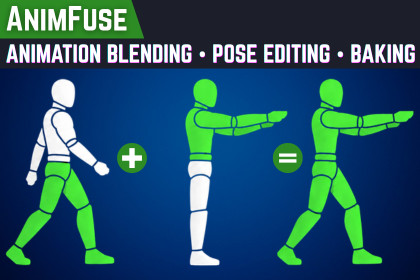
Blend Humanoid animations by body part, edit pose, preview the result, and bake polished new .anim clips directly inside Unity.Documentation | SupportCreating character animation variants should not require rebuilding animations from scratch.AnimFuse is a Unity Editor tool designed to help you blend Humanoid animations by body part, edit the resulting Pose and bake the result into new reusable .anim clips. Combine the legs from a walk cycle with the upper body from an aiming pose, merge attack motions with movement, create carry-walks, injured walks, weapon-ready locomotion, and other layered character animations directly inside Unity.Instead of setting up temporary Animator layers every time, AnimFuse lets you create permanent animation clips that can be reused in your Animator Controller, transitions, blend trees, cutscenes, player controllers, and gameplay systems.Choose your source animations, decide which body parts each clip should control, preview the final motion, and bake the result into a clean Unity animation asset.Perfect for developers who use Humanoid animation packs and want more variety without buying or creating a separate animation for every possible character action.Key Features:Blend two Humanoid animation clips into one animationBuilt-in Humanoid pose editing for the torso, spine, chest, head, arms, hands, legs, and feetIndependent Clip 2 influence for Body, Head, Arms, Legs, and FingersMaster influence control for quickly adjusting the complete blendReal-time animation previewClamp, Loop, Stretch and Loop Clip 1 + Stretch Clip 2 time mapping for clips of different lengthsIndependent root position and root rotation sourcesPreserve or remove root translation and rotation with in-place optionsVisual XZ root-motion trajectoryAutomatic or custom output frame rate from 1–240 FPSCopy Clip 1 animation events or omit themUnity Undo/Redo support for all pre-bake settingsBake standalone, retargetable Humanoid .anim clipsEditor-only workflow with no runtime component requiredIdeal For:Combining locomotion with aiming or combat posesReusing upper-body animation across different movementsCreating quick animation variationsCorrecting poses without reopening the source animationBuilding reusable Humanoid animation librariesUse AnimFuse to turn your existing animation library into a larger, more flexible collection of production-ready clips.Tool type: Unity Editor extensionSupported rig type: HumanoidOutput format: Standalone, retargetable Unity .animRuntime dependency: NoneOpen from: Tools > AnimFuse > Animation BlenderAnimation BlendingBlends two non-legacy Humanoid animation clipsClip 1 normally defines the output timelineIndependent Clip 2 controls for Body, Head, Left/Right Arms, Left/Right Legs, and Left/Right FingersMaster influence and individual region weights from 0–1Clip 2 time mapping options: Clamp, Loop, Stretch and Loop clip 1 + Stretch clip 2Automatic frame rate uses the higher source frame rateManual output frame rate supports 1–240 FPSPose EditingConstant Humanoid muscle-based pose adjustments applied after blendingEditable targets include Torso, Spine, Chest, Upper Chest, Head & Neck, Arms, Forearms, Hands, Legs, and FeetPreview and bake use the same evaluated Humanoid poseOutput remains Humanoid and contains no skeleton-specific correction curvesRoot MotionIndependent Clip 1/Clip 2 sources for root position and rotationPosition modes: Preserve, In Place XZ, and In Place XYZRotation modes: Preserve and In PlaceOptional processed XZ trajectory previewQuaternion continuity is maintained during root-rotation processingCurrent ScopeHumanoid animation onlyAdditive, mirrored, and Translate DoF clips are not supportedExtra bones, Generic Transform curves, blend shapes, and object-reference curves are not bakedFBX export is not included in the current release

