



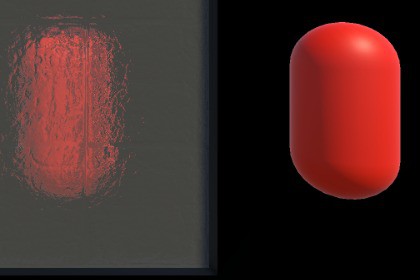
Create real-time distorted glass and refraction effects in URP with normal-map-driven distortion, adjustable intensity, six material presets, and demo content.Dynamic Glass Refraction – URP is a customizable screen-space refraction shader package for Unity’s Universal Render Pipeline.The shader uses a normal map to distort the scene behind a transparent object, creating dynamic glass, frosted glass, rippled glass, warped windows, sci-fi panels, liquid containers, and other refractive surface effects.Refraction strength can be adjusted directly from the Material Inspector. The normal map’s Tiling and Offset controls can also be used to change the scale and position of the distortion pattern.The package includes six ready-to-use material presets:• Black• Blue• Clear Glass• Green• Red• YellowAlso included are a glass prop model, a ready-to-use prefab, a demo scene, a 1024 × 1024 normal map, configured URP assets, and an English quick-start manual.The effect uses URP’s Camera Opaque Texture and does not require a custom Renderer Feature or post-processing effect.Important setup requirement:Opaque Texture must be enabled in the active Universal Render Pipeline Asset. The camera’s Opaque Texture setting must be set to Use Pipeline Settings or On.Render Pipeline:• Universal Render Pipeline (URP) onlyMain effect:• Real-time screen-space glass refraction• Normal-map-driven background distortion• Adjustable Refraction Intensity• Adjustable normal map Tiling and Offset• Double-sided transparent rendering• URP main light and additional light support• Fog support• GPU instancing supportIncluded content:• 1 custom URP refraction shader• 1 glass refraction VFX• 6 material presets• 1 normal map texture• 1 glass prop FBX model• 1 ready-to-use prefab• 1 demo scene• 1 configured URP Asset• 1 configured Universal Renderer Data asset• 1 English PDF quick-start manualMaterial presets:• Black• Blue• Clear Glass• Green• Red• YellowTexture sizes:• Normal Map: 1024 × 1024Setup requirements:• Universal Render Pipeline must be installed and active• Opaque Texture must be enabled in the active URP Asset• Camera Opaque Texture must be set to Use Pipeline Settings or On• The included normal texture must be imported as Texture Type: Normal MapRendering notes:• Uses URP Camera Opaque Texture• Uses the Transparent render queue• Does not require a custom Renderer Feature• Does not require a Volume component• Does not require post-processing• Objects rendered in the transparent queue are not included in Camera Opaque Texture• Nested transparent surfaces may be affected by Unity transparency sortingDependencies:• Unity Universal Render Pipeline• No external plugins required

