




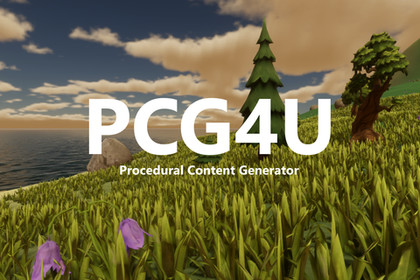
Visual, node-based procedural content generation. Scatter, paint, filter and prune points across terrains, meshes and colliders; build GameObjects, prefab assemblies and terrain details.OVERVIEWPCG4U is a node-based procedural content generation tool for Unity. Connect nodes in a visual graph to create, filter, transform and enrich points, then turn them into real objects in your scene - props, foliage, modular assemblies, rocks, terrain details and beyond. Iterate visually, see results live in the Scene view, and reuse your graphs across projects.No code required to get great results, and a clean, extensible API when you want to go further.KEY FEATURESVisual node graph - design generation logic by connecting nodes; preview results live in the Scene view.109 nodes in the core across 18 categories - create points, attributes, masks, selection, transforms, noise, math, instancing and more.Scatter onto anything - planes, boxes, spheres, meshes, colliders and Unity terrains.Smart placement controls - filter and weight points by density, height, slope, noise, textures and terrain layers.Rich point attributes - add typed data to points, calculate and remap it, filter and sort by it, preview it by color, and use it to select prefabs.Collision-aware layout - derive oriented bounds from values or prefabs, assign priorities, and prune overlapping candidates across several point streams.Assembly workflows - capture a hand-built prefab assembly, stamp it onto target points, preserve its hierarchy data, and rebuild the hierarchy after further graph processing.Paint where things grow - author reusable density masks directly from a node or scene component, brush in the Scene view, and combine several masks in one graph.Shape with volumes - box and sphere volume zones with interactive Scene-view handles to include or exclude areas.Auto-regenerate - flip on AutoGenerate and the graph rebuilds itself whenever its inputs change: paint a mask, edit a volume, tweak the terrain.Powerful instancing - spawn GameObjects, choose prefab sets by point attributes, create prefab assemblies and meshes with optional colliders, or write native terrain trees and grass details.Reusable subgraphs - use a subgraph directly on a scene component with synchronized exposed values, or turn selected nodes into a reusable subgraph in one action.Ready-made content - start from preset subgraphs such as Forest, then expose and tune only the variables that matter.Editor-time generation - run your graphs in the Editor to build levels; results bake into plain Unity objects that ship in your build.Built for big scenes - cached node outputs, bounded background workers, deterministic indexed batching, pooled point clouds and bulk attribute operations keep large generations responsive.Extensible & automatable - add your own nodes, instancers and data types; a public Authoring API lets tools (and AI agents) build graphs programmatically.Free addons - unlock more with optional addons, installed on demand from the Extras window inside the tool: Splines, Polygons, Sweep, Mazes, SpriteShapes, BRG and Octree. The addons are available separately and are not included in this Asset Store product.AI-ready - the free PCG4U MCP companion connects AI agents (Claude Code, Cursor, VS Code, Codex, Gemini) so they can build and run your graphs for you.WHAT YOU CAN BUILDScatter foliage, rocks and props across terrains and meshes in seconds.Lay out levels and environments procedurally, then tweak by hand.Paint density and variation with noise, curves, slope/height rules - or literally paint it with a Scene-view brush.Build modular camps, settlements and prop clusters from authored prefab assemblies while preserving parent-child relationships.Mix candidate sets and remove overlaps by oriented prefab bounds and priority, so large props reserve space before smaller details are placed.Drive variation with named attributes: classify points, remap values, sort selections and choose different prefab sets from graph data.Generate city layouts: blocks, road hierarchies, lots and building placement from a single outline spline (with the free Polygons addon).Generate mazes and graph-based layouts; build spline networks and sweep roads, trails, walls and channels (with addons).Bake complex scatter and layout setups into your scenes for clean, code-free results.Let an AI agent build the graph for you - describe the result, and it assembles, tunes and runs the generation (with the free PCG4U MCP companion).WHAT'S INCLUDEDThe PCG4U core: a visual graph editor, 109 nodes across 18 categories, instancers, preset subgraphs and example content.Documentation and quick-start guides.Seven free addons with 52 additional nodes, installed on demand from the Extras window inside PCG4U.FREE ADDONSInstalled in a click from the Extras window inside the tool (dependencies are installed automatically in one batch):Splines - author, create, modify and sample Unity Splines; build and split spline networks, project them onto terrain, and place or filter points along them.Polygons - 2D polygons and regions with boolean operations, corridors, insets, extrusion and mesh generation, plus a city pipeline for blocks, roads, lots and building placement.Sweep - create 2D profiles and sweep them along spline networks to build roads, trails, walls, channels and intersection meshes.Mazes - graph and maze generation (grid, Delaunay, MST) and conversion to splines.SpriteShapes - 2D SpriteShape instancing.BRG - high-performance rendering via BatchRendererGroup.Octree - octree-accelerated spatial queries for very large point sets.PCG4U MCP - BUILD WITH AI AGENTSA free companion that turns PCG4U into an AI-native tool. It runs an MCP server right inside the Unity Editor, so AI agents - Claude Code, Cursor, VS Code, Codex, Gemini and any MCP client - can create graphs, add and connect nodes, set parameters, run generation and inspect the result on their own. One-click client config, atomic batched edits with a single undo, safe multi-project isolation. Installed from the Extras window like any addon.COMPATIBILITYUnity 2022.3 LTS or newer.Works with Built-in, URP and HDRP.Requires UniTask (free). PCG4U guides you through a one-click setup on first use.PCG4U uses UniTask by Cysharp under the MIT License. UniTask is required but not bundled; see Third-Party Notices.txt in the package for details.Scales to millions of points, limited only by your machine's memory.THIRD-PARTY SOFTWAREPCG4U uses UniTask by Cysharp under the MIT License. It also uses Unity Mathematics and Unity Collections under the Unity Companion License, and Unity Burst under Unity package licenses. These dependencies are installed separately through Unity Package Manager and are not bundled with the asset. See Third-Party Notices.txt in the package for versions and license details.Optional compatible packages are available separately and are not included in this Asset Store product. Their third-party software includes Unity Splines and Unity SpriteShape under Unity package licenses, Clipper2 under the Boost Software License 1.0, .NET Foundation code under the MIT License, xxHash code by Yann Collet under the BSD 2-Clause License, and NetOctree code by Nition and Máté Cserép under the BSD 2-Clause License. Each optional package includes its own Third-Party Notices.txt file; the PCG4U notice contains the complete package-by-package summary.LINKSWebsite: https://elmortem.com/pcg4u/COMPATIBILITYUnity version: 2022.3 LTS or newer (developed on 2022.3.62f2).Render pipelines: Built-in, URP and HDRP. Editor gizmo shaders ship in URP- and HDRP-specific variants. Optional HDRP Water Surface support is enabled for HDRP 14 or newer.Platforms: generation runs in the Unity Editor only; generated content (instances, terrain data) is plain Unity content with no platform restriction. PcgComponent and instancer components are stripped from scenes at build time, so the baked result carries no runtime dependency.Scripting: runtime data, editor execution, authoring, gizmos and optional HDRP integration are split into asmdef assemblies.CONTENTSCore nodes: 109 nodes across 18 top-level categories - Attributes, Constants, Converts, Create Points, Functions, Instances, Masks, Meshes, Noises, Operations, Options, Output, Points, Select Points, Sub Graphs, Terrains, Transform Points and Variables.Editor: purpose-built visual graph editor with live Scene-view preview, node caching, breadcrumb navigation through nested subgraphs, Focus / Frame All commands, hotkeys and a reorderable variables blackboard.Scene-view authoring: reusable paint masks edited with a Scene-view brush and box/sphere volume zones edited with interactive handles.Auto-generate: an optional per-component AutoGenerate mode re-runs the graph in the Editor whenever watched inputs (masks, volumes, terrain) change.Point data: PcgPointCloud carries point geometry plus typed named attributes (float, int, bool and Vector3). Derived core nodes preserve attributes through filtering and transforms; cached point clouds retain their attributes.Attribute workflow: Set Attribute, Random Attribute, Attribute Math, Attribute Remap, Points By Attribute and Sort Points By Attribute can target named columns or built-in point channels. Attribute preview can color points by value.Bounds and pruning: Point Bounds derives oriented bounds from a value, one prefab or a prefab list. Prune Points combines several point streams and removes overlaps by bounds and priority while preserving input order.Assemblies: Assembly Capture reads an authored prefab hierarchy into points; Copy Points To Points stamps that assembly onto targets; Apply Hierarchy rebuilds transforms after graph processing; GameObjects By Attribute selects prefab sets from an integer point attribute.Instancers: GameObjects (plain, weighted and attribute-selected), prefab assemblies, Mesh (with optional MeshCollider), Terrain tree details and Terrain grass/details.Subgraphs: reusable subgraph assets, multi-port values and blackboard variables; a scene component can reference a subgraph directly through a synchronized read-only wrapper. Create SubGraph extracts selected nodes into a reusable asset with Undo/rollback support.Authoring API: a public editor module (PCG.Authoring) with node/member metadata, dynamic discovery, validation, atomic edit sessions and deterministic auto-layout - the foundation for tools and AI-agent integration.Presets: ready-made preset subgraphs (e.g. Forest) built entirely from core nodes, parametrised via blackboard variables.Examples: demo scenes and sample content (see Examples folder).Documentation: included offline plus online documentation (link below).NODE CATEGORIES (core)Create Points: Plane, Box, Sphere, Mesh, Collider and Terrain surfaces; copy points and stamp point assemblies onto target points.Select Points: by density, height, slope, percentage, proximity, fixed count, attributes and box/sphere volume zones; Poisson thinning; bounds-and-priority pruning.Transform Points: position, scale, angle, normal and hierarchy; density by curve, distance, noise, normal, texture, terrain layer and one or more paint masks.Attributes: write constants or random values, calculate, remap, filter and sort; address built-in point channels or custom named attributes.Noises: Perlin, Simplex, Worley, FBM, Ridged.Operations: float/int/vector math, lerp, clamp, remap, random, min/max (float and int), compose/decompose.Instances: GameObjects, weighted and attribute-selected prefab sets, authored assembly capture, meshes, terrain trees and grass details.Masks: reusable world-space paint mask authoring and preview.Constants / Converts / Points / Meshes / Terrains / Options / Variables / Functions / Sub Graphs / Output.ADDONS (free)Optional addons are installed from the built-in Extras window inside PCG4U; each addon's dependencies are installed automatically in one batch. These packages are available separately, are not included in this Asset Store product, and add 52 extra nodes in total.Splines (22 nodes) - author, create, modify, resample, join, offset and smooth Unity Splines; detect and split network intersections; project splines onto terrain; place and filter points along and inside splines.Polygons (20 nodes) - 2D polygons and regions with boolean operations, corridors, insets, rounding, extrusion, graph conversion and terrain-aware meshes, plus a city pipeline for blocks, road hierarchy, road ribbons, lots and building placement.Sweep (2 nodes) - create reusable 2D profiles and sweep them along spline networks with adaptive spacing, UVs, fold trimming and intersection meshes.Mazes (5 nodes) - graph and maze generation (grid, Delaunay, MST) and conversion to splines.BRG (1 node) - high-performance rendering of instances via BatchRendererGroup.SpriteShapes (1 node) - 2D SpriteShape instancing.Octree (1 node) - octree-accelerated spatial queries for very large point sets.PCG4U MCP (free companion)An MCP server embedded in the Unity Editor that exposes PCG4U graph authoring and execution to AI agents (Claude Code, Cursor, VS Code, Codex, Gemini and other MCP clients).Toolsets: graph (create/edit hosts, nodes, connections, variables), nodes (type discovery), exec (execute, generate, inspect stats/samples, console log), skills (built-in graph-building methodology served to the agent).Transport: streamable HTTP on loopback (JSON-RPC 2.0 + SSE), auto-started with the Editor; all calls run sequentially on the main thread.Atomic batches: multi-step edits apply as one undo group and roll back fully on error; mutations auto-save.Multi-project safe: a per-project token in the URL and automatic port selection isolate several open Unity projects.Survives domain reloads mid-session; on Windows, a wake pump keeps an unfocused Editor responsive.Requires PCG4U; configured from Project Settings → PCG → MCP with one-click client config generation. It is available separately and can be installed from the Extras window.DEPENDENCIESRequired:Unity Mathematics (com.unity.mathematics, package version 1.3.2)Unity Burst (com.unity.burst, package version 1.8.29)Unity Collections (com.unity.collections, package version 2.6.7) - checked by the built-in setup window.Unity Editor Coroutines (Editor)UniTask (com.cysharp.unitask, 2.5.11+) - not bundled with the asset. PCG4U guides you through installing it on first use via a built-in setup window, or you can install it manually.Optional (enable extra integrations / pipeline gizmos):Terrain module (com.unity.modules.terrain) - for terrain scatter and tree/grass instancers.URP (com.unity.render-pipelines.universal) and/or HDRP (com.unity.render-pipelines.high-definition) - for pipeline-specific gizmo rendering.Addons and their own dependencies are installed from the Extras window inside PCG4U; each addon pulls in what it needs.PERFORMANCEPer-node disk caching avoids recomputation and restores only the requested node payload.A shared bounded worker scheduler runs heavy pure-data work away from the Editor thread and reports progress and cancellation.Parallel selectors and surface generators merge indexed batches in a stable order for repeatable seeded results.Pooled point clouds and output leases reduce allocations; bulk column operations accelerate point and attribute copying, filtering and merging.Point-cloud cache serialization uses bounded buffers instead of allocating a full duplicate payload.UniTask, Burst and Collections are used in hot paths.A fast custom graph editor that scales to graphs with hundreds of nodes.LIMITATIONS / DISCLOSURESGeneration is Editor-only; the baked result ships as plain Unity content (no runtime generation).UniTask is required and is not bundled; PCG4U helps you install it via a setup window on first use.PCG4U uses UniTask by Cysharp under the MIT License. See Third-Party Notices.txt in the package for details.Addons are not bundled; they are available separately and installed on demand from the Extras window inside PCG4U.Legacy custom nodes that still use List can connect through adapters, but named point attributes do not cross that legacy boundary. Use PcgPointCloud in custom point-processing nodes to preserve attributes.Scales to millions of points in practice; the practical limit is the available memory on the user's machine.THIRD-PARTY SOFTWARE NOTICEPCG4U uses UniTask by Cysharp under the MIT License. It also uses Unity Mathematics and Unity Collections under the Unity Companion License, and Unity Burst under Unity package licenses. These dependencies are installed separately through Unity Package Manager and are not bundled with the asset. See Third-Party Notices.txt in the package for versions and license details.Optional compatible packages are available separately and are not included in this Asset Store product. Their third-party software includes Unity Splines and Unity SpriteShape under Unity package licenses, Clipper2 under the Boost Software License 1.0, .NET Foundation code under the MIT License, xxHash code by Yann Collet under the BSD 2-Clause License, and NetOctree code by Nition and Máté Cserép under the BSD 2-Clause License. Each optional package includes its own Third-Party Notices.txt file; the PCG4U notice contains the complete package-by-package summary.LINKSWebsite & Documentation: https://elmortem.com/pcg4u/This tool was built and refined over more than two years as part of an in-house game project. The core technology — including the custom node editor — was designed and written by hand. We originally relied on xNode for the graph UI, but ultimately developed our own node editor from scratch to achieve the performance needed for large graphs.AI tools played only a supporting role in development:Claude (Fable) was used for code review prior to release.Claude Opus was used to translate documentation and asset descriptions into English.Tripo AI was used to generate the base meshes and texture atlases for some 3D models featured in the example scenes. All included Tripo outputs were generated under a paid plan that permits commercial use. The outputs were curated, separated into reusable models, re-exported and optimized in Blender, configured as Unity materials and prefabs, and integrated into authored PCG demo scenes.ChatGPT image generation was used to create the base PCG4U product icon. The background was removed, and the image was resized and imported for Unity.All core functionality, architecture, and editor tooling were developed by the author. No AI-generated code forms the foundation of the product.

