




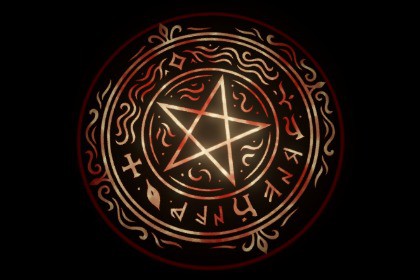
This asset lets you create a customizable owl indicator area effect.
Customize the border, center, and edge sprites, add a noise texture, and adjust the pulse effect originating from the center.AOE Indicator ShaderThis shader allows you to create stunning circles for area-of-effect indicators, spells, abilities, and more.Its wide range of customizable options allows you to create a huge variety of different styles and effects.The DEMO scene contains more than 100 materials, organized to showcase the shader's capabilities.The results are particularly impressive when enhanced with a bloom effect.You can create anything: from the behavior of the border line to the internal images.FeaturesColors:HDR colors allow color blending by connecting the different effects together. In addition, every feature includes a secondary color that can smoothly pulse from one color to another.Dimensions:Thicknesses, scales, lengths, speeds, and more. From the circle line to noise distortion, including trails and textures, allow for extensive customization.Opacity:Several opacity settings are available, allowing you to choose whether you want a spectacular and bright effect area or a darker and less intrusive one.Image Noise: Different noise textures help make the central images as dynamic and less flat as possible.Example Images: A selection of edge and central images is included, allowing you to start creating your own effects right away.Showcase:More than 100 example Materials are included to provide inspiration and make customization easier.MaterialsInside the "Materials" folder, you can find the default material used for the plane containing the circle effect. You can duplicate this default material to create your own custom materials. Alternatively, the "Materials/DemoShowcase" folder contains some presets materials that you can copy, edit and use as inspiration.PrefabTo work correctly, the system requires a plane that is at least 5 times larger than the desired radius (a larger plane will not cause any issues). By default, the largest plane has a scale of 10x10.Inside the "Prefabs" folder, you can find the default plane prefab. It allows you to choose both the material and the effect radius, so you can adjust the radius directly instead of creating multiple materials for the same effect with different sizes.I used AI to generate images to create example materials.

