




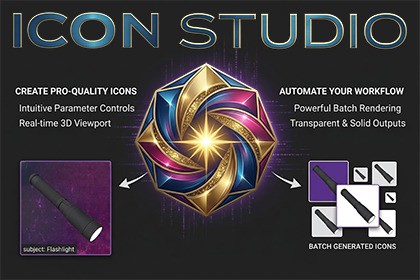
Scene-free icon renderer for Unity. Drop in a prefab, adjust lighting and overlays, and export a pixel-perfect PNG in one click — no dedicated scene or camera rig needed.Icon Studio is an Editor tool that renders production-ready game icons from anyprefab or scene object — without touching your scene, adding a camera rig, orwriting a line of setup code. Open the window, drop in your prefab, and you havea fully lit 3D preview and a one-click PNG export path in seconds.─ LIVE 3D VIEWPORT:The right-hand viewport updates in real time as you adjust every setting. Orbitthe camera with a left-click drag, independently orbit the key light with aright-click drag, and scroll to zoom. Corner bracket indicators show you theexact export boundary so there are no surprises in the final image.─ FLEXIBLE OUTPUT: Three capture modes cover the full range of use cases: • Opaque — exports with a solid background colour of your choice. • Transparent — removes the background and preserves the object's silhouette in the PNG alpha channel, ready to drop onto any UI background. • Solid Color — floods the silhouette with a flat tint; ideal for shadow icons, selection highlights, or stylised key art.Output sizes: 256 × 256 up to 4096 × 4096, all square. Every exported file isautomatically imported into the project with Alpha Is Transparency enabled.─ OVERLAY SYSTEM:Layer images and text directly onto the icon without leaving the tool: Background Image — composite a gradient, painting, or photo behind the 3D render. Foreground Image — place brush strokes, frames, grunge, or any 2D art in front of the object. Supports position, rotation, and scale controls with full alpha blending. Text Overlay — bake a label, item name, or level number onto the icon. Choose font, size, colour, anchor point, and pixel offset. Font size is defined at a 512 px reference canvas so text remains visually consistent at every export resolution.─ BATCH GENERATION: Point Icon Studio at a folder of prefabs, load them into the batch list, and exportan entire icon set in one operation. All three capture modes (opaque, transparent,and solid colour) are available for batch runs. The same lighting and overlaysettings are applied to every prefab in the batch.─ NON-DESTRUCTIVE:Icon Studio runs entirely inside Unity's built-in PreviewRenderUtility. Your scene,lighting, and camera are untouched. The tool's state (rotation, lighting, overlays,output path) is saved automatically between sessions and survives domain reloads.Rendering pipelines Universal Render Pipeline (URP) — fully supported, recommended High Definition Render Pipeline (HDRP) — fully supported * Built-In Render Pipeline — basic support, being phased out * HDRP transparent capture requires the project's HDRP colour buffer format to be set to R16G16B16A16 (Edit → Project Settings → Quality → HDRP → Rendering → Color Buffer Format). All other modes work without changes.Unity version Developed and tested on Unity 6 (6000.x). Unity 2022 LTS and 2023 are expected to be compatible but are not officially tested.Editor only Icon Studio adds zero runtime overhead and zero bytes to your build.No third-party dependencies Does not require TextMeshPro, Cinemachine, or any other package. Works with a stock Unity installation.Script architecture Two C# files: • IconStudio.cs — static renderer (PreviewRenderUtility wrapper, CPU texture compositing, PNG export pipeline) • IconStudioEditor.cs — EditorWindow (UI Toolkit left panel, IMGUI viewport, batch controller) Menu entry: Tools → ShadowBox → Icon StudioCompositing pipeline (CPU, no custom shaders) Background image — GPU blit resize → alpha-over composite Foreground image — inverse-transform CPU pixel walk (supports rotation, scale, and offset at any resolution; no GUI.matrix) Text overlay — Unity dynamic font atlas sampling, Y-convention corrected; all metrics scaled from a 512 px reference Transparent capture — dual-pass black/white render with per-channel alpha extraction; robust against HDR overbright materials

