






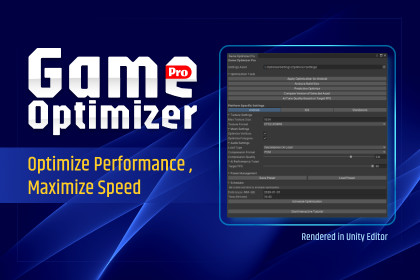
A Unity plugin to optimize assets (textures, meshes, audio) for various platforms. It includes performance monitoring, build size reporting, and a scheduler to boost game performance.🚀 Game Optimizer Pro is a comprehensive powerhouse for the Unity Editor, meticulously designed to help developers push their games to the limit. Whether you are struggling with large build sizes, inconsistent frame rates, or tedious manual asset management, this tool automates the heavy lifting so you can focus on creating.🛠 Key Features💎 Fine-Grained Asset ControlTake total command of your project’s footprint with advanced optimization for every asset type:Textures: Intelligent compression and resolution scaling.Meshes: Polygon reduction and mesh optimization for smoother rendering.Audio: Efficient sampling rate management to save memory without losing clarity.🤖 AI Optimization CoreHarness the power of artificial intelligence to maintain peak performance:Predictive Optimize: Identify potential bottlenecks before they happen.AI Tuner: Automatically adjust quality settings in real-time based on your Target FPS.Platform-Specific Rules: Apply custom optimization logic for Android, iOS, PC, and Consoles with a single click.📊 Build Size Report & TransparencyStop guessing what’s bloating your build.Detailed Analytics: Get a breakdown of your largest assets.Size Tracking: Monitor your total build size (e.g., 31/16 MB) to stay within store limits.🔄 Asset Version Comparison (Unique!)One of our standout features—compare Version A vs. Version B of any asset.Directly compare performance changes between different versions.Identify which iteration offers the best balance of quality and speed.📈 Live Performance MonitorMonitor your game’s health in real-time directly within the editor:High-fidelity FPS tracking.Real-time Memory Usage diagnostics to catch leaks early.📅 Smart Scheduler & BoosterDon't let optimization slow down your workflow.Automation: Schedule heavy optimization tasks to run at specific dates and times (e.g., overnight).Performance Boost: Automate cleanup and project boosting to keep the Editor snappy.🌟 Why Choose Game Optimizer Pro?✅ User-Friendly UI: Modern, dark-themed interface that integrates seamlessly with Unity.✅ Interactive Tutorial: A built-in, step-by-step guide to get you started in minutes.✅ Multi-Platform Ready: Built specifically for the needs of mobile (Android/iOS) and desktop developers.✅ Workflow Efficiency: Save hundreds of hours of manual configuration.📦 What’s Inside?Full Game Optimizer Pro Plugin.Live Performance Monitoring Panel.Advanced Build Reporting System.Asset Versioning & Comparison Tool.Complete Documentation & Interactive Onboarding.Maximize your speed. Minimize your size. Optimize like a Pro.Suggested Technical Details for the Sidebar:Supported Unity Versions: 2021.3 LTS and higher (suggested).Render Pipelines: Built-in, URP, and HDRP.Platforms: Android, iOS, Windows, Mac, Linux, WebGL.🖼️ Asset OptimizationAdvanced optimization capabilities for various asset types:Textures: Custom max size (256-4096), platform-specific formats (ETC2, ASTC, DXT)Meshes: Vertex and polygon optimization togglesAudio: Load type control (Decompress on Load, Compressed in Memory, Streaming), compression format selection (Vorbis, ADPCM), quality sliderAll changes reversible with Ctrl+Z (Undo support)📱 Platform-Specific SettingsDedicated settings for 4 platforms: Android, iOS, Standalone, WebGLIndependent format, size, and compression rules per platformOne-click switching via toolbarAutomatic platform-specific defaults (e.g., ASTC for iOS, ETC2 for Android)📊 Detailed Build ReportingTotal build size estimation per platformAsset-by-asset breakdown sorted by sizeBase engine size calculation (Android: 25MB, iOS: 30MB, WebGL: 40MB, Standalone: 60MB)Visual top-50 list with file paths and sizesFormat-aware texture size estimation📈 Live MonitoringReal-time FPS and memory monitoring panelTarget FPS configuration (15-60)Performance tracking during optimization🤖 AI TunerAutomatic quality preset selection based on target FPSThree tiers: HIGH (60+ FPS), MEDIUM (30-59 FPS), LOW (<30 FPS)One-click application with Undo supportAdjusts texture size, format, and audio quality simultaneously⏰ Scheduled OptimizationCustom date and time scheduling (yyyy-MM-dd HH:mm format)Automatic execution when time arrivesAuto-cancel after runVisual status display (scheduled/active)💾 Auto Backup SystemOptional automatic backup before optimizationTimestamped backup folders (yyyyMMdd_HHmmss)Configurable backup locationManual backup buttonBackup history with count and last time🎯 Preset ManagementSave current settings as reusable presetsLoad presets to quickly switch configurationsFull settings cloning via serialization📖 Interactive Tutorial7-step guided walkthroughProgress bar visualizationPrevious/Next navigationFirst-time user onboarding🛡️ Safety FeaturesUndo/Redo support for all operations (Ctrl+Z)Confirmation dialog before major actionsDetailed progress bars during optimizationError handling with user feedbackAsset-type filtering (only modifies relevant assets)🔌 Editor IntegrationAccessible via Window > Game Optimizer Pro menuKeyboard shortcut: Ctrl+Shift+OScriptableObject-based settings (persistent across sessions)Native Unity Editor UI with icons and modern layoutThis package was developed with the assistance of AI tools for the following purposes:- Code scaffolding and initial implementation- Documentation writing and formatting- Generation of promotional banner artworkAll code has been reviewed, refactored, and customized by the author. The final implementation includes original architecture, optimization, and additional features that go beyond AI-generated output. The visual assets have been refined and adapted to maintain a consistent style.

