



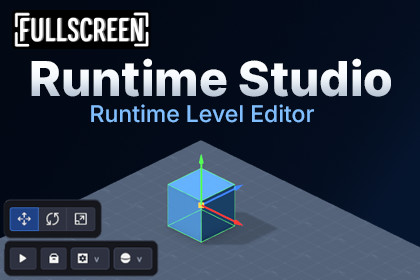
Runtime Studio is a player-safe in-game level editor for Unity, letting players create, edit, save, load, and export custom levels with curated assets, undo/redo, and runtime tools.Runtime Studio - Runtime Editor FrameworkBuilding an in-game editor takes months. You need UI systems, selection tools, transform gizmos, saving, and safety checks so players don’t break your game.Runtime Studio gives you a sandbox-style user-generated content system for your game, where players can create, edit, save, and load levels directly in-game.Instead of building everything from scratch, you can add a playable creation layer in minutes.Players can export and import their creations as files, making it easy to share content outside the game.Runtime Studio is flexible and fits into sandbox or creation-focused games where players can build and test their own levels.🎉 Launch Offer - 30% OFF for the next 2 weeks!Grab Runtime Studio at a discounted price before the offer ends.Powerful Editing WorkspaceGive your players a familiar and powerful workspace.Runtime Studio includes a UI Toolkit-based shell with Hierarchy, Project, and Inspector panels. Players can interact with scene content using action panels, a console overlay, and a smart object picker.Runtime Scene EditingEditing levels feels intuitive and familiar.Players can build worlds using Move, Rotate, and Scale tools with transform gizmos, free camera controls, grid overlays, snapping, and live asset previews.Player-Safe ComponentsYou control exactly what players are allowed to edit.Runtime Studio includes runtime inspectors for many common Unity components, allowing players to interact with gameplay systems directly inside the editor.You can also expose custom gameplay components like Health or Spawners by integrating them into the runtime inspector, with full control over how they are presented and edited.Runtime Play ModeTest levels instantly by switching between edit and play mode.Runtime Studio includes a built-in Play Mode that allows players to switch from editing into gameplay. Players can run their level in real time, test mechanics, and experience their creation as a game, then return back into editing to make adjustments without losing progress or context.Save, Load, and SharePlayer-generated content needs a reliable way to be stored and distributed.Runtime Studio includes a complete runtime save and load system. Creations can be exported as compressed package files, allowing players to share custom levels via external distribution.Curated Asset LibrariesYou decide exactly what assets players can use.The Editor Asset Library lets you group prefabs, meshes, materials, and audio. Players can browse these curated assets in the runtime Project panel with automatically generated previews.WebGL SupportRun and share user-created content across platforms.Runtime Studio supports WebGL builds, allowing your runtime editor and gameplay systems to run in browser-based environments. Level export and import is fully supported through compressed package files, enabling players to transfer creations between sessions and platforms using external file handling.Built-In Undo and RedoMistakes happen.Players can safely undo or redo edits, including transform changes, component edits, object duplication, and hierarchy modifications.Extensible FrameworkBuild and expand the editor to fit your game.Runtime Studio is a modular, extensible framework that allows you to add custom tools, components, and workflows. Extend the runtime interface with your own systems or create new editor features through plugins or direct integrations, tailored to your project’s needs.Visual Scripting IntegrationWant players to build gameplay systems using visual scripting? Check out Runtime Studio - Game Creator 2 Integration to add Game Creator 2’s visual scripting inside your sandbox.Additional FeaturesRuntime NavMesh generationMulti-select transformsShift-and-extrude placementCustom hotkeys and library settingsFree camera alignment🎮 Try It Yourself!You can explore Runtime Studio directly in your browser via WebGL or download the Windows build on Itch.io📦 What’s Included✔ Full Source Code✔ Quick Start Guide✔ Examples🔗 Links🌐 Website📖 Documentation📚 Setup Guide💬 Discord📅 RoadmapRuntime UI Shell: Built completely on Unity UI Toolkit. It features a dockable layout with a hierarchy panel, project browser, component inspector, object picker, and an integrated console overlay.Scene Editing Tools: Includes an interactive Move, Rotate, and Scale tool palette. It supports transform gizmos, snapping, multi-selection editing, free camera controls, and a Shift plus drag extrusion feature.Extensible Component Drawers: Includes player-safe inspectors for core Unity components like Lights, Colliders, and AudioSources. You can easily write custom drawers to expose and format your own unique scripts in the runtime view.Robust Persistence Pipeline: Saves and loads user levels through a structured JSON serializer. It tracks scene object hierarchies, component states, asset references, and unique object identities.Snapshot Undo and Redo: Backed by an automated scene snapshot service. It lets players instantly undo or redo transform changes, selection deletions, duplicates, and inspector edits.Curated Asset Libraries: Controlled through the no-code Editor Asset Library manager. It allows you to batch-assign prefabs and materials that dynamically generate visual previews for the runtime project panel.Local Package Export and Import: Compresses custom levels into portable .rtstudio files. It uses native file dialogs on standalone builds and a specialized browser bridge for WebGL downloads and uploads.Dynamic NavMesh Building: Includes a runtime whole-scene NavMesh generation system. It automatically bakes walkable surfaces from player-placed geometry and features an optional shader preview overlay.RequirementsUnity 6 LTSUnity New Input SystemSupported Runtime Components: Includes player-safe inspectors for a curated set of Unity components: Transform, Animation, Animator, AudioSource, BoxCollider, BoxCollider2D, Camera, CapsuleCollider, CapsuleCollider2D, CharacterController, CircleCollider2D, Light, MeshCollider, MeshFilter, ParticleSystem, Renderer, Rigidbody, Rigidbody2D, SkinnedMeshRenderer, SphereCollider, SpriteRenderer.Platform Support & Testing: Tested on Windows (IL2CPP and Mono) and WebGL builds. Designed to function within Unity runtime constraints, including WebGL and IL2CPP compatibility.Input & Keybinding Support: Runtime Studio is designed for mouse and keyboard workflows. All editor hotkeys and shortcuts including free-cam can be rebound through the built-in keybinding settings.Note: Runtime Studio is not a full Unity Editor running inside your game. It is a lightweight, runtime-friendly editing framework designed for player creation. Due to the nature of runtime environments, some features may behave differently than in the Unity Editor, and certain workflows may have limitations or quirks. The system is designed to remain stable, safe, and extensible for gameplay-focused editing.The framework includes a curated set of runtime editing tools focused on core level creation and gameplay building. Additional features and editor-style tools may be introduced over time as optional plugins or updates, allowing the system to expand in a modular and future-proof way.

