


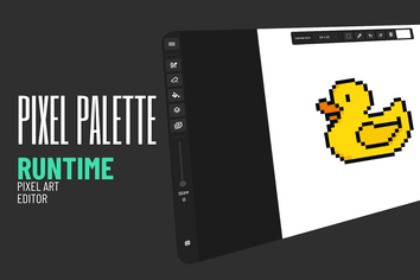
A runtime pixel art editor for Unity. Add painting, layers, animation, and export to any app. Touch, mouse, and pen support. Full source included.Pixel Palette is a fully-featured runtime pixel art editor built entirely in Unity. Drop the prefab into any scene and your users instantly get a professional drawing toolset — no external tools, no complicated setup, no third-party dependencies.Documentation: https://viridian-games.gitbook.io/pixel-paletteWhat's included:Drawing tools — Pen, Eraser, Fill, Color Picker, and Selection with adjustable brush size (1–16 pixels)Layer system — Add, delete, duplicate, reorder, and merge layers. Each layer has its own visibility toggle and opacity sliderAnimation — Frame-by-frame timeline with onion skinning, add/delete/duplicate/reorder frames, and real-time playback at any FPSColor picker — Full uGUI color picker with a color wheel, RGB sliders, grayscale strip, hex input, and an eyedropper tool that samples any pixel on the canvasQuick shapes — Hold still to auto-detect lines, ellipses, and rectangles. Toggle between shape types and hold Shift for perfect aspect ratioSelection — Rectangular and elliptical marquee selections with cut-and-paste move functionality and marching ants overlayPan and Zoom — Right-click or middle-click to pan, scroll-wheel to zoom, two-finger touch gestures for mobileUndo and Redo — Per-stroke undo tracking that only re-renders the area that changedExport — PNG export at any scale (1x to 8x), individual layer PNGs, horizontal spritesheets from animation frames, and full project save/load in a custom binary format (.pxl)Multiple input support — Works with touch, mouse, and pen/stylus. Pen pressure sensitivity includedCross-platform — Runs on desktop, tablet, and mobile out of the boxBuilt for developers:Every button, panel, and tool is customizable. Wire up your own UI, lock features behind a demo mode, or trigger tools through clean C# APIs and events. The entire source code is included and well-organized — extend it with custom brushes, new export formats, or your own UI panels.Perfect for:Games that need an in-game drawing or painting featureEducational apps teaching pixel art or animationCreative tools where users need to create and edit spritesAny app that wants to offer art creation without leaving the applicationNo external dependencies, no web service calls, no subscription fees. Everything runs locally in your Unity project.Version: 1.0Unity Version: 2021.3 or higherPlatforms: Windows, Mac, Linux, iOS, AndroidPackages required: Input System, Burst, CollectionsScripting backend: Mono / IL2CPPSource code: Full C# source includedUI systems used: UI Toolkit (toolbar) + uGUI (panels)Input: Mouse, touch (multi-touch pinch/zoom), pen/stylus with pressure sensitivityFile formats: PNG (import/export), PXL (project save/load)Portions of the source code, documentation, and configuration in this package were developed with assistance from an AI coding assistant. The AI was used for:Generating and refactoring C# scriptsWriting UI binding logic and event wiringCreating and updating documentationAll AI-generated code was reviewed, tested, and manually refined by the developer to ensure correctness, performance, and adherence to Unity best practices.

