



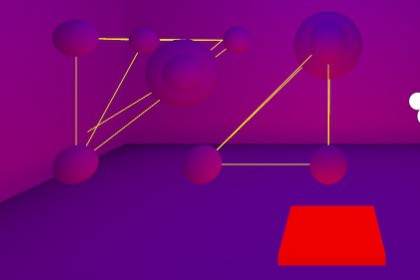
Easily create and manage Light Probe Groups in Unity. Generate probes inside a customizable volume, adjust to fit your scene, and edit directly in the Scene View for fast, precise lighting setup.Light Probe Auto Setup is the ultimate time-saving solution for artists and level designers who want to optimize indirect lighting in Unity scenes without tedious manual placement.With visual controls directly in the Scene View, you can easily define, move, and resize the probe generation area. The tool can also instantly adjust the volume to cover the entire scene.It automatically creates and manages the LightProbeGroup inside a child GameObject, keeping your project clean and ready for light baking.Key Features:Automatic Probe Generation – Fills a defined volume with probes at the desired spacing.Intuitive Editing – Adjust the area directly in the Scene View with interactive handles.Scene Fit – Instantly resizes the volume to encapsulate the entire scene.Local Space Support – Probes follow the parent object’s position, rotation, and scale.Clean Organization – Automatically creates a child GameObject containing the LightProbeGroup.Platform: Unity Editor (Edit Mode only)Compatibility: Unity 2021.3 or higher (recommended)Namespace: Dplds.SetupAsset Category: Tools/UtilitiesDependencies: NoneInspector Parameters:Edit Box (bool) – Enables/disables interactive Scene View handles.Box Color (Color) – Visualization color of the generation volume.Probe Spacing (float) – Distance between probes in Unity units.Light Probe Group Name (string) – Name of the generated LightProbeGroup GameObject.Workflow:Create an empty GameObject.Add the LightProbeAutoSetup component.Adjust the box via handles or auto-fit button.Set the desired probe spacing.Generate probes and bake lighting.AI-assisted tools were used to refactor and organize the code, as well as to add comments for clarity. All scripts were manually reviewed, tested, and optimized before inclusion in the asset.

