



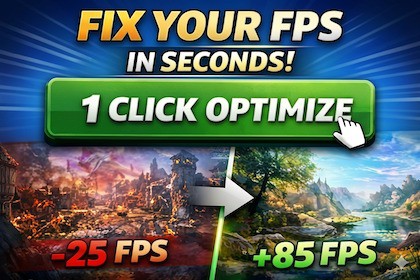
Professional Unity Editor optimizer for scene analysis, safe one-click fixes, and production-ready performance workflows.Compatible with Unity 2022.3 LTS and newer, including Unity 6 (6000.x). Fully supported in Built-in Render Pipeline, URP, and HDRP. No additional dependencies required.One Click Optimizer PRO is a professional Unity Editor extension designed to accelerate scene optimization with minimal setup.Run a scan, detect bottlenecks, and apply reliable fixes through one-click automation or manual controls.Core capabilities:- Scene Analyzer with actionable issue categories- One-click optimization pipeline with regression guard- Optimization profiles: Mobile, PC, HighQuality, VR- Auto LOD system with two modes:- SafeStability: stability-first LOD grouping for complex scenes- ProValidatedDecimation: triangle reduction with strict validation and safe fallback- Texture optimization:- compression pass- non-destructive resized copies- AI-style contextual recommendations- Runtime Play Mode monitor overlay (FPS, frame time, spikes)- Optimization history with restore and comparisons- Batch scene optimization- PRO Quality Gate (PASS/FAIL) with profile-aware thresholdsBuilt for production workflows:- clean and beginner-friendly UI- Undo-safe operations- confirmation for destructive actions- zero external dependenciesMenu path:Tools > One Click Optimizer PRO- Unity version: 2021.3 LTS+- Asset type: Editor Extension- Render pipelines:- Built-in RP- URP (full support)- HDRP (basic compatibility)- No external dependencies- Includes:- Editor systems- Runtime monitor component (Play Mode diagnostics)- Demo scene- Full documentationPortions of this package were created or refined with AI-assisted tools, including drafting of editor-tool code, documentation, store listing copy, and marketing image layout concepts. All package contents were manually reviewed, edited, tested, and integrated by the publisher. The package does not include AI model files, AI-generated game assets intended to resemble copyrighted work, runtime AI services, prompts, or generated demo content. The included functionality is a deterministic Unity Editor utility for scanning project hygiene, reporting issues, quarantining selected assets, restoring quarantined assets, managing ignore rules, and exporting reports

