






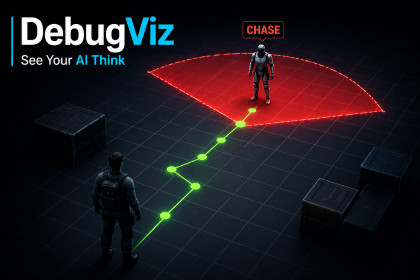
DebugViz lets you visualize perception, navigation paths, and AI states directly in-game, so you can understand and fix behavior instantly—no more guesswork or log spam.DebugViz – Visual AI Debugging Toolkit for UnityStop guessing what your game is doing.With DebugViz, you can see your AI think in real-time.DebugViz is a lightweight, plug-and-play toolkit that lets you visualize AI behavior, perception systems, navigation paths, and gameplay logic directly in your game — no more spammed logs or blind debugging.🔥 Key Features🧠 Visual AI DebuggingDisplay AI states directly above characters (PATROL, CHASE, SEARCH)Instantly understand what your agents are doing👁️ Perception VisualizationRender vision cones and detection areasColor-coded feedback (idle vs detected)Perfect for stealth and enemy AI systems🧭 Navigation & Path DebuggingVisualize paths and movement targets in real-timeSee exactly where your AI is going and why🎯 Debug HelpersDraw lines, rays, arrows, boxes, spheres, and moreUseful for physics, targeting, and gameplay debugging🎛️ Runtime Debug PanelToggle debug categories instantly in-gameEnable/disable AI, perception, navigation, and moreZero setup required – drop and go⚡ Why DebugViz?DebugViz is designed to solve a real problem:Understanding complex game behavior quickly.Instead of digging through logs or writing custom debug code every time, DebugViz gives you a clean, visual layer that works across your entire project.🚀 Quick StartImport the packageDrop the DebugVizManager prefab into your sceneCall:DebugViz.Line(start, end, DebugCategory.AI);DebugViz.Cone(origin, direction, angle, range, DebugCategory.Perception);DebugViz.Label(position, "CHASE", DebugCategory.AI);That’s it.🎮 Demo IncludedA ready-to-use demo scene shows:AI patrol behaviorPlayer detection with vision conesDynamic path visualizationRuntime debug togglingUnderstand the value in seconds.💡 Use CasesEnemy AI debuggingStealth and perception systemsNavMesh path visualizationRaycast and physics debuggingGameplay logic inspection🧩 Lightweight & FlexibleWorks in play modeMinimal setupClean APINo dependencies🛠️ RequirementsUnity 2021+Built-in Render Pipeline (URP not required for this version)📈 Future UpdatesPlanned improvements include:advanced filteringrecording & playbackextended visualization toolsDebug smarter. Build faster.See what your game is really doing.Core SystemRuntime debug visualization system with centralized managerCommand-based architecture (line, cone, path, label, etc.)Lightweight and easy to integrate into any projectVisualization FeaturesLines, rays, arrows, boxes, spheresVision cones for AI perceptionPath visualization for navigationWorld-space labels for AI states and debugging infoCategory SystemBuilt-in categories: AI, Perception, Navigation, Physics, CustomEnable/disable categories at runtimeColor-coded visualization for clarityRuntime ControlIn-game debug panel (UGUI)Toggle categories instantlyGlobal enable/disable switchHotkey support (default: F1)PerformanceCommands are executed and cleared every frameDesigned to be lightweight and safe for play mode debuggingNo external dependenciesIntegrationSimple static API (DebugViz.*)Minimal setup (drop prefab + call methods)Works immediately in play modeCompatibilityUnity 2021 or newerBuilt-in Render Pipeline (tested)URP not required for this versionDemo IncludedAI patrol and detection exampleVision cone and path visualizationRuntime debug panel usageCode QualityClean namespaces and structureNo required third-party packagesSafe defaults and error handlingNote:This asset focuses on runtime debugging and visualization. Advanced features such as recording and editor tooling may be introduced in future updates.

